Connection
Connection
Connection
Connection and
and
and
and Operation
Operation
Operation
Operation :
:
:
:
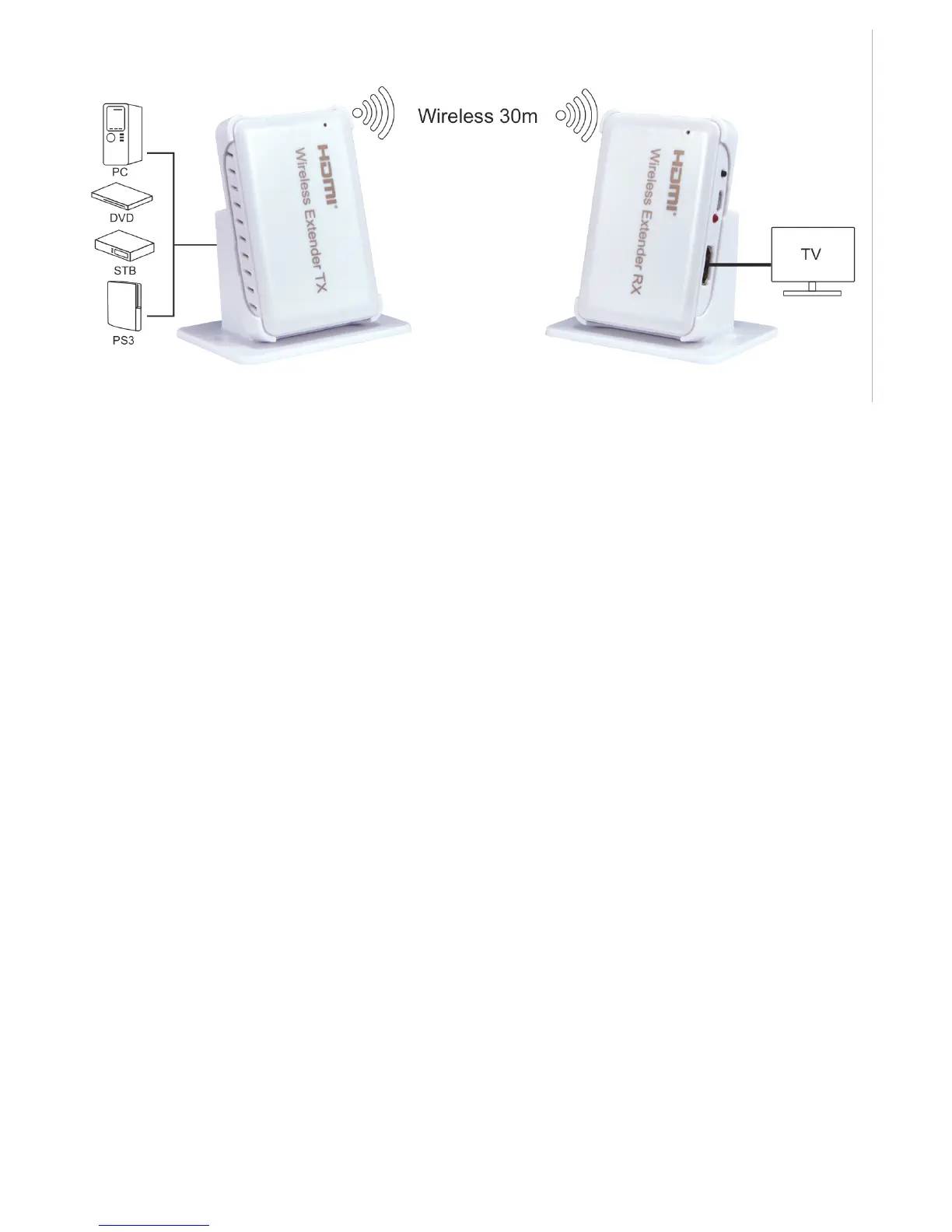
1: Connect the HD source to the input of the wireless extender T X with 1 hdmi cable
2: Connect the output of the wireless extender RX to the di s plays with 1 hdmi cable
3: Connect 5V/1A power adapter to the TX and RX .
4. Reset button: it ’ s a r eset key for system r eset , you can press the button for about 10
seconds to restore factory Settings
Note:
Note:
Note:
Note:
1. It works in the uncongested 60 GHz frequency band, pls don ’ t put obstacles between the TX
and RX to give play to the best performance.
2. TX and RX should be matched to use, when you make the TX and RX to restore factory
setting, it will complete matching automatically.
Package
Package
Package
Package include
include
include
include :
:
:
:
1. HDMI Transmitter & HDMI Receiver
2. Power adapter
3. User manual


 To Previous Page