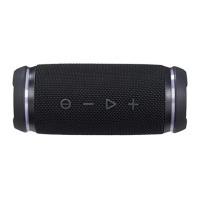
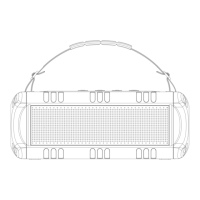
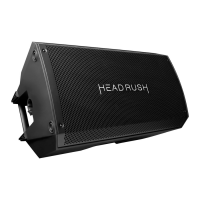
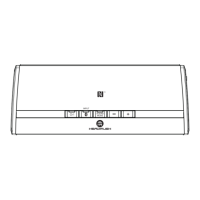
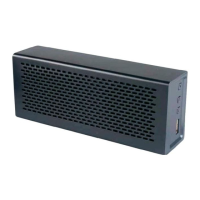
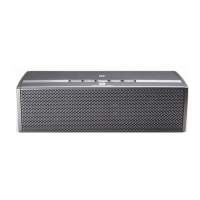
The HeadRush HRSP 5043 Party Base is a wireless party speaker designed for streaming music and hands-free calling. It boasts an IPX4 rating, meaning it's protected against splashing water, making it suitable for various environments, though care should be taken to dry the charging port and keep protective covers closed when exposed to water.
Technical Specifications:
- Output Power: 60W
- Bluetooth Version: 5.2
- Battery Capacity: 7.4V/5200mAh
- Charging Time: Approximately 5-6 hours
- Frequency Response: 50Hz-18kHz
- Operation Distance: Up to 10m (33ft.)
- TWS Distance: 10m (33ft.)
- Playtime: 8 hours
Function Description:
The speaker offers a wide range of functionalities, including wireless audio streaming via Bluetooth, karaoke mode with microphone input, guitar input, and various LED light effects. It supports both TWS (True Wireless Stereo) pairing for two speakers and Party/Broadcast pairing for multiple speakers, allowing for a more immersive audio experience.
Usage Features:
Power and Basic Controls:
- Power ON: Press the power/mode button. The LED display will show "A-" followed by two digits indicating the volume level (e.g., A-08).
- Power OFF: Press and hold the power/mode button. "OFF" will appear on the LED display.
- Play/Pause: Press the play/pause button to play, pause, or resume audio.
- Next Track: Press and hold the volume+ button.
- Previous Track: Press and hold the volume- button.
- Increase Volume: Press the volume+ button.
- Decrease Volume: Press the volume- button.
- Switch to AUX Mode: Press the Bluetooth button. "AUX" will show on the display.
- Change Light Mode: Press the light mode button to cycle through different light effects.
Bluetooth Pairing:
- Turn the speaker ON. The Bluetooth button will flash, indicating it's ready to pair.
- Enable Bluetooth on your device and select "HRSP5043."
- A chime will sound, and the Bluetooth icon on the LCD display will illuminate when successfully paired.
- If no device is paired within 30 minutes, the speaker will turn OFF.
- To un-pair, disconnect from your device's Bluetooth settings. The speaker will automatically re-pair with previously connected devices if Bluetooth is ON and within range.
- If your device doesn't discover the speaker, press the Bluetooth button and repeat the pairing process.
Microphone and Karaoke Mode:
- Plug a microphone into the MIC jack. "L-" will appear on the LED display.
- Adjust Microphone Volume: Press the MIC/guitar volume button to adjust the volume from L-01 to L-16.
- Karaoke: Play music from your device and sing along.
- Adjust Echo: Press the MIC echo button to increase or decrease echo (E-00 up to E-16).
- Adjust Bass: Press the MIC bass button.
- Adjust Treble: Press the MIC treble button.
Note: After plugging in a microphone, "L-00" will show for 10 seconds before reverting to the main volume display. Always set the volume to minimum before plugging/unplugging a microphone.
Guitar Mode:
- Plug an electric guitar into the guitar jack (do NOT use the microphone jack). The guitar icon will show on the LED display.
Note: After plugging in a guitar, "G-00" will show for 10 seconds before reverting to the main volume display.
Bass Boost:
- Press the Bass Boost button to turn ON/OFF when playing music.
LED Light Effects:
- Press the light mode button to select from 4 available light modes: Multi-colour rotation, Light dancing, Half light rotation, Half light dancing, and OFF.
- Press and hold the light mode button to change to a single color, then press the button to cycle through 7 color options.
- Press and hold the light mode button again to return to the different light mode options.
Line-In (AUX In) Mode:
- Use the supplied 3.5mm audio cable to connect the speaker directly to your device.
- "AUX" will show on the display.
Note: Line-in takes priority over Bluetooth. To switch back to Bluetooth mode, press the Bluetooth button.
Party/Broadcast Pairing:
- Turn ON all speakers and enable Bluetooth. Select one speaker (HRSP 5043) from your Bluetooth device list as the primary speaker.
- On all other speakers, press and hold the Party/Broadcast button to enter party/broadcast mode.
- Speakers will pair automatically. "A" will show on the primary speaker's LED display, and "B" will show on the other speakers' LED displays.
- To exit, press and hold the Party/Broadcast button.
Note: Audio control is only available on the primary speaker. TWS pairing will not work when speakers are being used in broadcast mode.
TWS Pairing:
- Turn ON two HRSP 5043 Party Base speakers and press and hold the TWS button on both speakers simultaneously.
- The speakers will enter stereo pairing mode, and the TWS icon will flash white on the LED display.
- When successfully paired, "A" will light up on the primary speaker's LED display, and "B" will light up on the secondary speaker's LED display.
- Enable Bluetooth on your device and select "HRSP5043."
- The Bluetooth icon will light up on both speakers after your device has paired.
Note: Press and hold the TWS button again to exit TWS pairing mode.
Maintenance Features:
Charging:
- Use the included USB-C charging cable to fully charge the speaker before first use (approximately 5 hours).
- The red LED will be ON while charging and turn OFF when charging is complete.
- When the battery is low, the speaker will beep every few seconds. If not plugged in within 10 minutes, it will turn OFF.
- The speaker will automatically power OFF if not in use for 30 minutes.
Hardware Reset:
- If the speaker becomes unresponsive, insert a needle into the reset hole. The speaker will turn OFF and then back ON.
Factory Reset:
- In any mode, press the Power On and Play/Pause key for 3 seconds simultaneously.
Troubleshooting:
- No Sound: Ensure the speaker is charged, ON, and Bluetooth is enabled on your device. Adjust volume.
- Poor Sound Quality/Buzzing: Ensure no obstacles between the speaker and device, check network, try another device.
- Speaker Does Not Pair/Disconnect: Move speaker and device closer, turn OFF other Bluetooth devices, clear speaker memory (press and hold Bluetooth button for 3 seconds), clear phone pairing list, or manually pair.
- No Sound/Low Volume: Increase speaker/device volume, ensure not muted, keep devices within 1m, turn OFF and reconnect speaker, try different device, charge speaker for 6 hours.
- Microphone Feedback: Turn down echo, orient microphone away from speaker, try different microphone, change speaker/vocalist position, increase distance from speaker to microphone, check vocal effects processor.

 Need help?

 To Next Page
 General