How to use
General Function
Button Name
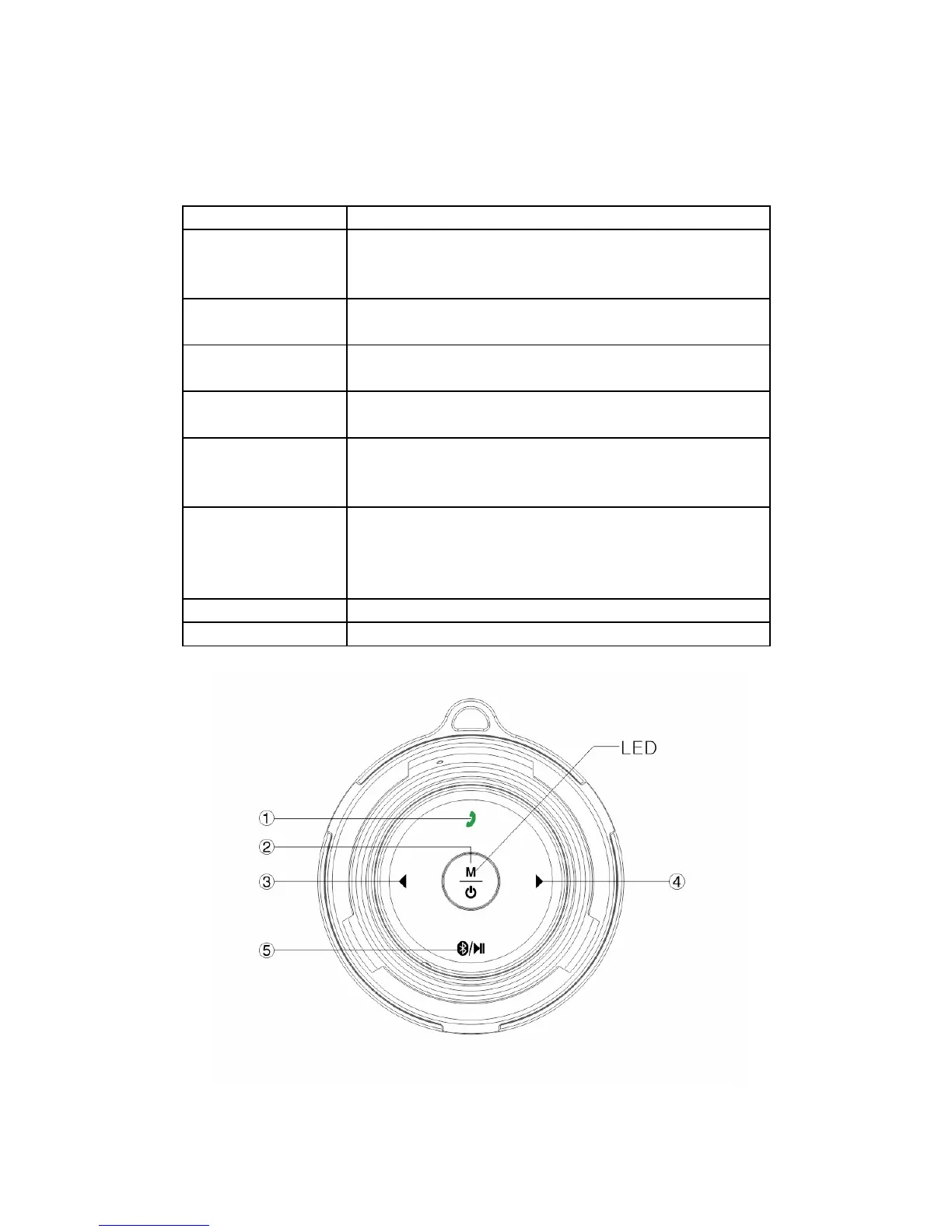
1 – operate call Call answer button: Short press to answer or or
hang up the call. Long press to reject the call or
long press to shut down or open the voice prompt.
2 – mode key Mode key: Exchange model among Bluetooth mode
and Line-In mode.
2 – power button Power Button: Pressing 2 seconds to power on or
power off.
3 – prev. / volume Prev. / Volume: Short press to previous song. Long
press to decrease the volume.
4 – next / volume Next / Volume: Short press to next song. Long
press to increase the volume. With voice prompt
and blue light flashing when max. volume reached.
5 - Bluetooth Bluetooth disconnected or reconnected: Under
Bluetooth connection mode, long press to
disconnect. Short press again to reconnect the
previous device.
6 – reset button Press to reset the device
7 – USB port Micro USB port: Charging port and line-in port.
5


 To Next Page