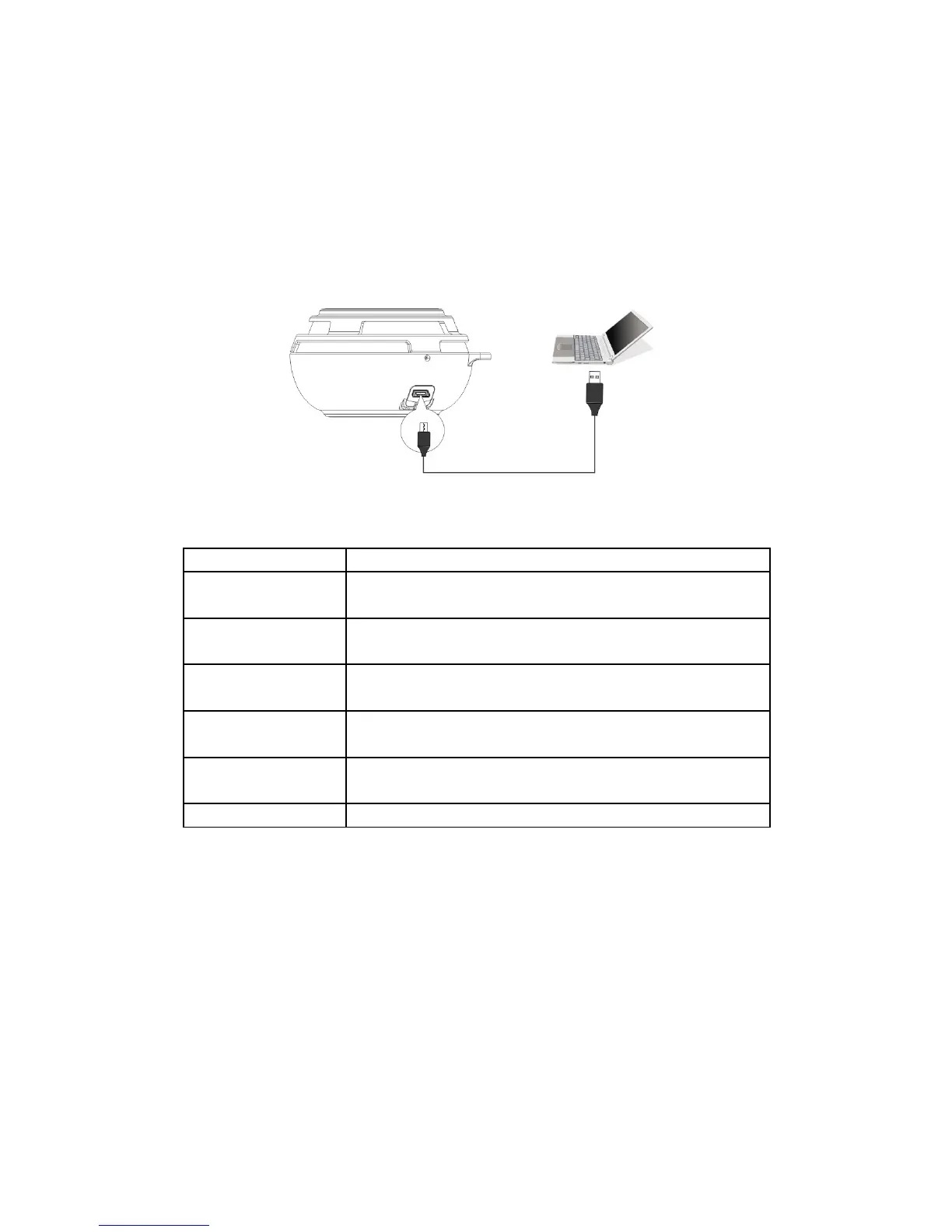
Charging
The HEADSOUND ball is recharged with DC5V-500mA by USB adapter or any
USB port device (i.e. Computer). Connect the speaker (micro USB port) to the
computer through attached USB cable and then the speaker is charging.
FAQ
Question Settlement
Fail to connect
Bluetooth
1) Restart the speaker.
2) If need password please input “0000”
Interrupted signal
or music play
Please check the Bluetooth connections valid
distance (10m) or if something cut off the signal.
No sound 1) Check the volume of the speaker.
2) Check if the speaker is in mute or pause.
Line-in no sound Check if the audio cable is connected correctly and
the speaker is in line-in mode (not Bluetooth mode)
Fail to power on Check if the battery is low. Connect the speaker for
charging.
Speaker halt Reset the speaker.
9


 To Next Page