• Adhere extra caution when using the Bluetooth
Speaker around children;
• Use extra caution in high temperatures;
• Product is not waterproof;
• Damage, shock, and/or injury can occur if these
warnings are not heeded properly.
FAQ
1. Doesn’t turn on:
Please check if the battery is in low power. Please
recharge and then turn on again.
2. Cannot charge:
Please check if the power supply is working for input
charging. Please check if the USB cable is working
properly.
3. No Sound:
Please check the volume on your bluetooth source
(phone, laptop, etc). Increase it
4. Doesn’t pair:
Delete H2speakers from your bluetooth source and
start the pairing process from the beginning
5. Can’t answer the incoming call:
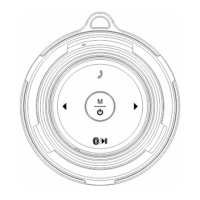
Short press main button on one of the speakers.
Recharge the speakers to the fullest.


 To Next Page