2Faulttypeandtheservice
All the alerts could be divided four styles:
1Channel Error likes GPS, Gyro, microphone and so on;
2 Power alert;
3 PDC connect error;
4 Not Receive Inf;
2.1Channel&Microphoneerror
2.1.1Channelerror
When the channel error appears, the first step is to press the “Mute” & “ACK FLASH” to stop alarm sound. Then
check whether related equipment is on, whether the plug of the input is loose and whether the connection is good. If
the connection is good, we should check whether the related equipment can send signals to VDR. After the failure
is eliminated, the displayed information of Remote Alarm Panel screen will disappear automatically.
2.1.2Microphoneerror
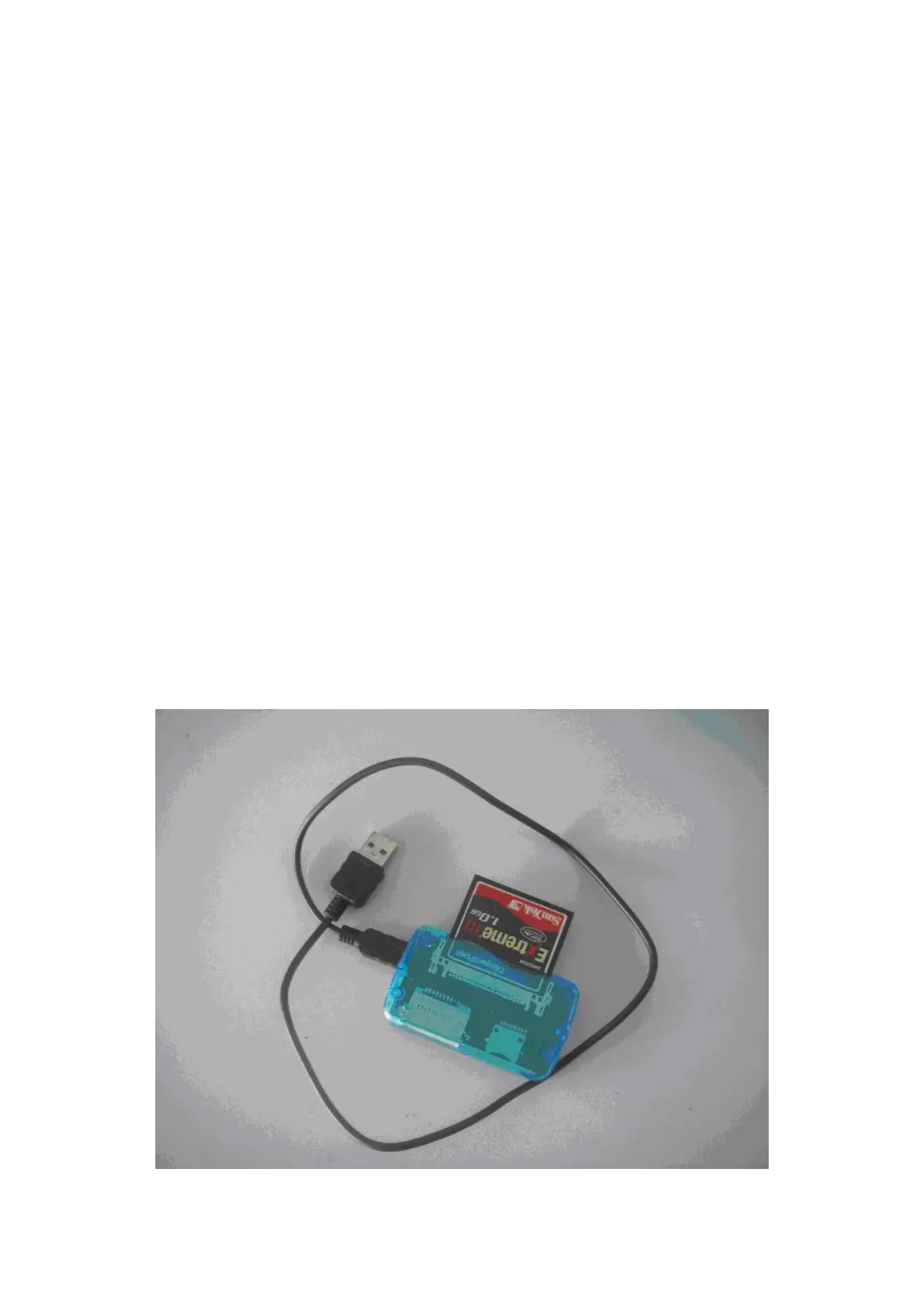
Please switch off the power and take out the CF card in the Main Cabinet Unit. I mean the PROGRAM DISK. It is
behind of the BACKUP DISK. Insert the CF card in to the CF card reader. As following:
Open “My Computer” and find the CF card. Double click it and you will find the “data” folder, Open the “data”


 To Next Page
 Loading...