EasyManua.ls Logo

Heatstore HHR - User Manual

Heatstore HHR
2 pages
Print Icon
To Next Page IconTo Next Page
Loading...
MENU
BACK
ADVANCE
How does the heater control work?
Set the temperature
The temperature shown on the display is the room temperature setpoint.
This is the temperature that the heater will maintain during the ‘Heating
On
periods. If the room temperature is above this temperature then the
fan will not operate.
The heater leaves the factory with this temperature set at 21°C which
represents a typical, comfortable room temperature.
If you require a different room temperature then rotate the control dial
either clockwise or anticlockwise until the display shows the temperature
you require.
YOU DO NOT NEED TO TURN THIS DOWN OVERNIGHT.
Dynamic High Heat Retention
(HHR) Storage Heater -
Quick Start Guide
08/83008/0-1
This guide is for quick reference only.
Please refer to the operating instructions for further information.
The outer case of the heater will be cooler to touch than a conventional storage heater. This is because less heat is
‘lost’ through the case, making more heat available from the fan outlet when needed.
Nothing may be placed in the 30cm (1 foot) in front of the heater at any time. This is to avoid items coming into
contact with the grille and the heated air which leaves it. Blocking some or all of this area could represent a fi
re
hazard.
You do not need to decide how much heat to store. Simply set the timer mode and the temperature to what suits you
and leave the heater to meet your requirements.
Ensure that both supply switches next to the heater are turned on. During the summer when no heat is required, both
wall switches can be turned of
f. Remember to turn both of these back on in Autumn when heat is required again.
The heater control allows you to choose when you want the heating to be on, and at what temperature. To deliver the
required heat the control switches on and off a low speed fan that pushes stored heat from the core into the room.
The periods during which the heater is providing heat are called ‘Heating On
(shown at the bottom of the screen).
Outside of these periods the heater will not deliver heat and these periods are called ‘Heating Off’. During the
Heating On periods the low speed fan will run to maintain the temperature on the screen. During the ‘Heating Off
periods it will not.
Note: there is a delay of up to a minute on the fan operation when switching to ‘Heating On’ or ‘Heating off’.
This is normal and does not represent a fault.
Set the time
The time and date are set in the factory and should not need to be amended, however to check that they are correct
press Menu
, then press the Selector Dial with Time / Date highlighted. Rotate the Selector Dial until the correct
value is shown, then press it down to confi rm and move on to the next value. Repeat until all details are correct and
the main menu screen is showing again, then press Back.
The time is automatically adjusted in Spring and Autumn at the changes between Greenwich Mean Time (GMT) and
British Summer Time (BST).
It is recommended to check the time every couple of months and adjust if necessary.
21°C
Heating On

Question and Answer IconNeed help?

Do you have a question about the Heatstore HHR and is the answer not in the manual?

Overview

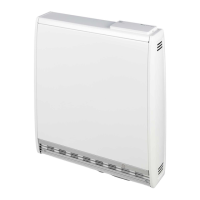
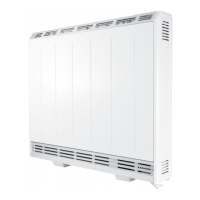
The Heatstore Dynamic High Heat Retention (HHR) Storage Heater is designed to provide efficient and controlled heating for your home. Unlike conventional storage heaters, its outer case remains cooler to the touch, indicating less heat loss through the casing and more heat available from the fan outlet when needed.

Function Description:

The HHR Storage Heater operates by storing heat and then releasing it into the room via a low-speed fan. The heater control allows users to set specific 'Heating On' and 'Heating Off' periods, as well as a desired room temperature setpoint. During 'Heating On' periods, the fan will run to maintain the set temperature. If the room temperature is already above the setpoint, the fan will not operate. During 'Heating Off' periods, the heater will not deliver heat. There is a brief delay of up to one minute in fan operation when switching between 'Heating On' and 'Heating Off' modes, which is normal.

Important Technical Specifications:

The heater is pre-programmed with four timer modes:

  • User Timer: Allows selection of desired timeframes (4 periods).
  • Out All Day: Provides 7.5 hours of heating per day in two periods. This is the factory default setting, suitable for users who are out during the day and require heat in the mornings and evenings.
  • Home All Day: Provides 11 hours of heating per day in four periods, ideal for users who are at home during the day.
  • Away: Allows setting a reduced temperature and number of days for when the user is on holiday, reverting to the previously selected mode upon return.

The factory default temperature setting is 21°C, which is considered a typical, comfortable room temperature. Users can adjust this temperature using the control dial.

Usage Features:

  • Simple Operation: Users do not need to manually decide how much heat to store. The heater automatically meets requirements based on the set timer mode and temperature.
  • Power Supply: Both supply switches next to the heater must be turned on for operation. During summer, when no heat is required, these switches can be turned off, but must be turned back on in autumn.
  • Time and Date Setting: The time and date are factory-set but can be checked and adjusted via the 'Menu' and 'Selector Dial'. The system automatically adjusts for Greenwich Mean Time (GMT) and British Summer Time (BST) changes. Regular checks (every couple of months) are recommended.
  • Temperature Adjustment: The room temperature setpoint can be adjusted by rotating the control dial clockwise or anticlockwise. There is no need to turn the temperature down overnight.
  • Advance Function: This feature allows temporary changes to the heating schedule. If the heater is in 'Heating Off' mode and heat is desired, pressing 'Advance' will initiate the next 'Heating' mode early. If the heater is in 'Heating On' mode and heat is not desired, pressing 'Advance' will switch off the heater until the beginning of the next 'Heating' period.
  • Boost Function: A supplemental boost element is available for additional room heating, useful during unusually cold weather. Users can select a boost duration from one to four hours. The boost will automatically switch off after the selected time. An 'Auto Boost' feature can automatically use the boost element to maintain the set temperature during 'Heating On' periods.

Maintenance Features:

  • Safety Precaution: Nothing should be placed within 30cm (1 foot) in front of the heater at any time to prevent blocking the grille and heated air, which could pose a fire hazard.
  • Energy Consumption: The boost element uses peak rate electricity, which may lead to increased running costs. Users should be mindful of this when using the boost function.
  • Regular Checks: It is recommended to check the time every couple of months and adjust if necessary to ensure optimal operation.

The heater is designed for user convenience, allowing for flexible heating schedules and temperature control to suit individual lifestyles, while prioritizing energy efficiency and safety.

Heatstore HHR Specifications

General IconGeneral
BrandHeatstore
ModelHHR
CategoryElectric Heater
LanguageEnglish

Related product manuals