17
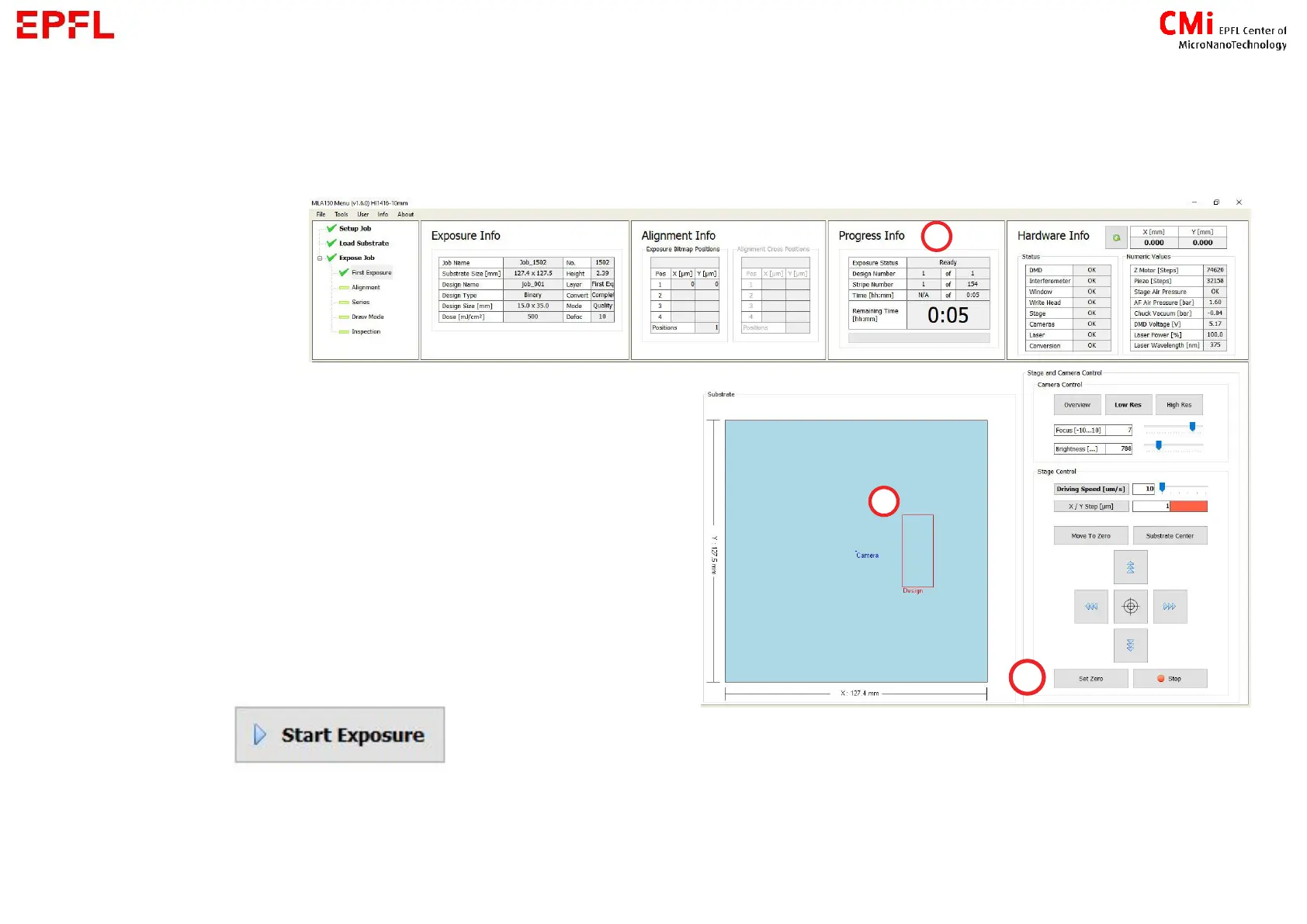
Exposition information and position
a) Estimated maximum time for exposition
b) Position of exposed design. Hold-click on its
side to move it on the substrate.
c) When using the camera to find the appropriate
position for exposition, press Set Zero at the
desired position for the design centre
→ If all information on the screen looks correct,
press :
In case you have change the exposition position, an error message about not being in
the centre will appear. You can acknowledge it !



 To Next Page