21
2. Convert your design
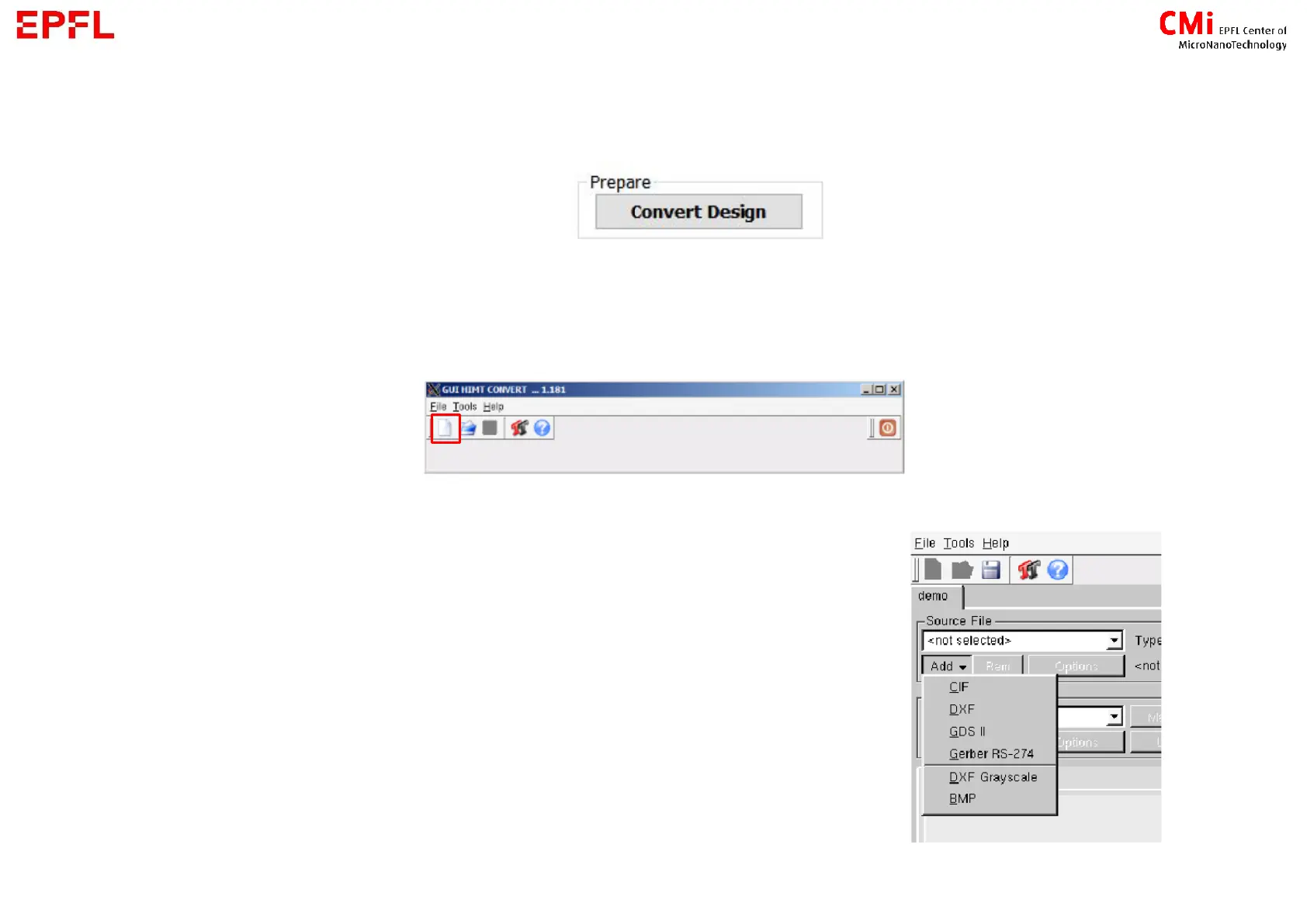
- In the job setup/Design → click on
- The GUI HIMT CONVERT will pop up
→ Press on the blank page icon to create a new job (or File/New Job)
→ Give a job name
→ Click on Add to load your design
1) The design is in the right folder
3) File name contain only accepted characters



 To Next Page