23
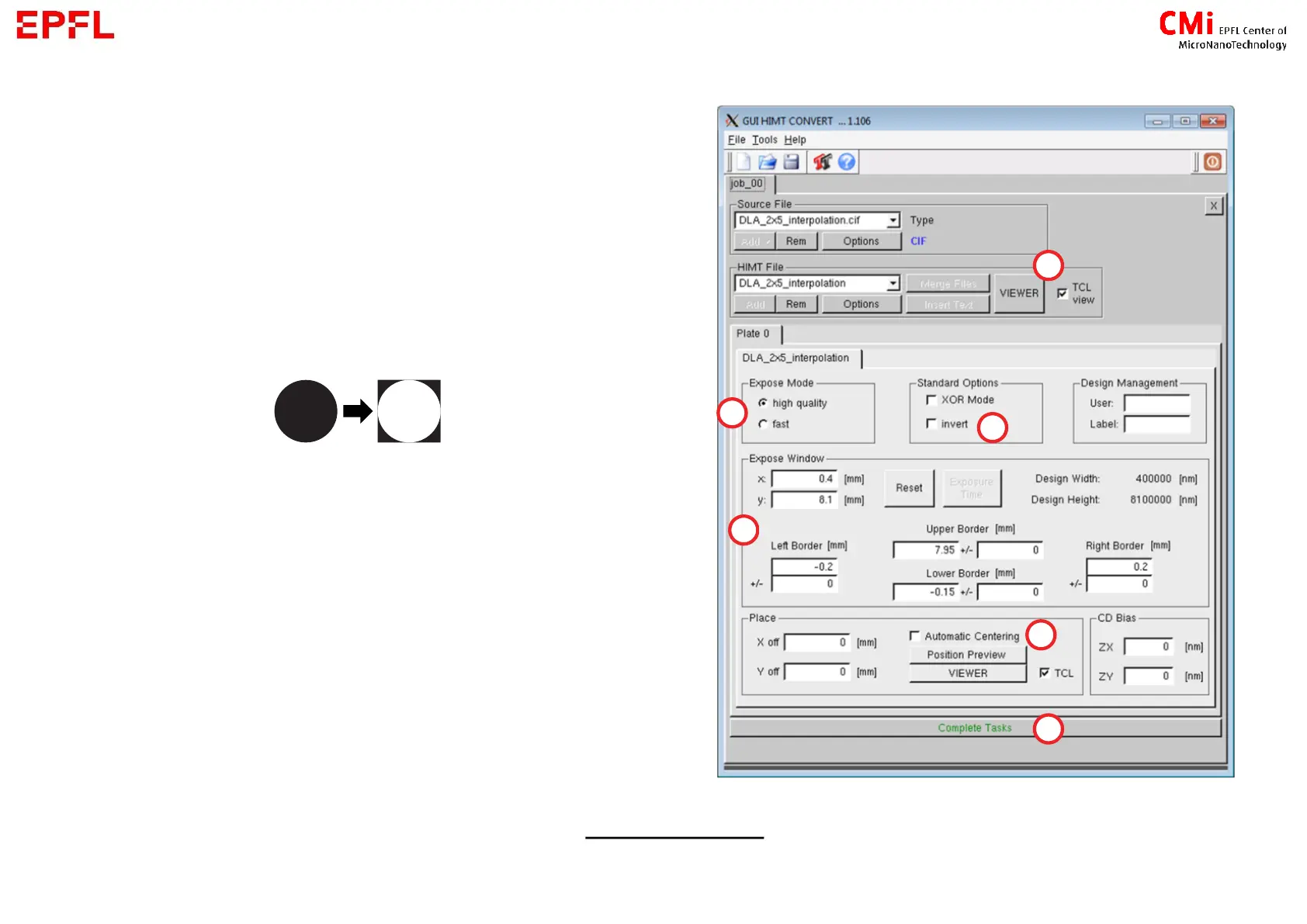
a) Open the Viewer to check if your
design/layer have been loaded correctly
b) Expose mode :
High quality = bigger overlap of the strip
( 1.5x slower)
Fast = lower overlap of the stripe
c) Invert :
d) Expose windows = Position of the virtual
rectangle fitting all your design
→ if your design is inverted : use +/- values
to enlarge the frame to be exposed around
your design
e) Automatic centering : Centre your design at
coordinate (0;0). Offset can be manually
adjusted (X / Y off)



 To Next Page