EasyManua.ls Logo

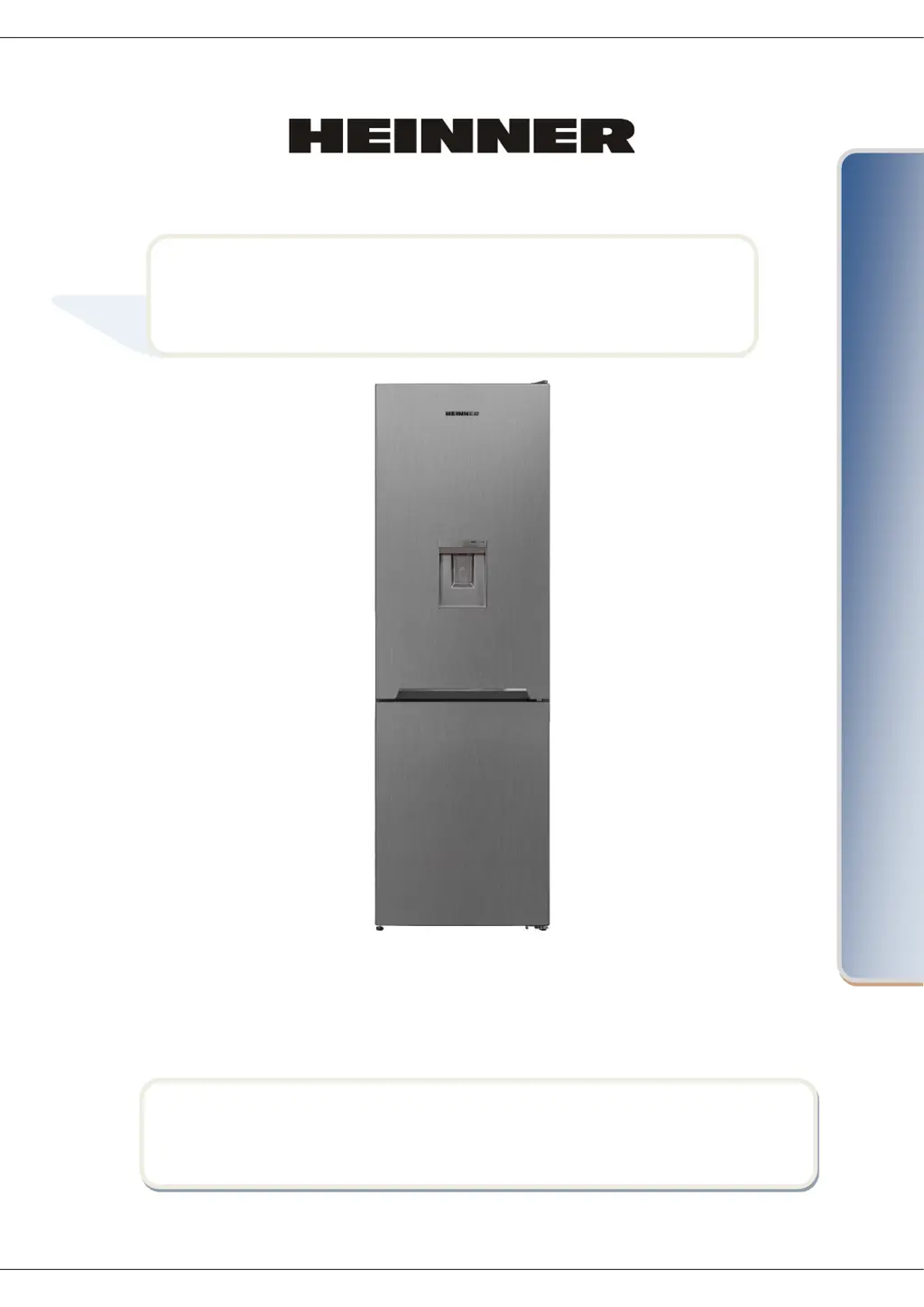
Heinner HCNF-V291XWDF+ - User Manual

Heinner HCNF-V291XWDF+
60 pages
Print Icon
To Next Page IconTo Next Page
Loading...
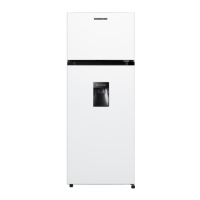
COMBI FRIDGE
Model: HCNF-V291XWDF+





Questions and Answers

  • S
    saramcdonaldAug 15, 2025
    What to do if Heinner HCNF-V291XWDF+ shows E10 error?
    • J
      Julie RussellAug 15, 2025
      If the Heinner Refrigerator displays the E10 error, it means the fridge compartment isn't cold enough, often after a long power failure or hot food being left inside. Here's what to do: 1. Lower the fridge temperature or activate Super Cool mode. This should clear the error once the right temperature is reached. Keep the doors closed to speed things up. 2. Clear the area in front of the air duct channel holes and avoid placing food near the sensor. If the problem persists, contact an authorized technician.
  • J
    Juan JohnsonAug 18, 2025
    What to do if Heinner Refrigerator displays E09 error?
    • M
      Misty WilliamsAug 18, 2025
      If your Heinner Refrigerator displays the error code E09, it indicates that the freezer compartment is not cold enough, usually after a long power failure. Here’s what you should do: 1. Lower the freezer temperature or activate Super Freeze. This should remove the error code once the required temperature has been reached. Keep the doors closed. 2. Remove any food that has thawed during the error; use it soon. 3. Don’t add fresh food to the freezer until it reaches the correct temperature and the error disappears. If the warning continues, contact an authorized technician.
  • A
    adam16Aug 22, 2025
    What does E08 error mean on Heinner Refrigerator?
    • M
      Marie DavisAug 22, 2025
      If your Heinner Refrigerator displays the E08 Low Voltage Warning, it means the power supply has dropped below 170V. This is not a device failure; it's a protective measure for the compressor. You need to increase the voltage back to the required levels. If the warning persists, contact an authorized technician.
  • H
    Heather DuncanAug 26, 2025
    How to troubleshoot a Heinner HCNF-V291XWDF+ Refrigerator that won't turn on?
    • J
      jcruzAug 26, 2025
      If your Heinner Refrigerator isn't working, check the following: * Make sure it's plugged in and switched on. * Check if the fuse has blown. * Verify the temperature setting is correct. * Test the socket by plugging in another working appliance.
  • D
    Daniel OrtizAug 28, 2025
    What to do if Heinner HCNF-V291XWDF+ is too cold?
    • J
      Jennifer AllenAug 29, 2025
      If the Heinner Refrigerator compartment is too cold, here's what you can do: 1. Check if Super Cool mode is on. 2. Increase the fridge compartment temperature. 3. Make sure the vents are clear and not blocked. If the issue continues, contact an authorized technician.
  • S
    Steven WestSep 1, 2025
    Why is my Heinner HCNF-V291XWDF+ not cooling properly?
    • E
      Elizabeth DunlapSep 1, 2025
      Your Heinner Refrigerator might not be performing well due to several reasons. Here are some things to check: * Ensure the temperature is set correctly. * Avoid opening the door too often or leaving it open for long periods. * Don't overload the appliance. * Make sure the doors are closing properly. * Ensure food isn't blocking air circulation by touching the rear wall. * Avoid overfilling the fridge. * Provide enough space between the fridge and surrounding walls. * Check if the room temperature is within the specified range in the manual.
  • K
    Kiara PettySep 4, 2025
    What to do if Heinner HCNF-V291XWDF+ doors won't close?
    • K
      Kimberly MartinSep 4, 2025
      If the doors of your Heinner Refrigerator aren't closing correctly, check these things: * Make sure no food or packaging is blocking the door. * Ensure door compartments, shelves, and drawers are correctly placed. * Check the door gaskets for damage. * Confirm the fridge is level.
  • J
    Jessica FarrellSep 8, 2025
    Why is there moisture inside my Heinner Refrigerator?
    • Y
      ywilkinsSep 8, 2025
      If you notice humidity inside your Heinner Refrigerator, it might be because the doors are opened frequently. Make sure all food is properly packed, and containers are dry before you put them in the fridge.
  • Y
    ycarrollSep 12, 2025
    Why are the edges of my Heinner HCNF-V291XWDF+ warm?
    • S
      Steven WilsonSep 12, 2025
      It's normal for the edges of your Heinner Refrigerator, where they meet the door, to feel warm, especially in warm weather, due to the compressor's operation.

Summary

Introduction

Content of Your Package

Safety Precautions

General Warnings

Provides crucial warnings for safe operation and handling of the appliance.

Flammable Materials Warning

Details risks associated with flammable materials and specific handling precautions.

General Usage Notes

Provides important notes and responsibilities regarding appliance usage and maintenance.

Specific Safety Warnings

Lists specific safety instructions and prohibitions for users to follow.

Product Description

Appliance Components Overview

Details the various parts and components of the refrigerator and freezer compartments.

Energy Efficiency Notes

Explains optimal configurations for energy efficiency in fridge and freezer compartments.

Appliance Dimensions

Provides overall and required space dimensions for installation and proper use.

Installation

Installation Guidelines

Covers essential points like voltage, plug accessibility, and placement for safe installation.

Initial Appliance Setup

Instructions for initial setup, including upright positioning and potential initial smells.

Using the Appliance

Display and Control Panel

Explains the functions of the display panel buttons and indicators for temperature control.

Operating the Fridge Freezer

Guides on initial operation, temperature settings for freezer and cooler compartments.

Freezer Temperature Settings

Details on how to adjust and set the desired temperature for the freezer compartment.

Cooler Temperature Settings

Details on how to adjust and set the desired temperature for the refrigerator compartment.

Super Freeze Mode

Instructions for activating and using the Super Freeze function for rapid freezing.

Recommended Temperature Settings

Provides recommended temperature combinations for freezer and cooler for optimal performance.

Temperature Adjustment Warnings

Advisories on operating temperature ranges and adjustment best practices.

Climate Class Information

Explains climate classes and their corresponding ambient temperature ranges for appliance operation.

Specific Installation Considerations

Guidance on operating in difficult climate conditions and 'Freezer Shield' technology.

Interior Lighting

Information regarding the interior lighting operation, including potential initial delay.

Accessories

Ice Tray and Freezer Box Usage

Instructions for using the ice tray and managing the freezer box for optimal access.

Water Dispenser Installation and Use

Guide to installing the water tank, dispenser, and proper usage with attention to drips.

Water Tank Maintenance

Procedures for filling, cleaning, and properly stowing the water tank.

No Frost Technology

Cleaning and Maintenance

Appliance Cleaning Procedures

Details on how to safely clean the appliance, its accessories, and condenser.

Automatic Defrosting

Explanation of the automatic defrosting process and cleaning the vaporisation container.

LED Lighting Replacement

Information on LED lighting replacement, requiring authorized personnel.

Storing the Food

General Food Storage Guidelines

Instructions on reducing humidity, storing liquids, placing items, and avoiding cross-contamination.

Freezer Compartment Storage

Guidance on using freezer shelves, fast freezing, and proper packaging for freezing food.

Frozen Food Handling Notes

Key notes on purchasing, storing, and handling frozen food, including spice changes.

Transportation and Installation Position

Appliance Transportation

Instructions for secure transportation, using original packaging and securing moving parts.

Door Repositioning

Information on the possibility and procedure for changing the refrigerator door opening direction.

Troubleshooting

Refrigerator Not Operating

Checks to perform if the refrigerator fails to start or operate correctly.

Poor Refrigerator Performance

Troubleshooting steps for issues like incorrect temperature or overloading.

Noisy Refrigerator Operation

Explanation of normal operating noises and their causes.

Fridge Humidity Issues

Guidance on identifying and resolving excessive humidity build-up inside the fridge.

Door Closing Problems

Checks for issues preventing the refrigerator doors from closing or opening properly.

Warm Door Edges

Explanation for warm door edges, especially during warmer weather.

Long-Term Usage Notes

Advice for unplugging, power failures, and long-term storage of the appliance.

Energy Saving Tips

Practical advice on how to operate the appliance efficiently to save energy.

Customer Care and Service

Technical Data

Environment Friendly Disposal

Heinner HCNF-V291XWDF+ Specifications

General IconGeneral
BrandHeinner
ModelHCNF-V291XWDF+
CategoryRefrigerator
Total Capacity291 liters
Energy Efficiency ClassF
Noise Level39 dB
ColorWhite
Number of Shelves3
Number of Door Bins3
Reversible DoorYes
Weight55 kg

Related product manuals