Digital Network Public Address & Voice Alarm System
HEINRICH
HEINRICH LIMITED, 71-75 SHELTON STREET COVENT GARDEN LONDON
T: +442032860291 W: www.heinrichlimited.com E: info@heinrichlimited.com
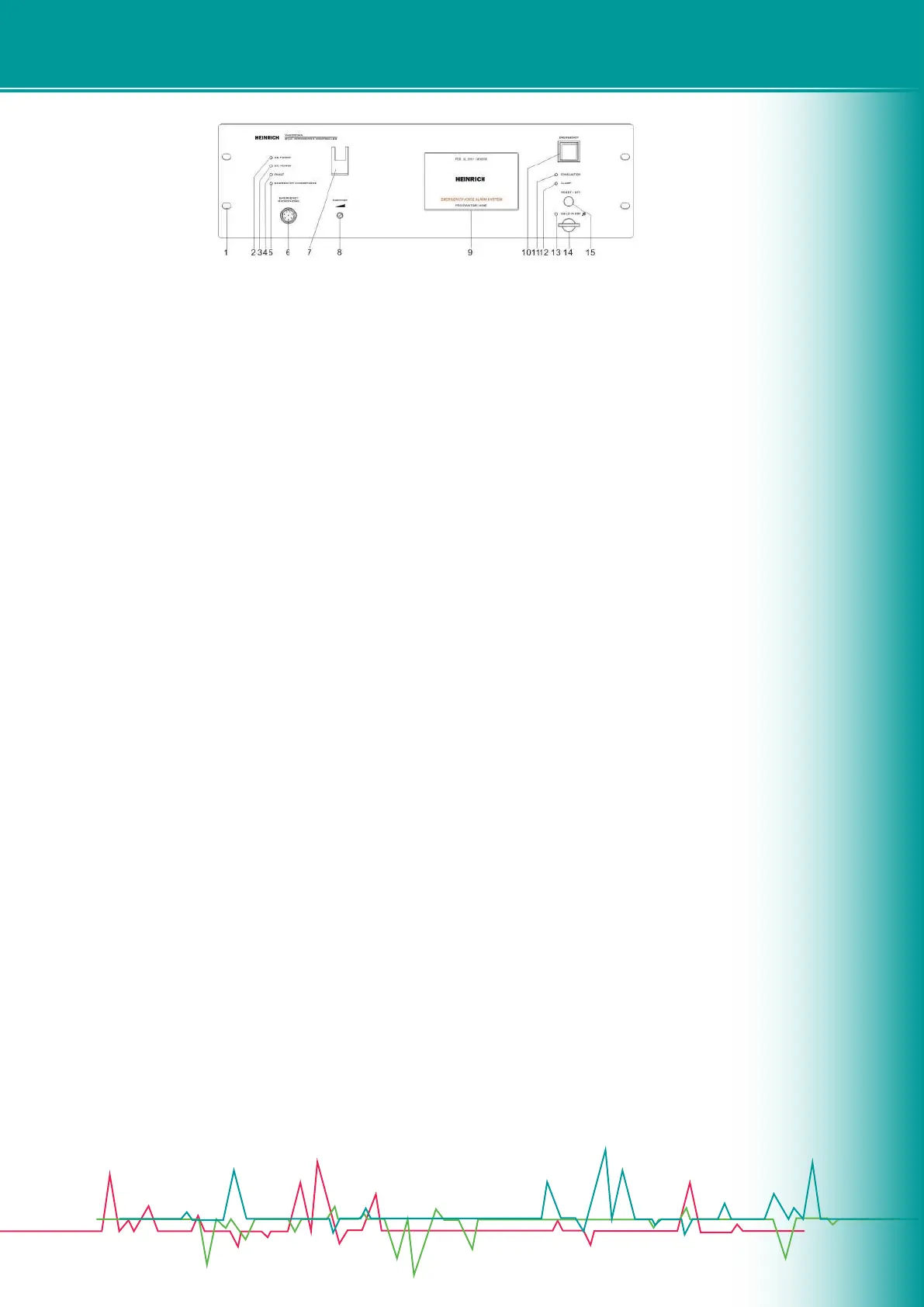
3.2 Front Panel
1. Installing hole(19” Cabinet).
2. Host main power indicator:
• Green - indicates the current host AC power supply is normal.
• Yellow - indicates the current host AC power is failure.
3. Host DC24V standby power indicator:
• Green - indicates the current host standby power supply is normal.
• O - indicates the current host standby power supply is not congured.
• Yellow - indicates the current host standby power is failure.
4. System Status Indicator:
• Yellow - indicates the current system has faulty, lasting light indicates the user excutes a manual reset, time
lasting about 1
• minute, if detects the system faulty has not ruled out, it will continue ash; when system faulty rule out, indicator
will automati
cally turn o. O - indicates the current system modules operate properly or the system does not open the
module testing.
• 5 &7. Panel emergency PTT (push to talk) MIC. “5” Color status explaination:
• O - PTT work normally.
• Green - PTT being broadcast.
• Yellow - Open circuit fault / PTT microphone internal short circuit fault.
“6”Aerial socket,can connect PTT MIC:
“7”PTT MIC hook. Before pressing PTT switch, the host will make the following judgment, the performed functions
as below
• for reference:
• If user selects partition, then it is zone selection broadcast.
• If user does not select partition, then it is all zone broadcast.
• If the system operates in emergency mode without zone selection, then broadcast from the current trigger
output partition.
• Digital Network Public Address & Voice Alarm System
8.Partition monitor speaker volume control knob: When user opens the monitor partition, adjusting appropriate
volume to
• monitor the audio output from the current partition.
9. Man-machine interface (5-inch TFT true color touch screen, please refer to related operations - User Manual).
10. System working mode switch:
• Red rapid ashing - the system is currently operating in a reset mode, prohibiting all manual operation.
• O - The system is currently operating in normal mode.
• Note: 1. When the light is ashing, press to exit the emergency mode.


 To Next Page
 Loading...