8
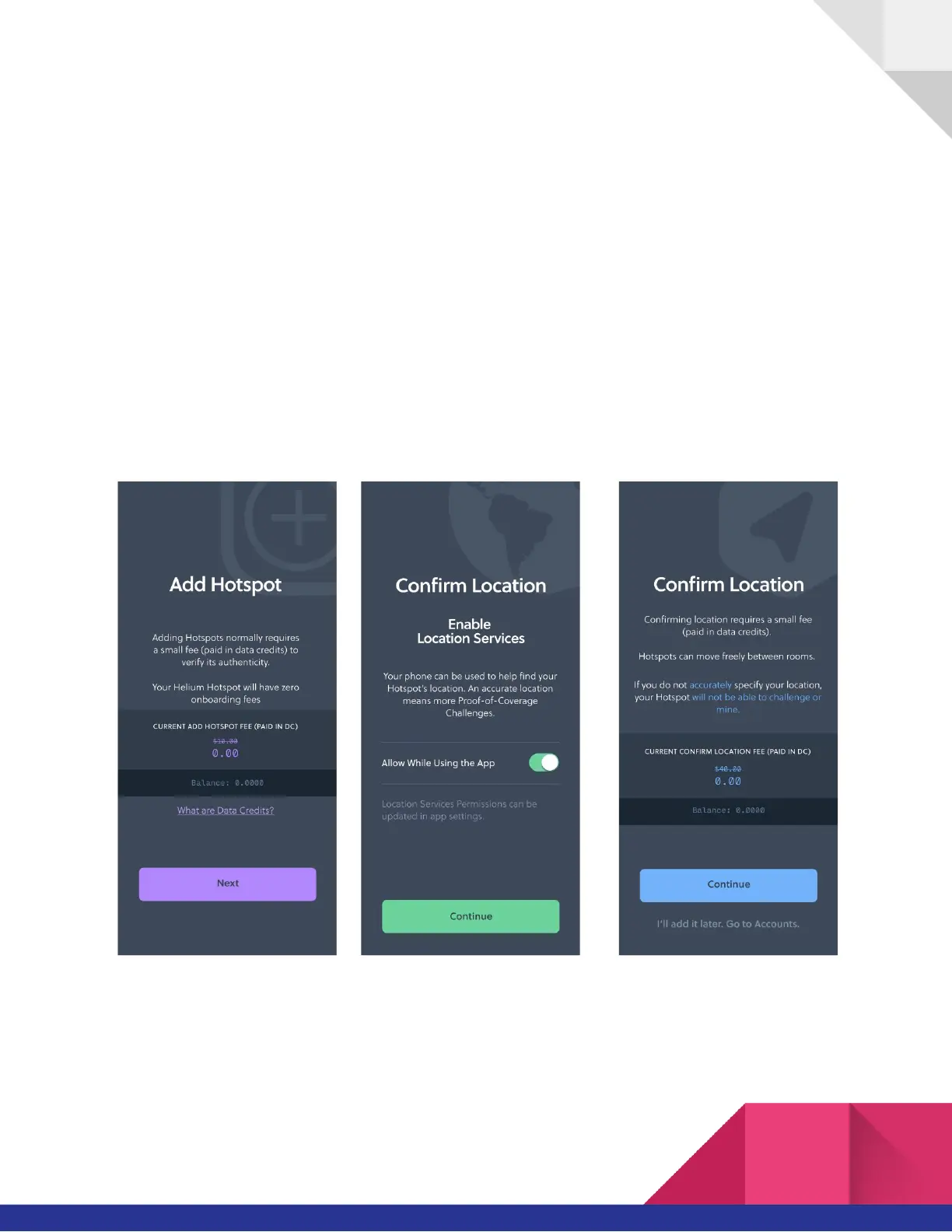
Step 6: Add the Hotspot to the Blockchain:
● Depending on when exactly your Hotspot was produced, it may require a firmware
update as well. You'll see a page in the app of this if it's required. In that case, you just
need to leave it plugged in and connected to the internet for about 15 minutes...so you
can take a break, go grab a coffee, watch some TV, etc, and then come back, re-pair over
Bluetooth, and proceed through the steps. At that point, as long as the internet has been
properly connected it will have automatically updated and you'll be able to skate through
the setup.
● You’ll see a note about On-Boarding Fees. For Hotspots purchased directly through
helium.com, we waive this $10 fee (paid in Data Credits) for you!


 To Next Page