5
Chapter3:QuickStart
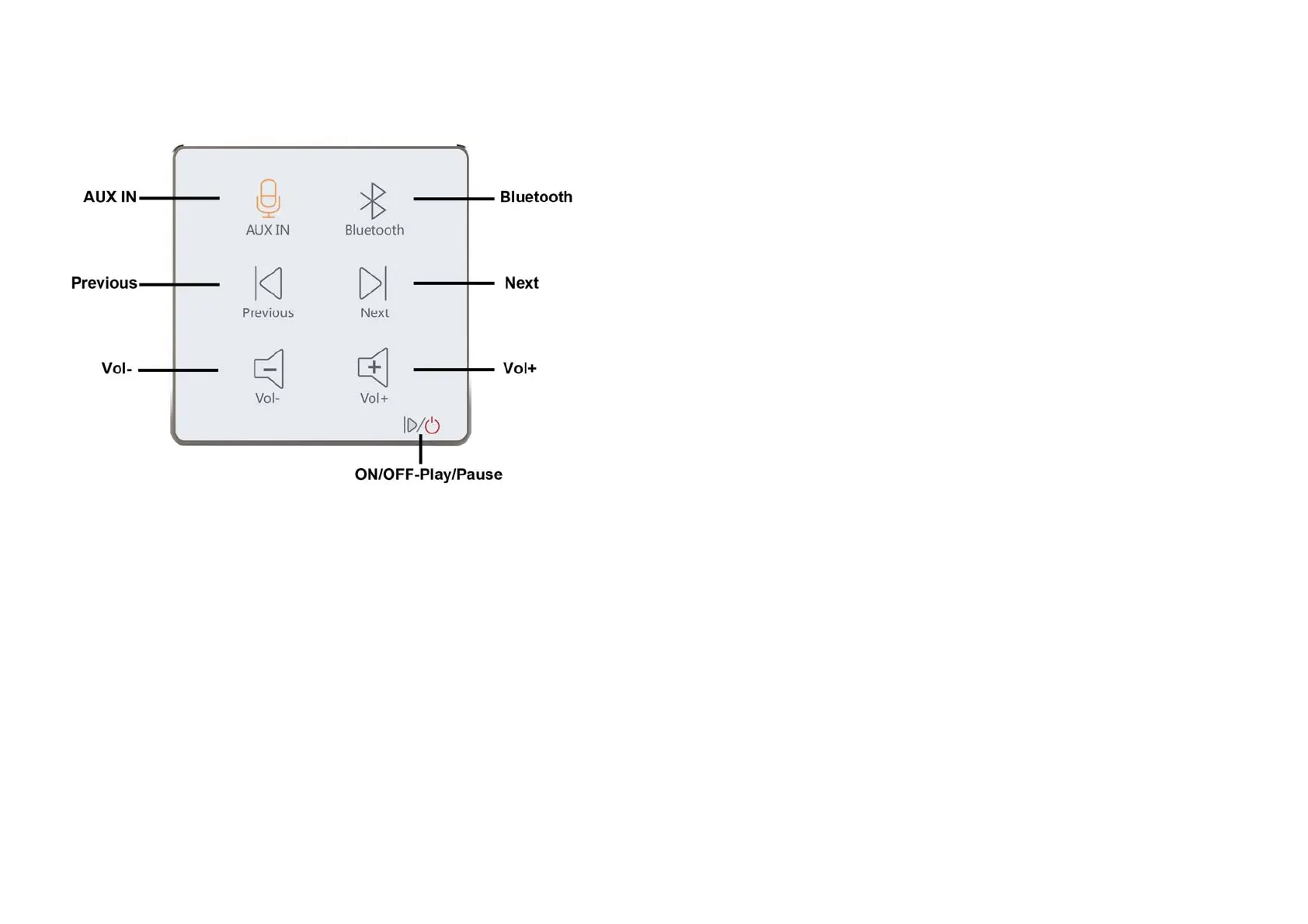
3.1Display
3.2TurnON/OFFthedevice
LongpressON/OFFbuttonondevicetoturnonthedevice.Thenyoucan
choosetheinputsourceandadjustvolume.
LongpressON/OFFbuttonondeviceagaintoturnoffthedevice.
3.3Bluetooth
ClickBluetoothtoenablethefunction.YoucanfindtheBluetoothname
“WISE”frommobilephoneorpadtopairwith.Thenyoucanplaymusicfrom
phonetoamplifier.
WhenyouhaveUSBorTFcardconnectingindevice,youcanclickBluetooth
toselecttheaudiosourcefromBT/TFCARD/USBDRIVER.
6
3.4AUXIN
ClickAUXINtochoosetheaudioinputsource.
WhenyouhaveUSBorTFcardconnectingindevice,youcanclickAUXINto
selecttheaudiosourcefromAUXIN/TFCARD/USBDRIVER.
Chapter4:TechnicalParameters
3"TouchbuttonScreen
PowerSupply:AC100‐240V
OutputPower:15W+15W(Max)
InputImpedance:10KΩ
OutputImpedance:4‐8Ω
THD:0.03%
Frequencyresponse:20Hz‐20KHz
ExtendedSDcardupto64G
BluetoothTransmissionDistance:≤10M
Productsize:86x86x44mm



 To Previous Page
 Loading...