40
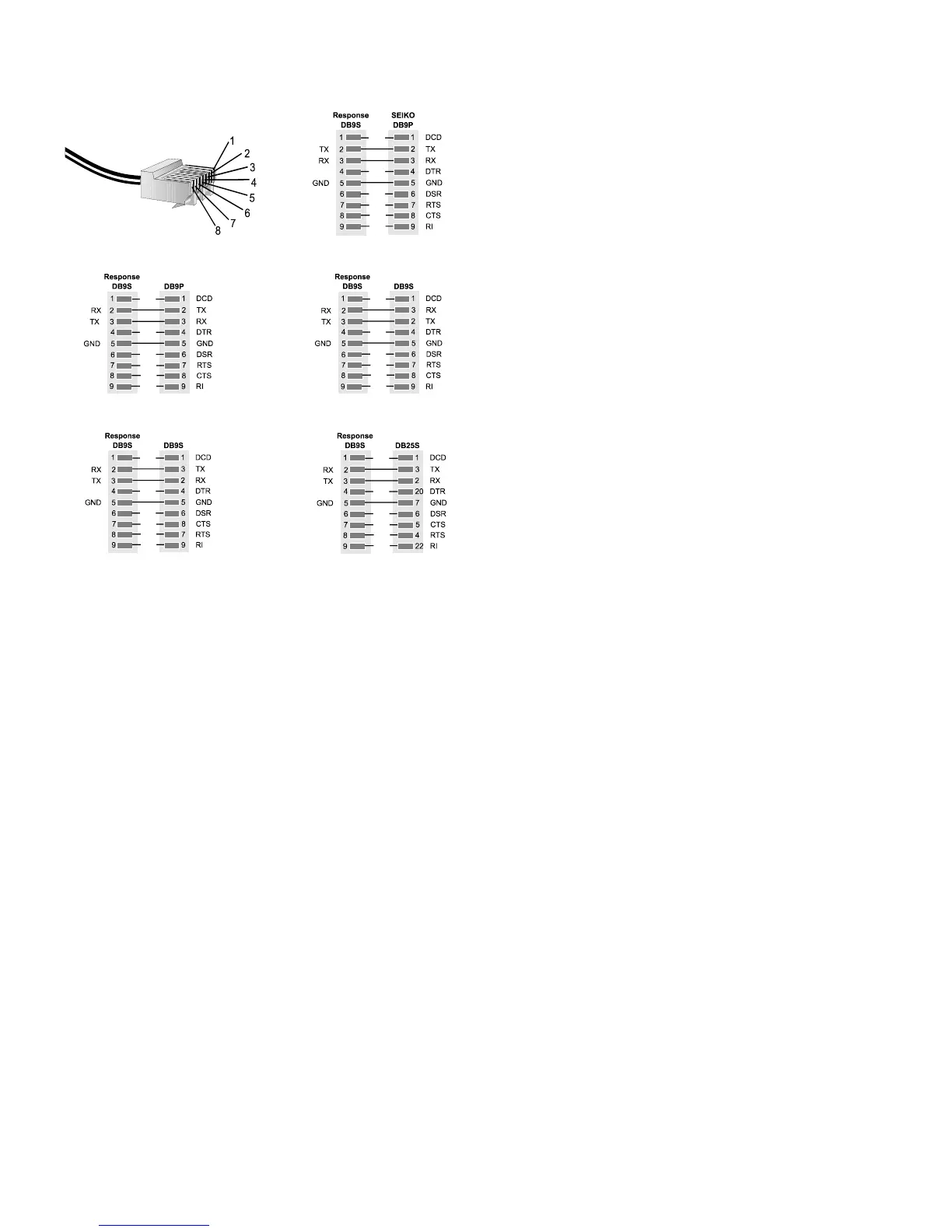
Preparing a Serial Cable for Connecting a Printer or Computer
Cable configurations for connecting a serial printer or a computer depend upon the type of connector on
the device (Figure 12). Use 6-wire or 8-wire RJ45 to RJ45 modular straight through connecting cable no
longer than 25 feet plus an RJ45 to DB9 adapter.
Pin numbering on a RJ45 connector
Seiko Printer with DB9S
DCE/DTE Serial Printer with DB9S
Any DCE/DTE Serial Printer with DB9P
Any PC with DB9P
Any PC with a DB25P
Figure 12. Cable Configurations for Connecting a Printer or Computer
Printed From ITC Intranet


 To Next Page