EasyManua.ls Logo

Hermes Media 3 - Page 5

Hermes Media 3
13 pages
Print Icon
To Next Page IconTo Next Page
To Previous Page IconTo Previous Page
Loading...
General
typing
rules
Adjusting
the
paper
If
the
paper
is
crooked,
pull
forward
the
paper
release
lever
(30)
thus
freeing
the
paper
from
all
pressure
and
then
adjust
it
so
that
it
is
parallel
with
the
paper
bail
Return
the
lever
30
to
its
original
position.
Paper
supports
This
feature
(19)
prevents
the
paper
from
coming
into
contact
with
the
back
of
the
machine
or
from
touching
the
table.
It
is
particularly
useful
when
typing
stencils.
It
also
enables
one
to
see
clearly
the
written
text.
To
bring
the
paper
supports
into
position,
one
has
merely
to
raise
one
of
the
two
arms
resting
against
the
back
protection
plate
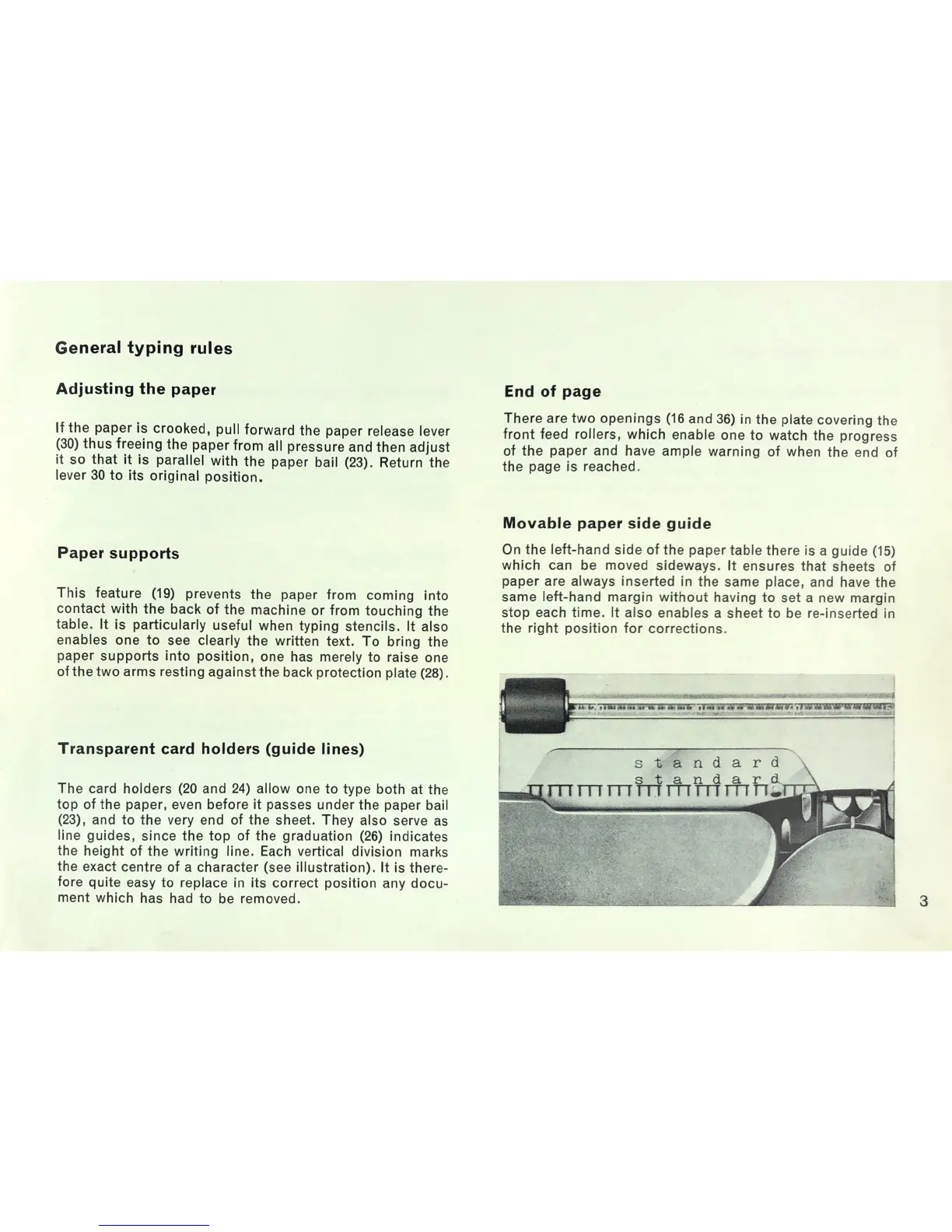
Transparent
card
holders
(guide
lines)
The
card
holders
(20
and
24)
allow
one
to
type
both
at
the
top
of
the
paper,
even
before
it
passes
under
the
paper
bail
and
to
the
very
end
of
the
sheet.
They
also
serve
as
line
guides,
since
the
top
of
the
graduation
(26)
indicates
the
height
of
the
writing
line.
Each
vertical
division
marks
the
exact
centre
of
a
character
(see
illustration).
It
is
there-
fore
quite
easy
to
replace
in
its
correct
position
any
docu-
ment
which
has
had
to
be
removed.
End
of
page
There
are
two
openings
(16
and
36)
in
the
plate
covering
the
front
feed
rollers,
which
enable
one
to
watch
the
progress
of
the
paper
and
have
ample
warning
of
when
the
end
of
the
page
is
reached.
Movable
paper
side
guide
On
the
left—hand
side
of
the
paper
table
there
is
a
guide
(15)
which
can
be
moved
sideways.
it
ensures
that
sheets
of
paper
are
always
inserted
in
the
same
place.
and
have
the
same
left-hand
margin
without
having
to
set
a
new
margin
stop
each
time.
it
also
enables
a
sheet
to
be
re-inserted
in
the
right
position
for
corrections.
i

Related product manuals