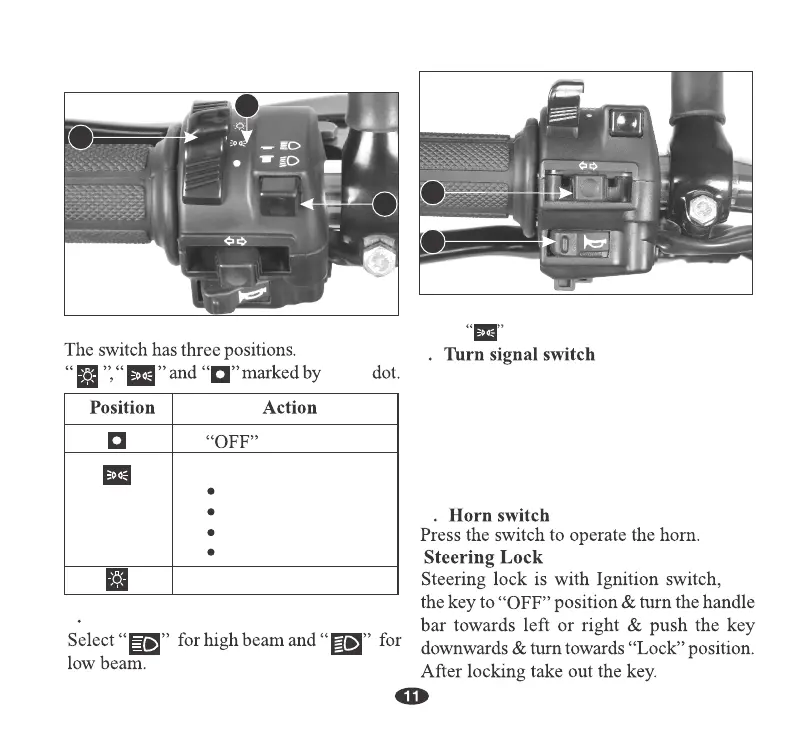
Shift the turn signal switch sideways for
Right/Left indications and leave it to come
back to its normal position on its own.
5
IMPORTANT : To switch “OFF” the turn
signal after completing the turn, gently
push the knob inside .
5
4
Following are “ON”
white
3. Position lamp switch
Select to put the position lamp to “ON”.
4
1
3
2
2
Headlamp dimmer switch
turn
1. Headlamp switch
Position lamp
Tail/Stop lamp
Fuel indicator lamp
Speedometer lamp
Headlamp “ON”
Left Handlebar Controls





 To Next Page