Pedal angle options
20
40
60
80
100
120
140
0
kg
0% 10% 20% 30% 40% 50% 60% 70% 80% 90% 100%
40
80
120
160
200
240
280
0
lb
Travel
A B C D E F G
X
Y
140
6
8
1
25
6
,
3
15°
95°
80°
Mount the pedals with the flanged M6 bolts (Torx 25) onto
our Heusinkveld Ultimate+ Baseplate or a very rigid base.
Longer bolts are included for different thickness pedal
plates (1).
Adjust the pedal position and pedal angle for optimal
ergonomics (2).
ADJUSTMENTS
Connect the provided
USB-cable between the
controller box and your PC (3).
The pedals are pre-calibrated
and will work after assigning
them in your favourite
simulator software.
You are ready to race.
(1)
(2)
(2)
(3)
MOUNT YOUR PEDALS CONNECT YOUR PEDALS
Plug each pedal into the corresponding port of the controller
box (the small box with the metal enclosure). If you have a
2-pedal set, you can leave the clutch port empty.
Your Ultimate+ pedals have numerous adjustments which
allow you to set up the pedals to your personal preferences,
such as:
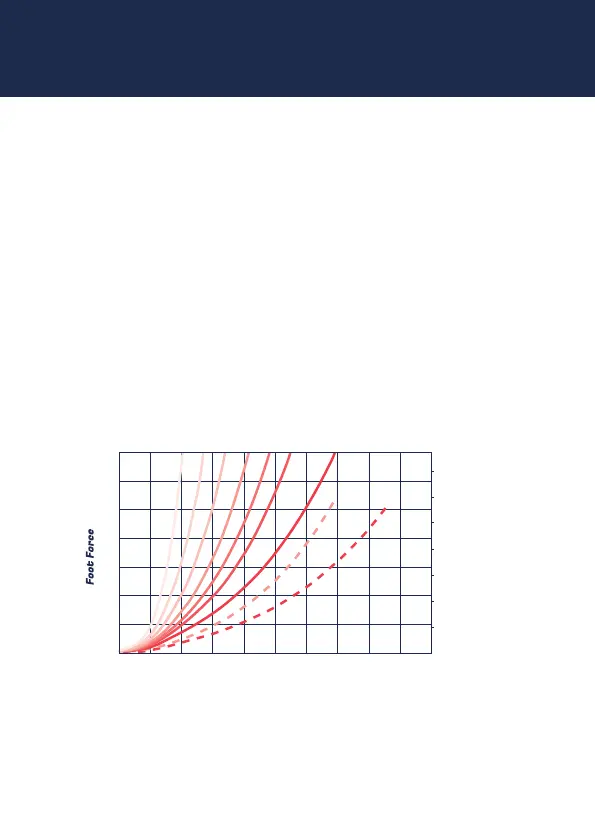
Possible brake curve settings
USB-port
All pedals:
• Pedal angle
• Pedal plate height
• Hydraulic damper
resistance
Clutch only:
• Pedal force curve
Throle & Clutch:
• Pedal travel
• Overall pedal force
• Pedal spring preload
Brake only:
• A total of 9 resistance
settings
Check the extra information on our website on how to
make these adjustments.


 To Next Page
 Loading...