Component identification 6
Component identification
In this section
Front panel LEDs and buttons..................................................................................................................... 6
Rear panel components............................................................................................................................. 7
Rear panel LEDs and buttons ..................................................................................................................... 8
SAS and SATA device numbers ................................................................................................................. 9
SAS and SATA hard drive LEDs ................................................................................................................. 9
SAS and SATA hard drive LED combinations............................................................................................... 9
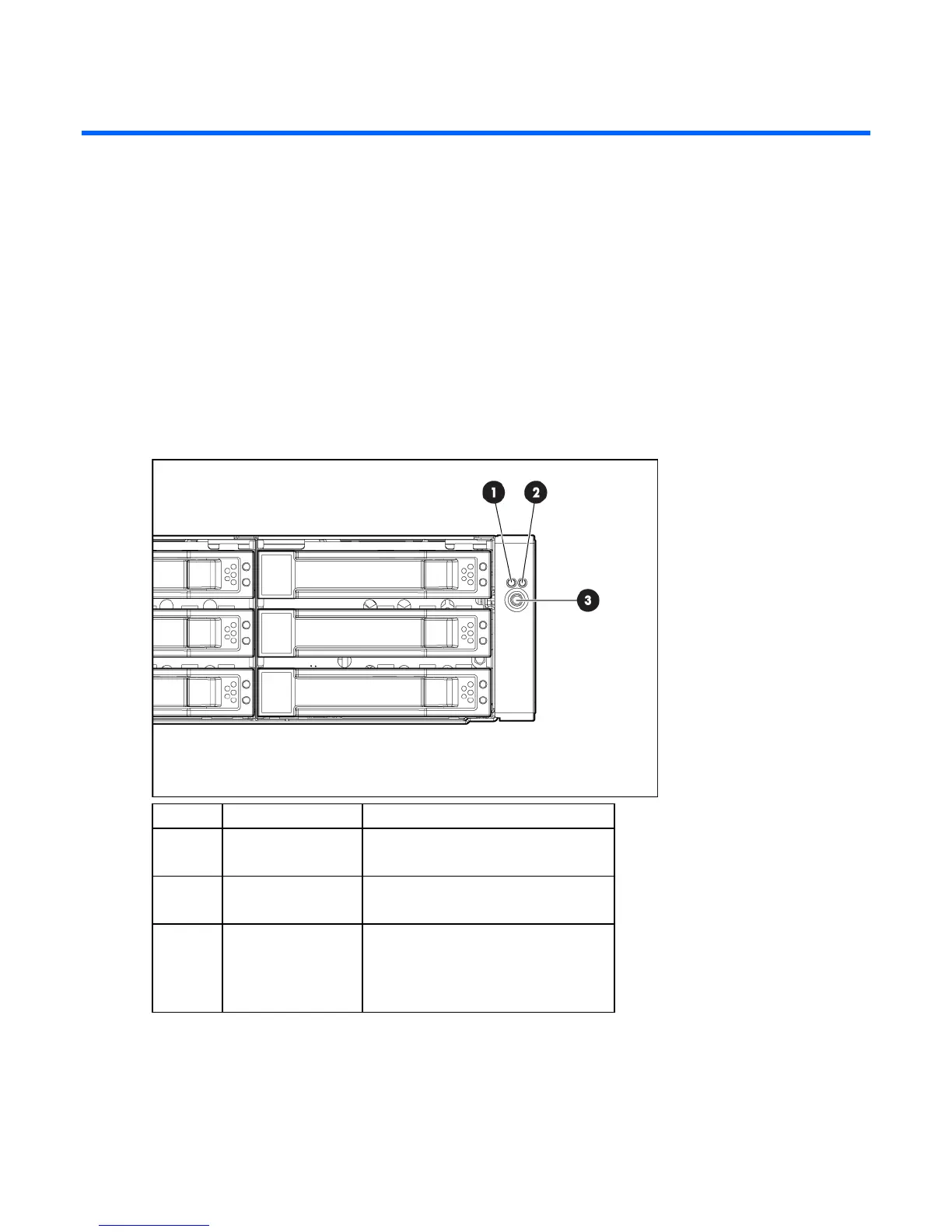
Front panel LEDs and buttons
Item Description Status
1 Heartbeat LED Green = System activity
Off = No system activity
2 Fault LED Amber = Fault condition
Off = No fault condition
3 UID button/LED Blue = Identified
Blue flashing = Active remote
management
Off = No active remote management


 To Next Page
 Loading...