Component identification 8
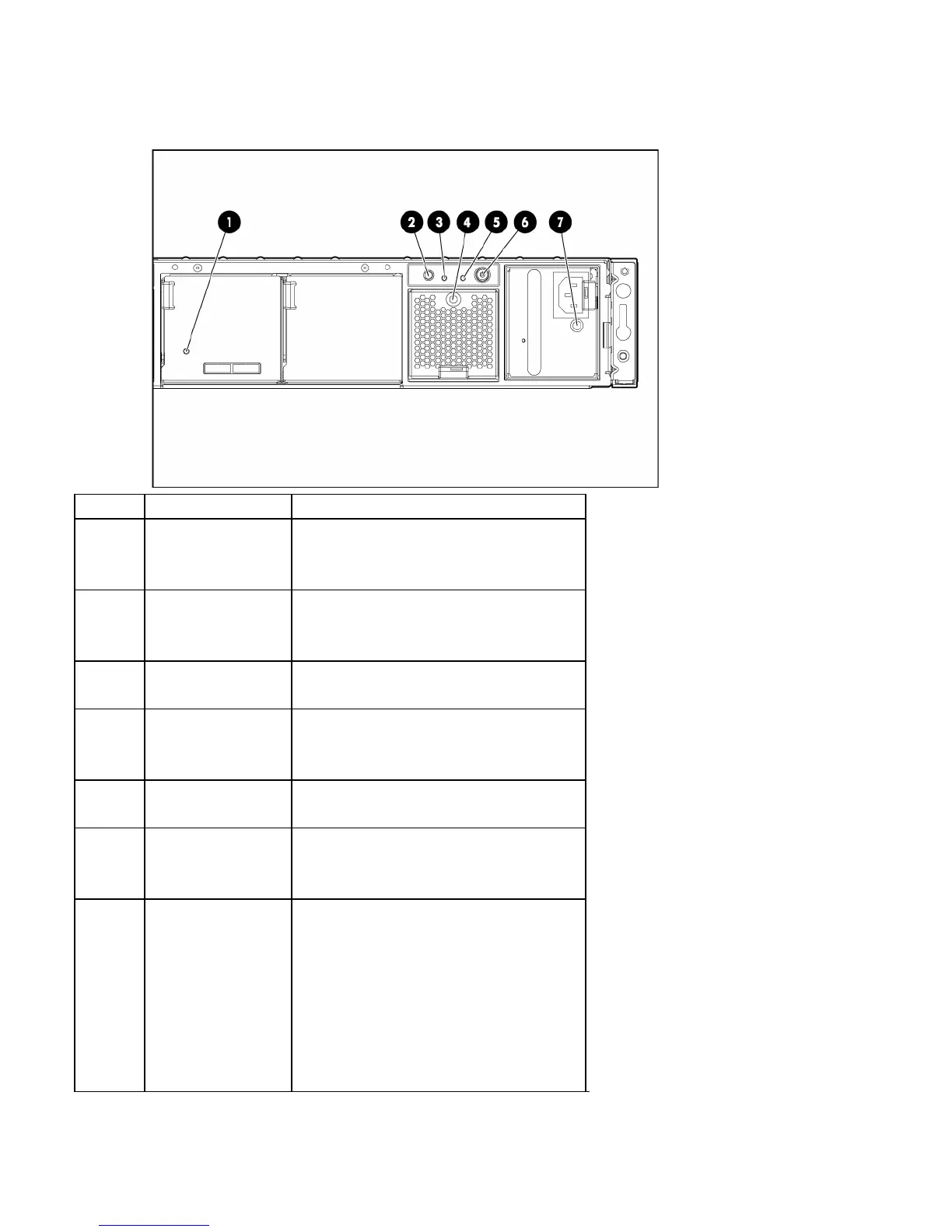
Rear panel LEDs and buttons
Item Description Status
1 I/O module LED Green = System activity
Amber flashing = Fault
Off = No system activity
2 UID button/LED Blue = Identified
Blue flashing = Active remote management
Off = No active remote management
3 Heartbeat LED Green = System activity
Off = No system activity
4 System fan LED Green = Normal operation
Amber flashing = Fault condition
Off = Fan unseated from connector or failed
5 System fault LED Amber = Fault condition
Off = No fault condition
6
Power On/Standby
button/system power
LED
Green = On
Amber = Standby (auxiliary power present)
Off = Off
7 Power supply LED
Green = Power turned on and power supply
functioning properly
Amber flashing = Standby (auxiliary power
present)
Off = One or more of the following
conditions exists:
• AC power unavailable
• Power supply failed
• Power supply exceeded current limit


 To Next Page
 Loading...