EasyManua.ls Logo

HEXA Spring 8 - Charm Menu Column

Default Icon
13 pages
Print Icon
To Next Page IconTo Next Page
To Previous Page IconTo Previous Page
Loading...
8|P
English
scre
e
star
t
①
Con
v
tou
c
Sele
①
①
Swi
p
incl
u
age
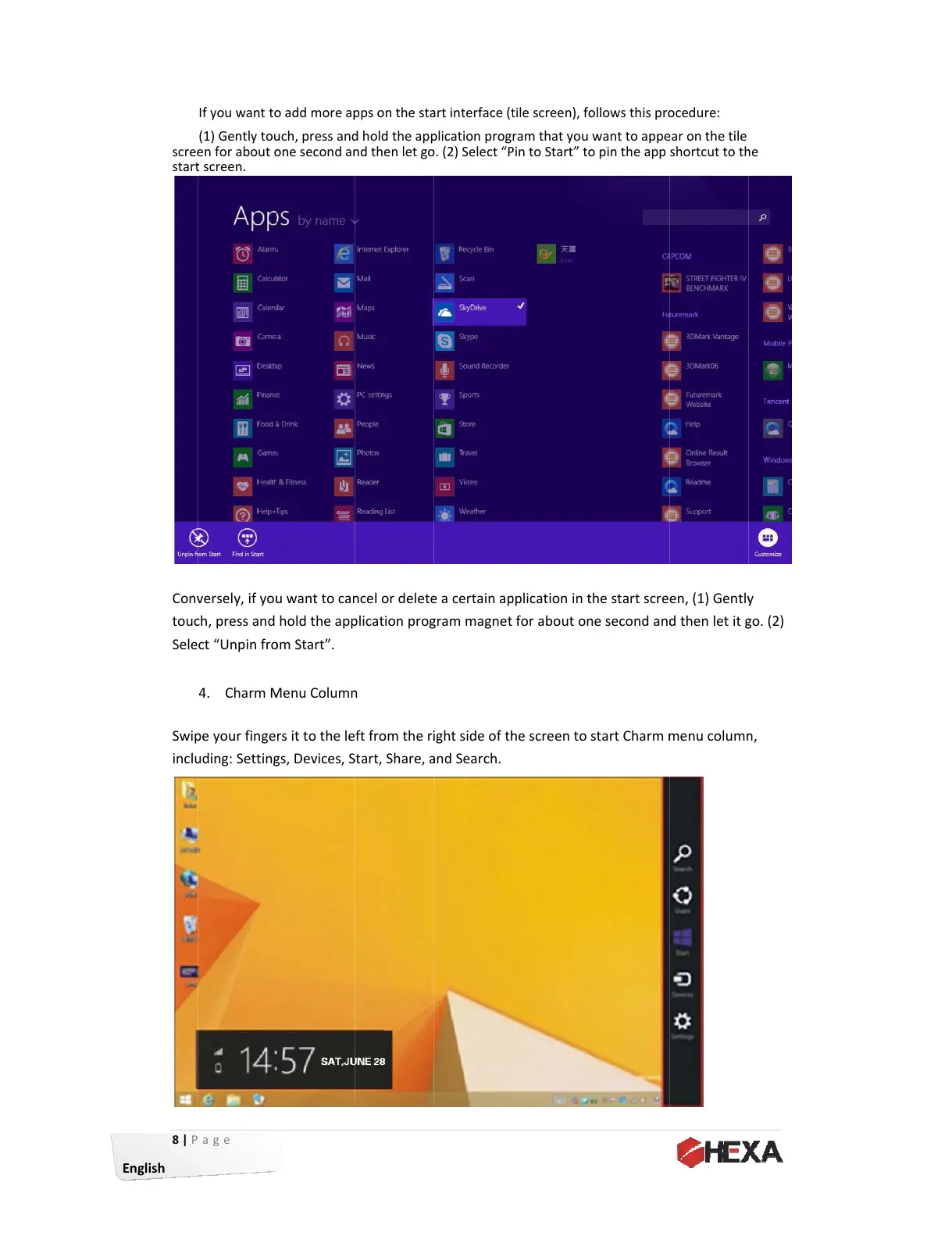
If①you①want①t
o
(1)①Gently①to
u
e
n①for①about①
o
t
①screen.①
v
ersely,①if①yo
u
c
h,①press①and①
ct①“Unpin①fr
o
4. Charm①
M
p
e①your①finge
u
ding:①Settin
g
o
①add①more①a
p
u
ch,①press①an
d
o
ne①second①a
n
u
①want①to①ca
n
hold①the①ap
p
o
m①Start”.①
M
enu①Colum
n
rs①it①to①the①le
g
s,①Devices,①
S
p
ps①on①the①st
a
d
①hold①the①ap
p
n
d①then①let①g
o
n
cel①or①delet
e
p
lication①pro
g
n
①
ft①from①the①r
i
S
tart,①Share,①
a
a
rt①interface①(
t
p
lication①prog
o
.①(2)①Select①“
P
e
①a①certain①a
p
g
ram①magnet
i
ght①side①of①t
h
a
nd①Search.
t
ile①screen),①f
o
ram①that①you①
P
in①to①Start”①t
o
p
plication①in①
t
①for①about①o
n
h
e①screen①to①
s
o
llows①this①pr
o
want①to①app
e
o
①pin①the①app①
t
he①start①scre
n
e①second①an
d
s
tart①Charm①
m
o
cedure:①
e
ar①on①the①tile①
shortcut①to①t
h
en,①(1)①Gentl
y
d
①then①let①it①
g
m
enu①colum
n
①
h
e①
①
y
①
g
o.①(2)①
n
,①
All manuals and user guides at all-guides.com