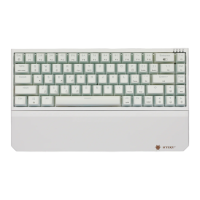
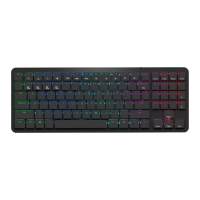
■ 蓝牙连接 / Bluetooth connection
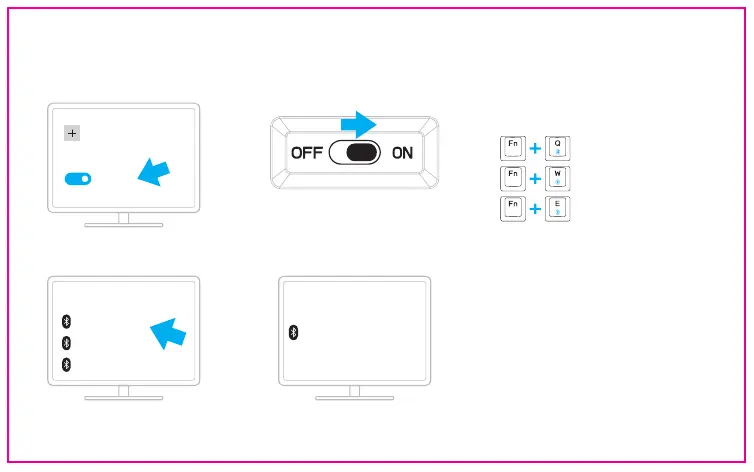
打开背面电源开关 / Turn on the power
switch on the back
② ③
> 已连接状态下短按切换到对应的连接设备, 蓝牙设备名称
统一为: Hexgears-KB. 开启对码时指示灯”BT”闪烁,完成
配对后指示灯”BT”常亮。/ In the connected state, short
press to switch to the corresponding connected device.
The name of the Bluetooth device is Hexgears-KB. When
the matching code is turned on, the indicator "BT" flashes,
and when the matching is completed, the indicator "BT" is
steady on.
选其一, 长按3S启动设备对码/
Select one of them and
Long press for 3S to enable the device matching code.
名称/Name: Hexgears-KB
蓝牙通道1 / Bluetooth Channel 1
名称/Name: Hexgears-KB
蓝牙通道2 / Bluetooth Channel 2
名称 / Name: Hexgears-KB
蓝牙通道3 / Bluetooth Channel 3
蓝牙/Bluetooth
开/ON
添加蓝牙/Add bluetooth
①
添加蓝牙/Add bluetooth
Hexgears-KB
Hexgears-KB
Hexgears-KB
④
Hexgears-KB
你的设备已准备就绪/Your equipment
is ready
已连接/The
connected
已完成
Has been completed
⑤


 To Next Page
 Loading...