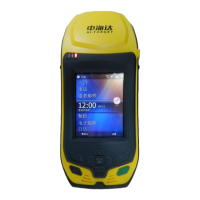
Configuration of Fieldwork
Double click F1 with the vo ice prompt “base”, “rover” and
“ static” to choose the wor king mode you need, press power button to
confirm the settingg.
Hold F2 button with voice prrompt to choose the channel in need,
press power button to confirm.
Note: Base and rover must be in the same channel
for a normal work.
The differential signal is being transmitted while the signal light
(red) is flashing once at one second. Meanwhile, the rover have
received the signal while the signal light (red) of rover is flashing
synchronously once at one second. Now RTK work can be started. If
the signal led (red) of rover does not flash, that means it has not
receeived the differential signal.
4. Set the power of radio:
When the working distance b ecomes farther, you can set the
power of the radio of the base through the control panel. Pressing F1
button until hearing the voice prompt: high, medium, low, the working
distance is getting lower in
50



 To Next Page
 Loading...