hib.co.uk
3
Pairing Device To the Mirror
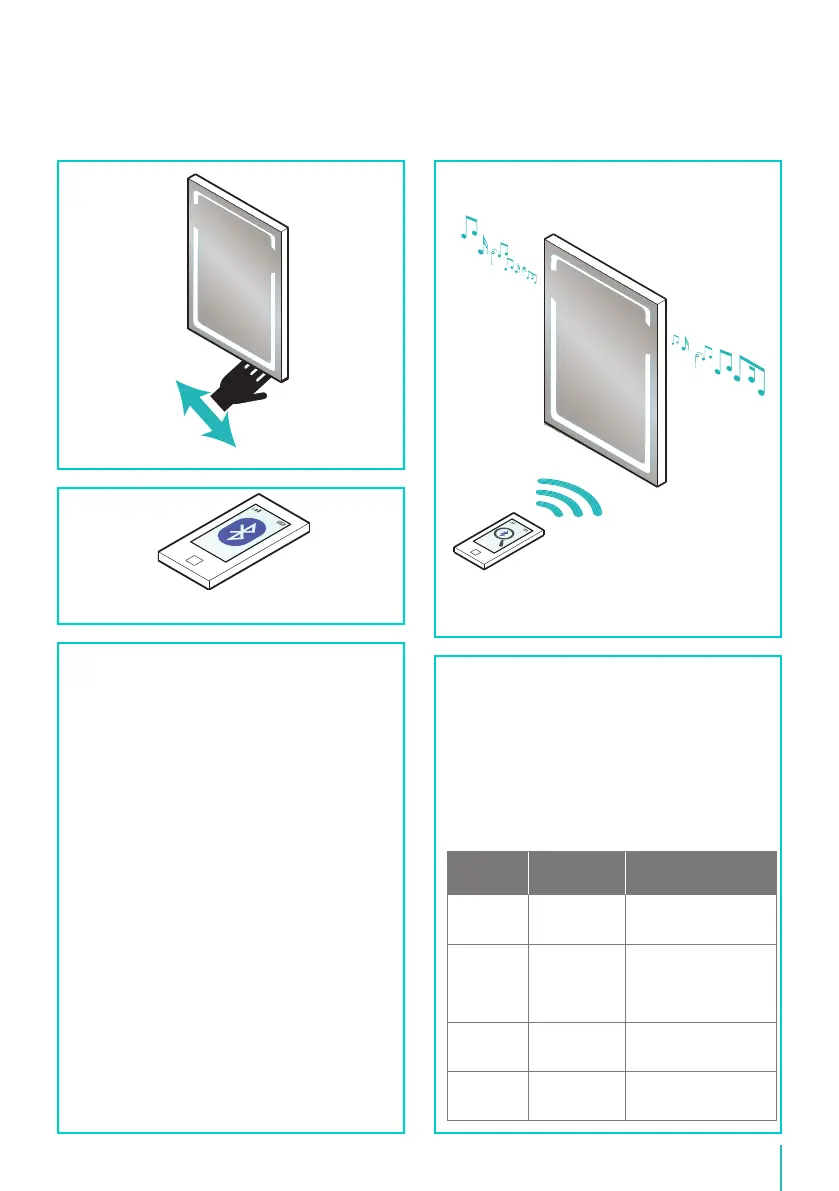
• To activate the Bluetooth
TM
, wave hand under the
sensor switch located at the bottom of the mirror
(see gure B). The mirror will give out a tone to
conrm it is ready for pairing.
• Activate the Bluetooth
TM
on your device* (see gure
C). Refer to the devices instructions for details.
• Search for “HiB001” if prompted for a connection
code, use “0000”. The mirror will give out a tone to
conrm successful connection.
• You can now play music or other media through the
Bluetooth
TM
mirror (see g. D).
• When the mirror is turned o the connection to the
Bluetooth
TM
will be lost. When the mirror is turned
on again it will automatically reconnect to the last
connected device.
• Refer to your device manual for operating controls.
• Music will stop playing when a phone call comes
into the Bluetooth
TM
device, and will automatically
reconnect when nished.
*Only compatible Smart Phones & Bluetooth
TM
Devices.
Lamp Replacement
In the unlikely event that the LED light strip should fail
please contact HiB customer services for a replacement
part at the address shown on the back page.
Care Instructions
To preserve the high quality nish of your HiB product,
please ensure you regard the following care and
cleaning recommendations:
Do not use abrasives or solvents when cleaning this
product.
Wipe o all water spillages as soon as possible using a
soft, damp cloth.
Trouble Shooting Guide
Symptoms
Possible
Problem Solution
Device not
paired
Bluetooth
TM
not
activated
Check Bluetooth
TM
is
activated on compatible
device & mirror is turned on
Device not
connecting
Only one
device can be
connected to the
mirror at any one
time
Disconnect all devices and
reconnect only one device
No volume
Volume is
controlled from
device
Increase volume on device
No
connection
Out of range
Range is within 8 metres,
move device closer to
mirror
Turn Mirror
On Fig. B
Activate BluetoothTM Fig. C
Connect Fig. D


 To Next Page
 Loading...