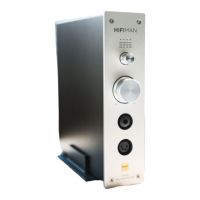
Front & Rear Panel Layout
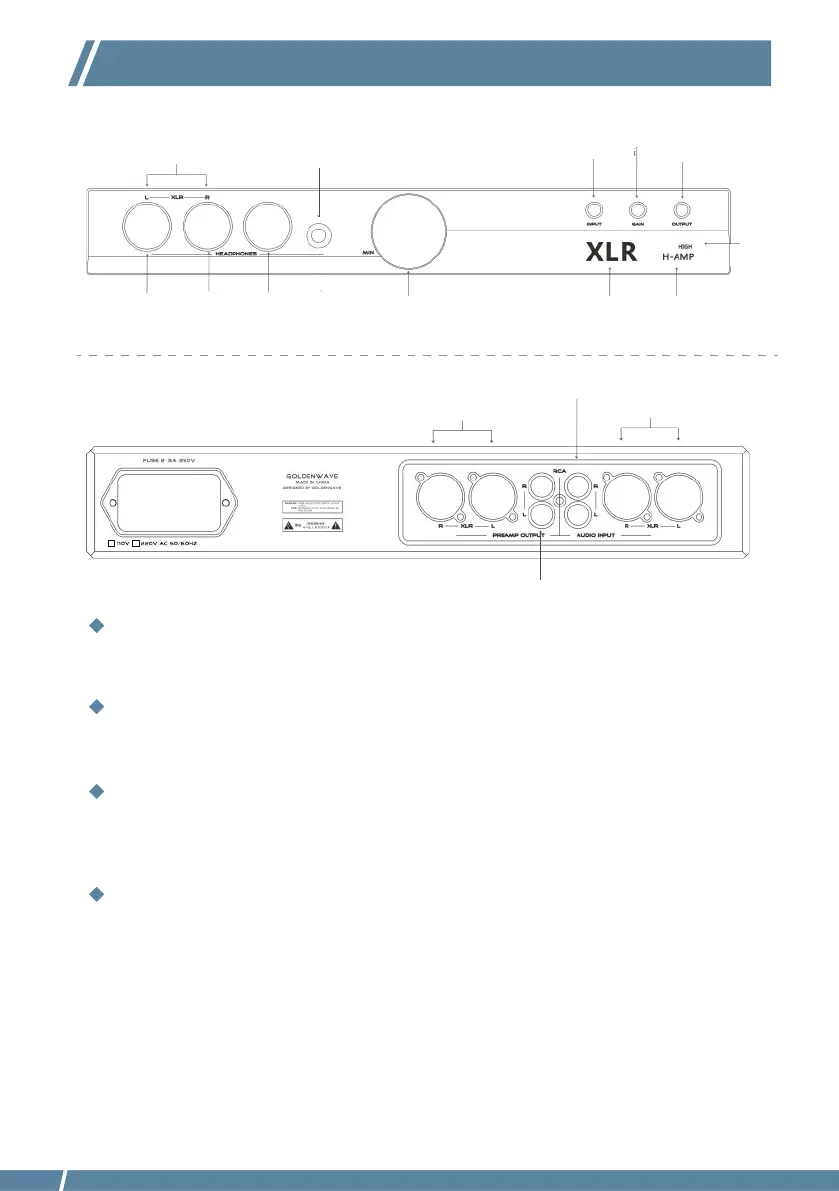
Click the INPUT Selector button to select between the RCA single-ended input or XLR balanced input.
Click the GAIN Selector button to select either Low or High Gain.
Click the OUTPUT Selector button to select between PRE-OUT signal output and H-AMP headphone
output.Only one may be selected at a time.
INPUT Selector
GAIN Selector
OUTPUT Selector
1) The Prelude Headphone Amplifier offers XLR balanced and RCA single-ended inputs. Input selection is
made via the INPUT key on the front panel.
2) The Prelude Headphone Amplifier can simultaneously output multiple amplified analog signals. The
Pre-amp signal output on the rear panel offers a choice between XLR balanced and RCA single-ended
signal outputs. The front panel provides a 4.4 balanced headphone output, XLR 4-Pin balanced
headphone output, XLR 3-pin balanced headphone output, and two 6.5mm headphone outputs. Of
these, the XLR 3-pin balanced and 6.35 single-ended output share dual-purpose sockets.
To Connect an Audio Device
XLR Balanced Output
6.35mm Single-ended
Headphone Output
Dual Purpose Sockets
Pre-Amp
Output
XLR Balanced Input
RCA
Single-ended
Output
RCA Single-ended
Input
XLR 4-Pin
Balanced
Headphone
Output
Volume
Control
Current Input
selected
Current Output
selected
Current
Gain
selected
Input Selector Output Selector
Gain Selector
4.4mm Balanced
Headphone Output
110V or 220V voltage default setting



 To Next Page