20 EN
Using the appliance
B
• An additional function can be selected before starting a programme.
• On the control panel, press the button under the symbol for the desired additional function.
• If the additional function indicator is lit and steady, the function is active.
• If the additional function indicator is flashing, the function is not active.
Causes of non-activation:
• The additional function is not compatible with the wash programme selected.
• The programme selected is already started and is too far along for the additional function
to be added.
• The additional function chosen is not compatible with another additional function that has
already been selected.
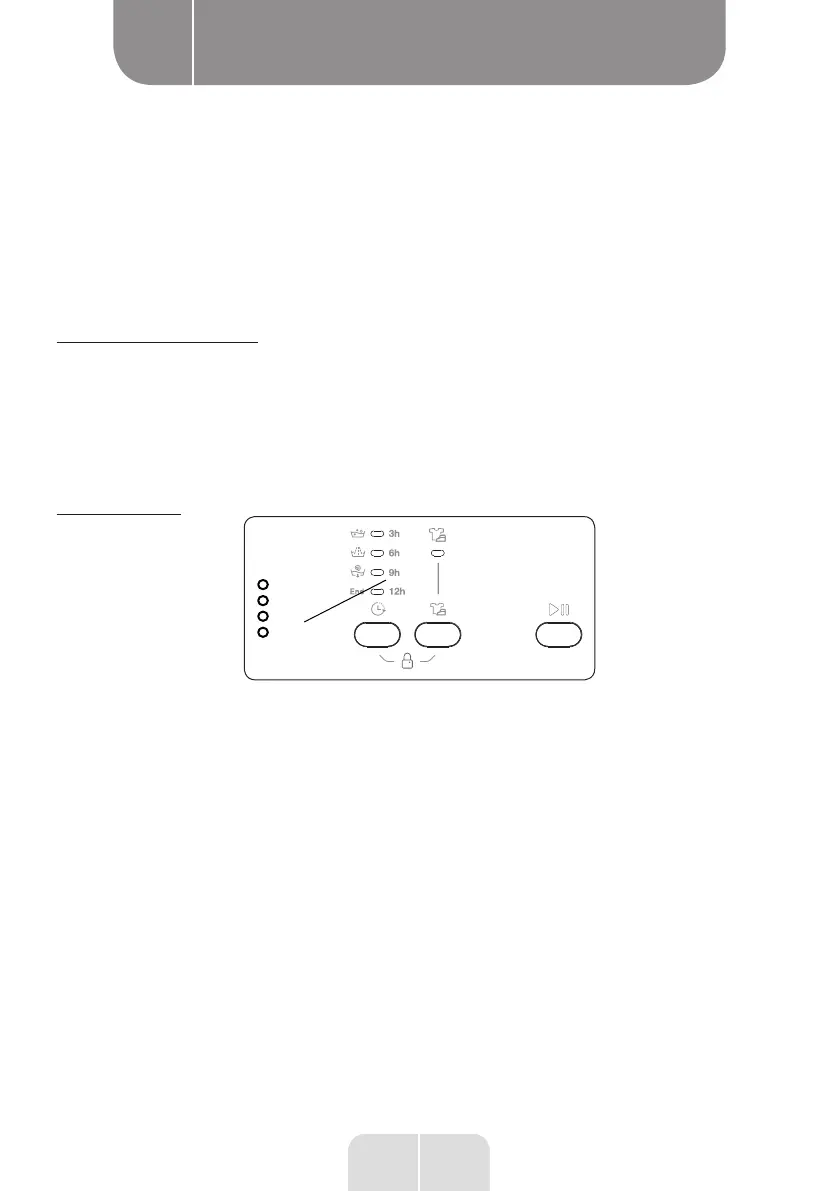
1. Delayed start
3 h
6 h
9 h
12 h
• Press the Delayed start button once.
• The “3 h” indicator lights up.
• Press the Delayed start button until the indicator for the desired delay period lights up.
• If you accidently go past the desired delay period, continue to press the Delayed start
button until this value lights up again.
• The Delayed start function only operates once the Start/Pause button is pressed.
• Press the Start/Pause button to activate the Delayed start function.
• Press the Delayed start button once to cancel the selected delay. The indicator on the
electronic display then stops flashing.


 To Next Page
 Loading...