3
Hardware Installation
Set up the Enclosure
1. Place the Enclosure on a flat surface
2. Press then pull the blue tab on each disk tray to unlock and slide out
each tray.
3. Place physical drives in each disk tray (up to 8).
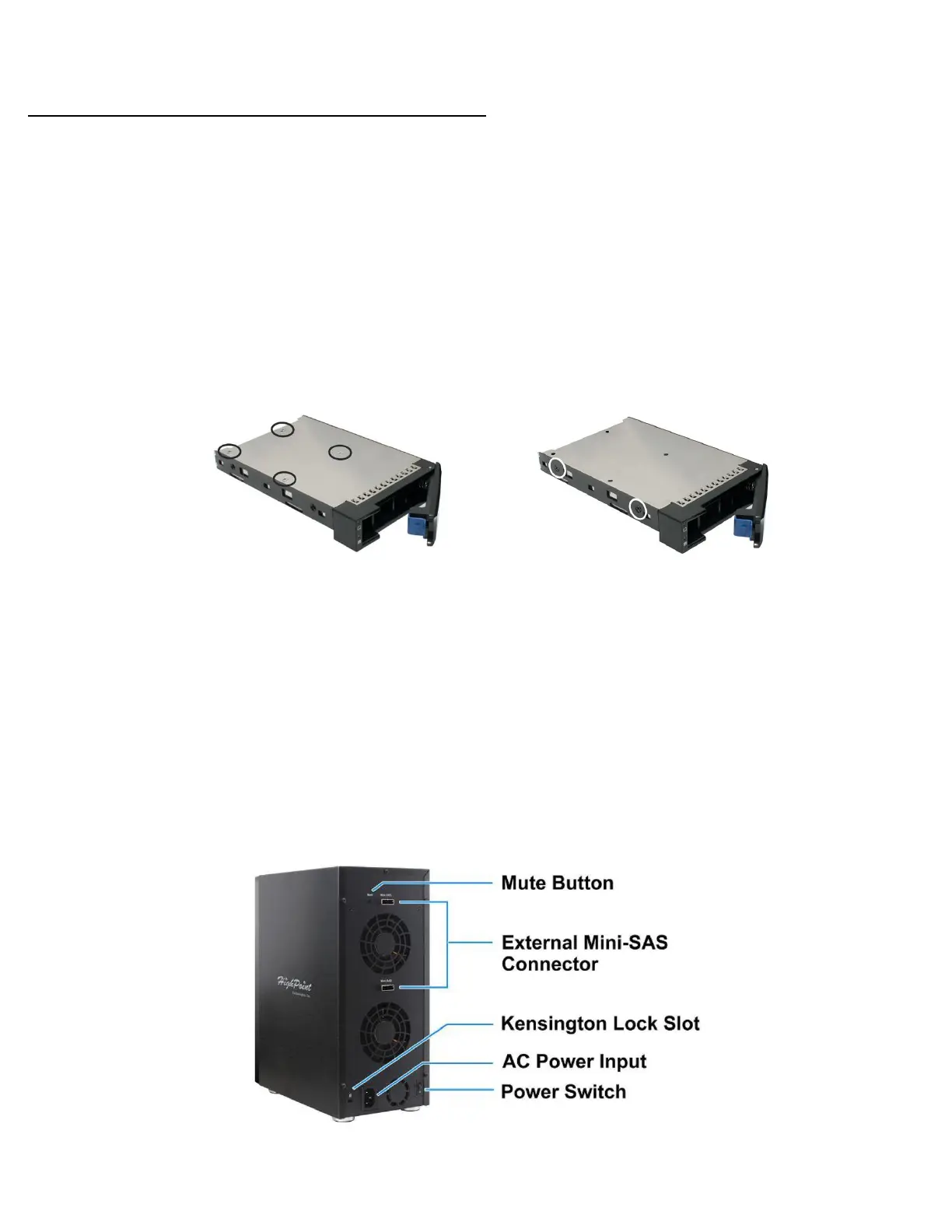
4. Mount your drives in each tray using the provided screws, then place
disk trays back into enclosure.
Figure 1. SSD mount points (bottom)
Figure 2. HDD mount points (side)
5. Connect the enclosure to the power cord.
Set up HBA
1. Insert the included RocketRAID 4522 into an available PCIe 2.0 x8 or
compatible PCIe slot on your PC/Mac motherboard
Connect the HBA and enclosure together with a mini-SAS to mini-SAS
connector (SFF-8088)



 To Next Page