User Manual
Code: DS-2DE7430IW-AE
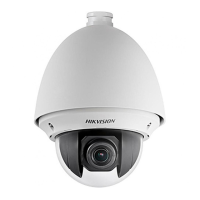
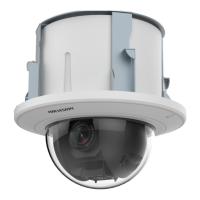
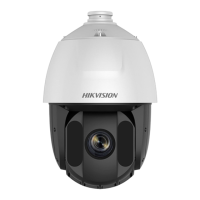
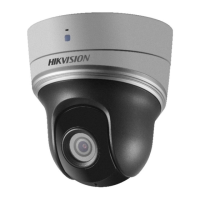
IP SPEED DOME CAMERA OUTDOOR DS-2DE7430IW-AE - 3.7 Mpx 5.9 ... 177 mm Hikvision
DELTA-OPTI Monika Matysiak; https://www.delta.poznan.pl
POL; 60-713 Poznań; Graniczna 10
e-mail: delta-opti@delta.poznan.pl; tel: +(48) 61 864 69 60
2021-07-04 DS-2DE7430IW-AE 3/8
Rotation speed (manual control):
0.1 °/s ... 160 °/s (horizontal)
0.1 °/s ... 120 °/s (vertical)
Horizontal rotation range: 360 ° - continuous
Vertical rotation range: -15 ° ... 90 °
RS-485 interface:
Number of presets: 300
Horizontal scan:
Route settings: 4
Image compression method: H.265 / H.265+ / H.264+ / H.264 / MJPEG
Alarm inputs / outputs: 2 / 1
Audio:
• External microphone input
• Audio output
• Audio detection
Main stream frame rate:
max. 25 fps @ 4 Mpx
max. 50 fps @ 1080p
Network interface: 10/100 Base-T (RJ-45)
Network protocols:
IPv4/IPv6, HTTP, HTTPS, IEEE 802.1x, QoS, FTP, SMTP, UPnP, SNMP, DNS, DDNS,
NTP, RTSP, RTP, TCP, UDP, IGMP, ICMP, DHCP, PPPoE, Bonjour
WEB Server: Built-in, NVR compliance
Max. number of on-line users: 20
ONVIF: 16.12
Memory card slot: Micro SD memory cards up to 128GB support (possible local recording)
Mobile phones support:
Port no.: 8000 or access by a cloud (P2P)
• Android: Free application iVMS-4500 or Hik-Connect
• iOS (iPhone): Free application iVMS-4500 or Hik-Connect
Default admin user / password:
admin / -
The administrator password should be set at the first start
Default IP address: 192.168.1.64
Web browser access ports: 80
PC client access ports: Port no.: 8000 or access by a cloud (P2P) - iVMS-4200 application
Mobile client access ports: 8000
Port ONVIF: 80
RTSP URL:
• Main stream
rtsp://192.168.1.64:554/Streaming/Channels/101/ - RTSP - without authorization
rtsp://user:password@192.168.1.64:554/Streaming/Channels/101/ - with
authorization
• Sub stream
rtsp://192.168.1.64:554/Streaming/Channels/102/ - RTSP - without authorization
rtsp://user:password@192.168.1.64:554/Streaming/Channels/102/ - with
authorization



 To Next Page
 Loading...