EasyManua.ls Logo

Hisense HMAS2008BP - User Manual

Hisense HMAS2008BP
28 pages
Print Icon
To Next Page IconTo Next Page
Loading...
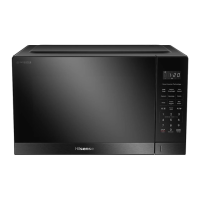
User and Installation Manua l
Microwave Oven
Model: HMAS2008BP
HMAS2008WP
Before installing or using the appliance, please read
the manual carefully, and keep it for future reference.
Question and Answer IconNeed help?

Do you have a question about the Hisense HMAS2008BP and is the answer not in the manual?

Summary

Microwave Exposure Precautions

Important Safety Instructions

Cleaning Instructions

Microwave Oven Care

General maintenance and safety precautions for cleaning the oven.

Cleaning Tips

Detailed instructions for cleaning different parts of the microwave oven.

Setting Up Your Oven

Oven Parts and Accessories

Lists and identifies the components and accessories of the microwave oven.

Turntable Installation

Instructions on how to properly install the turntable assembly.

Countertop Installation

Guidelines for placing the microwave oven on a countertop.

General Installation

Details on proper installation, including clearance and power connection.

Control Panel Overview

Control Panel Functions

Describes the functions and buttons available on the microwave control panel.

Operation Instructions

First Time Use

Initial setup and usage guidelines for the microwave oven.

Power Level Settings

How to select and set different power levels for cooking.

Defrost Functionality

Detailed instructions for using the defrost modes by time or weight.

Preset Cooking Menus

Guide to using automatic cooking programs for specific food items.

Clock and Timer Functions

Instructions for setting the clock and using the timer.

Auto Reheat Function

How to use the automatic reheat feature for various foods.

Auto Cook Function

Guide to using the 9 automatic cooking menus.

Melt and Soften Function

Instructions for using the melt/soften feature for different food items.

Mute and ECO Functions

How to use the mute and energy-saving ECO modes.

Express Start and +30 Sec

Using quick start and adding 30-second intervals to cooking.

Stop and Cancel Operations

How to stop, pause, or cancel cooking programs.

Child Lock Function

How to activate and deactivate the child lock feature for safety.

Utensils Guideline

Cooking Tips

Maintenance Instructions

Servicing Checks

Procedures to check before contacting service personnel for repairs.

Servicing Safeguards

Essential safety precautions regarding microwave radiation during maintenance.

Product Disposal

Guidelines for environmentally responsible disposal and recycling of the appliance.

Summary

Microwave Exposure Precautions

Important Safety Instructions

Cleaning Instructions

Microwave Oven Care

General maintenance and safety precautions for cleaning the oven.

Cleaning Tips

Detailed instructions for cleaning different parts of the microwave oven.

Setting Up Your Oven

Oven Parts and Accessories

Lists and identifies the components and accessories of the microwave oven.

Turntable Installation

Instructions on how to properly install the turntable assembly.

Countertop Installation

Guidelines for placing the microwave oven on a countertop.

General Installation

Details on proper installation, including clearance and power connection.

Control Panel Overview

Control Panel Functions

Describes the functions and buttons available on the microwave control panel.

Operation Instructions

First Time Use

Initial setup and usage guidelines for the microwave oven.

Power Level Settings

How to select and set different power levels for cooking.

Defrost Functionality

Detailed instructions for using the defrost modes by time or weight.

Preset Cooking Menus

Guide to using automatic cooking programs for specific food items.

Clock and Timer Functions

Instructions for setting the clock and using the timer.

Auto Reheat Function

How to use the automatic reheat feature for various foods.

Auto Cook Function

Guide to using the 9 automatic cooking menus.

Melt and Soften Function

Instructions for using the melt/soften feature for different food items.

Mute and ECO Functions

How to use the mute and energy-saving ECO modes.

Express Start and +30 Sec

Using quick start and adding 30-second intervals to cooking.

Stop and Cancel Operations

How to stop, pause, or cancel cooking programs.

Child Lock Function

How to activate and deactivate the child lock feature for safety.

Utensils Guideline

Cooking Tips

Maintenance Instructions

Servicing Checks

Procedures to check before contacting service personnel for repairs.

Servicing Safeguards

Essential safety precautions regarding microwave radiation during maintenance.

Product Disposal

Guidelines for environmentally responsible disposal and recycling of the appliance.

Overview

This document is a User and Installation Manual for Hisense Microwave Ovens, specifically models HMAS2008BP and HMAS2008WP. It provides comprehensive instructions for safe operation, installation, cleaning, and troubleshooting.

The primary function of this device is to heat food and beverages using microwave energy. It is designed for domestic use and offers various cooking modes and preset programs to simplify meal preparation.

Important Technical Specifications:

  • Model Numbers: HMAS2008BP, HMAS2008WP
  • Rated Voltage: 220-240V~ 50Hz
  • Power Consumption (Microwave): 1280W
  • Rated Microwave Power Output: 800W
  • Operating Frequency: 2450MHz
  • Oven Capacity: 20L
  • Internal Light Source: LED light on <60lm

Usage Features:

The microwave oven features a control panel with several buttons and a number pad for various functions:

  • Auto Cook: Allows users to set automatic cooking programs. There are 9 menus (Meat Pie, Frozen Entrée, Risotto, Instant Noodle, Porridge, Legumes, Beef Lasagne, Fish Filet, Quinoa) with optional weights/portions.
  • TIME/WEIGHT DEFROST: Offers defrosting based on time (dEF1) or weight (dEF1, dEF2, dEF3 for Meat, Poultry, Seafood respectively, ranging from 100-1500g). A beeping sound prompts turning food over during defrosting.
  • Auto REHEAT: Provides 6 menus (Bread, Pizza, Rice, Curries, Soup, Casserole) for automatic reheating based on food weight/portions.
  • Quick Preset Cooking Menu: Pre-programmed settings for common foods like Popcorn, Beverage, Potato, Pasta, Frozen Veggies, and Melt/Soften, eliminating the need to manually enter power level or time.
  • Melt/Soften: Specific settings for melting/softening foods such as Chocolate, Butter, Cream Cheese, and Ice cream, with optional weights.
  • CLOCK/TIMER:
    • CLOCK (24-hour clock): Allows setting the current time in either 12-hour or 24-hour format.
    • TIMER: Functions as a countdown timer, with a maximum setting of 99:99.
  • Power Level: Enables selection of ten microwave power levels (100P, 90P, 80P, 70P, 60P, 50P, 40P, 30P, 20P, 10P) for precise cooking. The maximum cooking time is 99 minutes and 99 seconds.
  • Mute/ECO:
    • Mute: Toggles the buzzer sound on or off.
    • ECO: Enters an energy-saving mode where the display screen shuts down. Pressing any button exits ECO mode.
  • 1-6 Number Pad (EXPRESS START): Directly starts the microwave for 1 to 6 minutes, corresponding to the number pressed.
  • +30 SEC (STRAT/+30SEC): Quickly starts the microwave for 30 seconds. Can also add 30 seconds to an ongoing cooking program.
  • STOP/CANCEL: Pauses or cancels current cooking programs and clears settings.
  • LOCK (CHILD LOCK FUNCTION): A safety feature that locks the control panel to prevent unsupervised use by children or accidental operation during cleaning. Activated by holding the "0" button for approximately 3 seconds.

Installation Requirements:

  • The oven should be placed on a level surface with at least 3.0 inches (7.5cm) clearance from adjacent walls and a minimum of 12 inches (30cm) (30cm) above the oven.
  • The legs at the bottom of the oven should not be removed.
  • Blocking intake/outlet openings can damage the oven.
  • It should be placed away from radios and TVs to avoid interference.
  • The oven must be plugged into a standard household outlet with matching voltage and frequency.
  • It should not be installed over a range cooktop or other heat-producing appliances.

Maintenance Features:

  • Regular Cleaning: The oven should be cleaned regularly to remove food deposits.
  • Exterior Cleaning: Wipe the enclosure, door, window, door seals, and control panel with a dampened soft cloth.
  • Interior Cleaning: Wipe interior surfaces and the waveguide cover with a dampened soft cloth.
  • Turntable/Rotation Ring/Rotation Axis: Wash with mild soap water, rinse with clean water, and dry thoroughly.
  • Odor Removal: If strange odors persist, methods like heating lemon slices, red tea, or orange peel can be used.
  • Waveguide Cover: After use, wipe the waveguide cover with a damp cloth, followed by a dry cloth, to remove food splashes and grease.
  • General Care: Do not use hard detergent, gasoline, abrasive powder, or metal brushes. Do not immerse the appliance in water.
  • Servicing Safeguards: The manual outlines safety precautions for servicing, including the risk of microwave radiation and the need for qualified personnel for repairs. It also lists parts that may expose high voltage and conditions that could cause undue microwave exposure during servicing.
  • Disposal: The product is marked for correct disposal within the EU, indicating it should not be disposed of with household waste but recycled responsibly.


Hisense HMAS2008BP Specifications

General IconGeneral
BrandHisense
ModelHMAS2008BP
CategoryMicrowave Oven
LanguageEnglish

Related product manuals