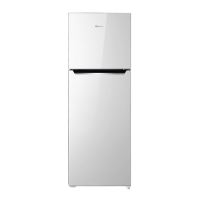
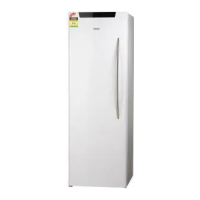
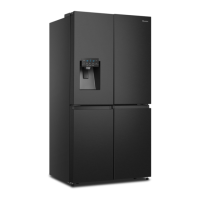
This document is the User's Operation Manual for a Hisense refrigerator, model HRVF384S. It provides comprehensive instructions for installation, operation, maintenance, and troubleshooting, ensuring safe and efficient use of the appliance.
Function Description
The Hisense refrigerator is designed for household and similar applications, including staff kitchen areas, farmhouses, hotels, motels, bed and breakfast environments, and catering. It functions as a refrigerating appliance with both a refrigerator and a freezer compartment. The appliance uses isobutene (R600a) as a refrigerant, which is a natural gas with high environmental compatibility. The unit is equipped with a display panel for controlling various settings and features.
The refrigerator compartment is suitable for storing fresh foods such as eggs, canned liquids, bottled drinks, packaged food, vegetables, fruits, cooked food, and dairy products. It maintains temperatures typically between +2°C and +8°C (36°F and 46°F) in Celsius and Fahrenheit modes, respectively.
The freezer compartment is designed for freezing and storing foods that require freezing, such as meat and ice. It can operate in different freezer modes (***-Freezer, **-Freezer, *-Freezer, 0-star, Chill) with target temperatures ranging from ≤-18°C (1°F) down to -6°C (21°F) and even -2°C to +3°C (28°F to 37°F) for the Chill compartment. The freezer is suitable for storing pre-frozen food, making ice cream, and ice cubes.
Usage Features
The refrigerator offers several features to enhance usability and food preservation:
- Temperature Control: Users can adjust the temperature for both the freezer and fridge compartments using the "TEMP." button. The display can show temperatures in either Celsius or Fahrenheit.
- Standby Mode: The appliance can be put into standby mode by pressing and holding the "POWER" button for at least 3 seconds. In this mode, the POWER icon lights up, the temperature display shows "OF," and other functions are inactive, conserving energy.
- Freezer/Fridge Conversion: A unique feature allows conversion between freezer and fridge modes for a compartment by pressing and holding the "Freezer/Fridge conversion" button for 3 seconds. This offers flexibility in storage, but users are cautioned to ensure stored food is suitable for the new mode and to follow specific waiting times before placing food in the converted compartment.
- Door Alarm: An alarm sounds and "dr" is displayed if a door is left open for more than 2 minutes, reminding users to close it to maintain temperature and save energy. The alarm stops automatically after 8 minutes or can be muted by pressing the "MODE" button for 3 seconds.
- Energy Saving Function: This mode optimizes the refrigerator's operation to reduce energy consumption, particularly useful when the user is away. When activated via the "MODE" button, the fridge temperature is set to 6°C (43°F) and the freezer to -17°C (1°F).
- Super Freeze: This feature rapidly lowers the freezer temperature to -24°C (-11°F) to quickly freeze large quantities of food, preserving freshness. It's recommended for periods of high usage or when adding large grocery loads. Super Freeze automatically turns off after 52 hours.
- Super Cool: Similar to Super Freeze, this function rapidly cools the refrigerator compartment to 2°C (36°F), ideal for quickly chilling new groceries or during high usage. Super Cool automatically turns off after 6 hours.
- Door Reversibility: The door's opening direction can be changed from right to left, or vice versa, to suit the installation site's requirements. This involves disassembling and reassembling the hinges and handle.
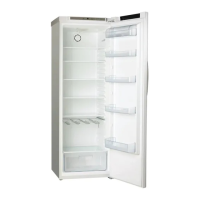
- Adjustable Shelves and Drawers: The refrigerator chamber includes shelves that can be removed for cleaning, and a crisper drawer specifically designed for vegetables and fruits. Door racks are provided for storing eggs, canned goods, and bottled drinks.
- Leveling: The appliance features adjustable bottom feet to ensure it is level and to allow for proper air circulation, which is crucial for cooling efficiency.
- Anti-Tipping Mechanism: For extreme cases where the door opens about 90 degrees, a rubber supporting pad can be fastened to the lower base cover to steady the appliance and prevent tipping.
Maintenance Features
Regular maintenance is crucial for the appliance's longevity and hygienic operation:
- Cleaning: The appliance, including its exterior and interior accessories, should be cleaned at least every two months. Before cleaning, the appliance must be switched off and unplugged from the mains.
- Exterior Cleaning: Use a mild detergent and a soft cloth to clean doors, handles, and cabinet surfaces. Avoid abrasive cleansers, organic solvents, or sharp objects.
- Interior Cleaning: The interior should be wiped with a weak solution of baking soda and water, rinsed with warm water, and thoroughly dried before replacing shelves and baskets.
- Defrosting: The appliance automatically defrosts. However, if a thick layer of frost accumulates in the freezer due to frequent or prolonged door openings, manual defrosting is recommended. This involves removing food, unplugging the appliance, leaving the doors open, and ventilating the room.
- Door Seals Cleaning: Keep door seals clean to prevent stickiness and tearing. Wash with a mild detergent and warm water, then rinse and dry thoroughly.
- LED Light Replacement: If the LED light is damaged, it must be replaced by a competent person. The manual provides steps for unplugging the appliance, removing the light cover, and replacing the LED light.
- Water Dispenser Cleaning (for relevant models): Water tanks should be cleaned if unused for 48 hours, and the water system flushed if water has not been drawn for 5 days.
- Food Packaging: Food should be packed in bags, and liquids in bottles or capped containers, to prevent contamination and simplify cleaning.
The manual emphasizes safety warnings throughout, particularly regarding flammable refrigerants, electrical safety, and the importance of professional servicing. It also provides helpful hints for energy saving, fresh food refrigeration, freezing, and storage of frozen food.



 To Next Page
 General