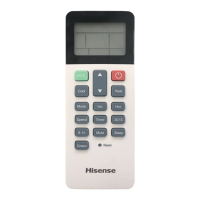
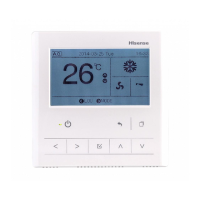
This function is used for prohibiting the operation from the remote control switch.
While operation is prohibited, “Central Control” is indicated on LCD of remote control switch and operating by the remote control switch is
not available.
1. Select the screen of “AC Monitor (All Groups)” or “AC Monitor (Block)”. Select the group to set by touching the group button.
(1) (1)
2. Select “Remote Operation Prohibited” by touching.
3. Touch the switch of the items. If “ALL” is ON, the icon “ ” will be indicated in monitor.
4. Touch “OK” to confirm and return.
5. Touch “Cancel” to cancel the command and return.
AC Monitor (All Groups) AC Monitor (Block)
6.10 PERMITTING/PROHIBITING OPERATION FROM REMOTE CONTROL SWITCH
3. Touch “OK” to confirm and return.
4. Touch “Cancel” to cancel the command and return.
(2)(3)
NOTE
The figure above shows an example of the setting temperature for the standard unit. The temperature setting range may be
different depending on the connected indoor units.
•
HYJM-S01H



 To Next Page
 Loading...