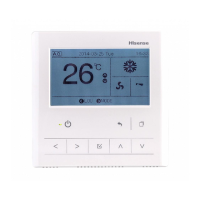
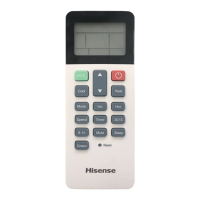
Liquid Crystal Display Selection
The fi gure below shows all the indications for reference.
The actual display during operation is different.
Operation Switch Selection
The above fi gure shows the control
timer with the cover opened.
When opening the cover, pull
the cover toward the arrow
direction.
Temperature
Setting Switch
Indication of
Setting Target
Indication of
Louver Angle
Run Indicator
Indication of “NO FUNCTION”
Indication of Each Zone / Each Group
Operation
RUN/STOP Switch
Fan Speed
Selection Switch
Operation Mode
Selection Switch
Timer Selection
Switch
“Remote Control
Switch Not
A
Group Selection
Switch
“FILTER”
Indication Reset
Switch
Zone Selection
Switch
Indication of
Setting
temperature
Timer
Indication of
Demand Control
Indication of Emergency Stop
Indication of
larm Code
Indic
ation of
“Remote Control
Switch Not
Av
ailable”
“ALARM”
Indicator
“FILTER”
Indicator
“CHECK”
Indicator
(Red Lamp)
vailable” Switch
Check Switch
Do not touch. This
switch is only for
service use.
Indication of
A
Auto Louver Switch
Indication of
Operation Mode
"AUTO" is
indicated only
when the
optional function
"Auto
COOL/HEAT" is
set.
Indication of
Fan Speed
Model: HYJE-D02H
Central Control



 To Next Page
 Loading...