GB - 45 -
Menu Items
VIDEO SETUP
VIDEO SETUP page will not be available if
the player is in RESUME (Pre-Stop) mode.
TV DISPLAY:
The aspect ratio of the picture provided by
the DVD player can be varied in line with the
features available on the TV in use.
The options available are:
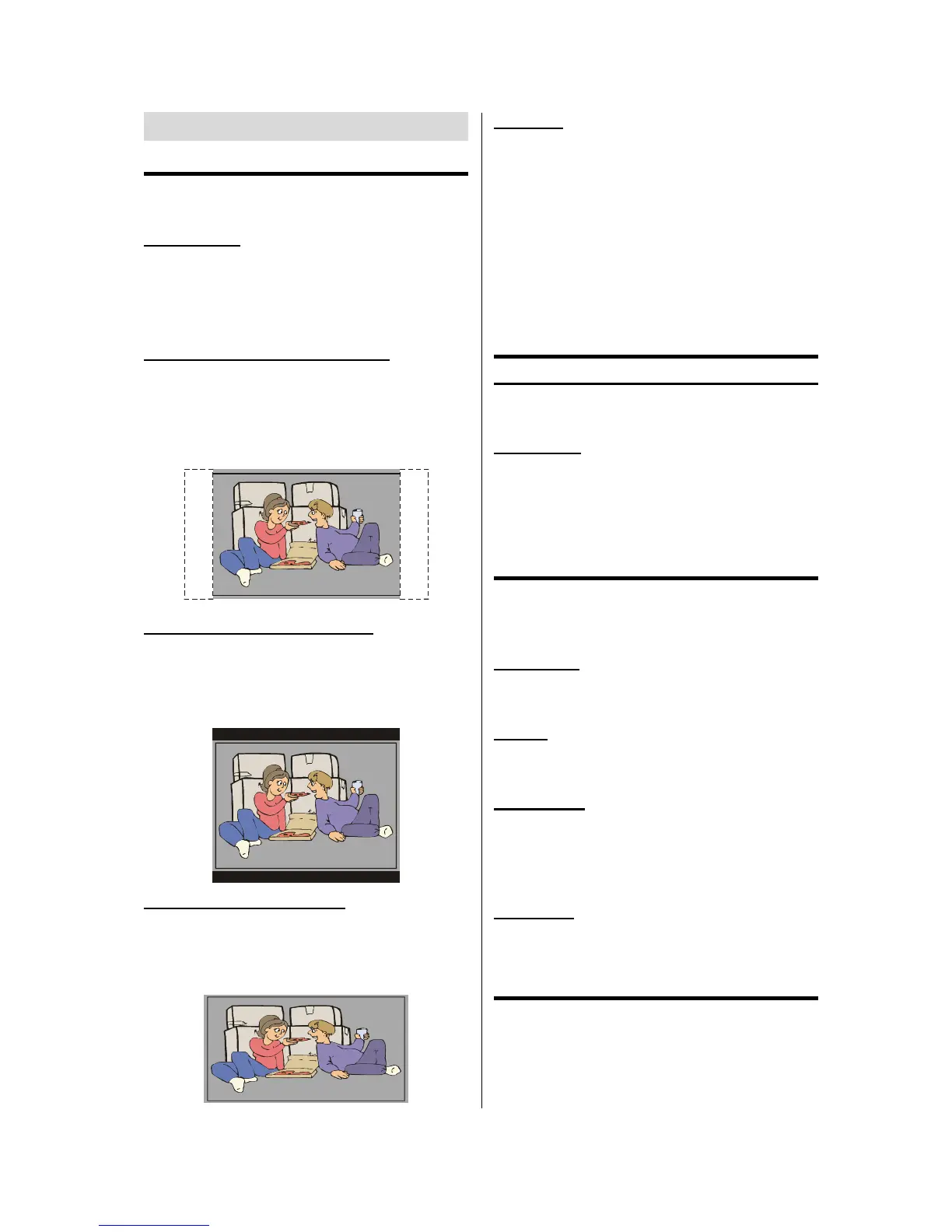
NORMAL / PS (4x3 Pan & Scan):
Allows you to see the movie fill the entire
screen of your TV, but not the right and left
edges. This type of picture can only be
viewed, if it is contained on the disc.
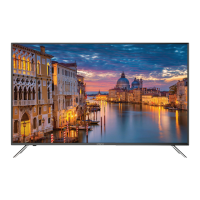
NORMAL / LB (4x3 Letterbox):
Allows you to see movies in their original as-
pect ratio. You will see the entire frame of
the movie, but it will occupy a smaller portion
of the screen.
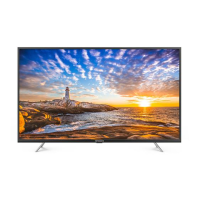
WIDE (Wide screen 16x9):
Depending on the format of the DVD disc.
(eg. 2.35:1) the picture may still have black
lines above and below this picture.
TV TYPE:
The video standard of the DVD player output
can be selected from MULTI, NTSC or
PAL.
If MULTI is selected, the output standard
will be either NTSC or PAL depending on the
DVD being played.
If PAL is selected, the video output will be
converted to PAL standard irrespective of
disc standard.
AUDIO SETUP
DYNAMIC (Dynamic Range Compression ):
Boosts frequency response .This item can
be selected between OFF and FULL.
LPCM OUT:
This item can be selected as "LPCM 96K" or
"LPCM 48K".
Note: Downmix and DTS Output are
not available on this model.
LANGUAGE SETUP
Audio, disc menu and subtitle items will not
be available if the player is in RESUME (Pre-
Stop) mode.
OSD LANG:
You can select the default OSD language of
the player menus
AUDIO:
You can select the default audio language if
supported by the DVD disc.
DISC MENU:
You can select the DVDs disc menu lan-
guage among these languages. Disc menu
appears in the selected language, if sup-
ported by the DVD disc.
SUBTITLE:
You can select the default subtitle language
if supported by the DVD disc.
PARENTAL SETUP
PARENTAL SETUP page will not be avail-
able if the player is in RESUME (Pre-Stop)
mode.



 To Next Page