ENGLISH
7.2 WEB ACCESS
Once the client software has been activated as web server, user can connect to the IP of the computer. The Login screen will be
showed:
&RQQHFWLRQFDQEHGRQHDVPRELOHRUGHVNWRS,WFKDQJHVIHZWKLQJVEXWLWWULHVWR¿WEHWWHUWRWKHEURZVHU
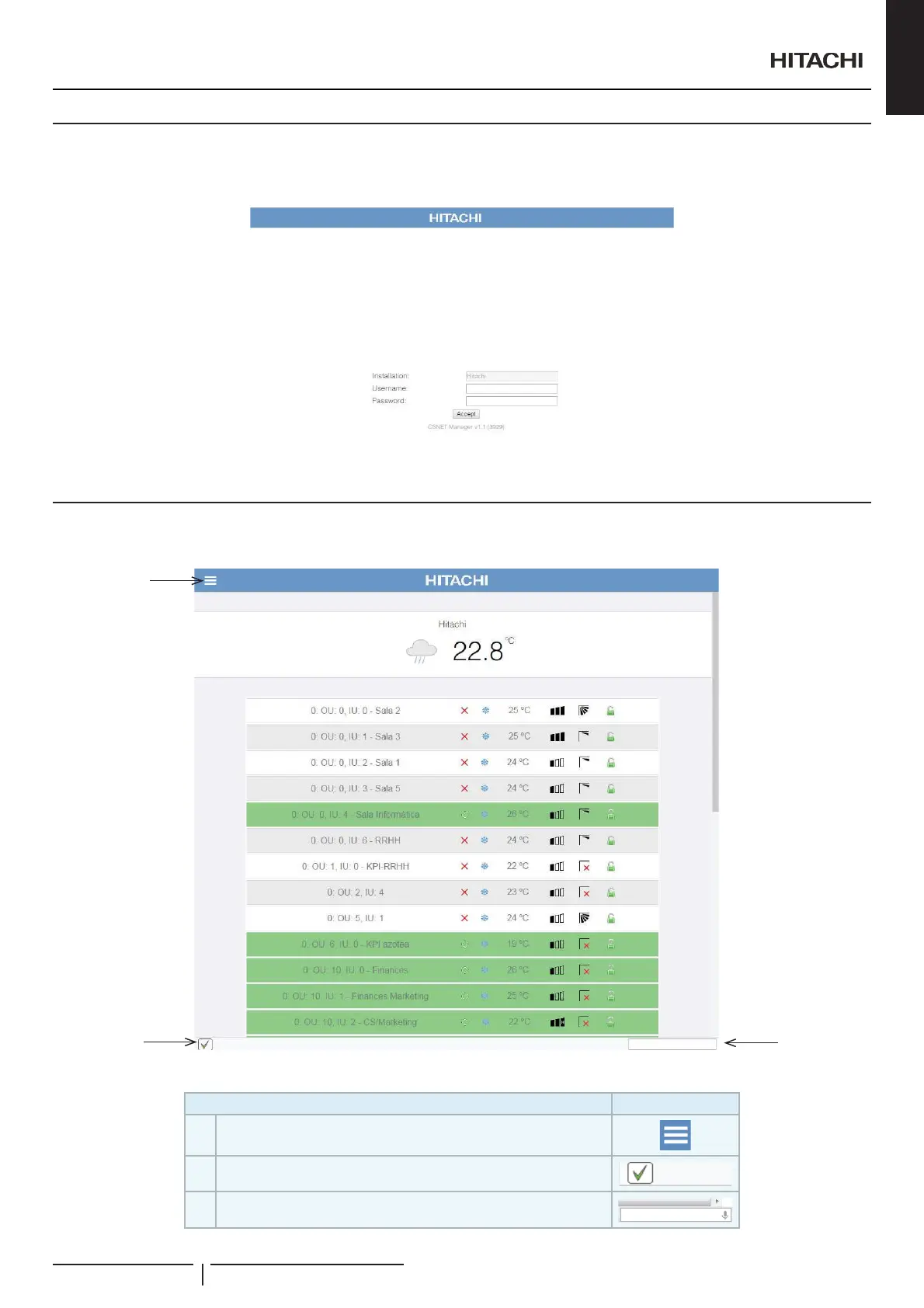
7.3 INTERFACE STRUCTURE
After user login, only the available units will be showed.
1
3
2
Screen has 3 common points:
Item Icon
1 Menu Button
2 Status bar: show info from the harcs connected.
3
Smart orders: let the user introduce orders. If browser allow voice
input, the orders can be speaked
Web connections
PMML0409A rev.1 - 10/201697



 To Next Page