1.11 GRAPHIC INTERFACE
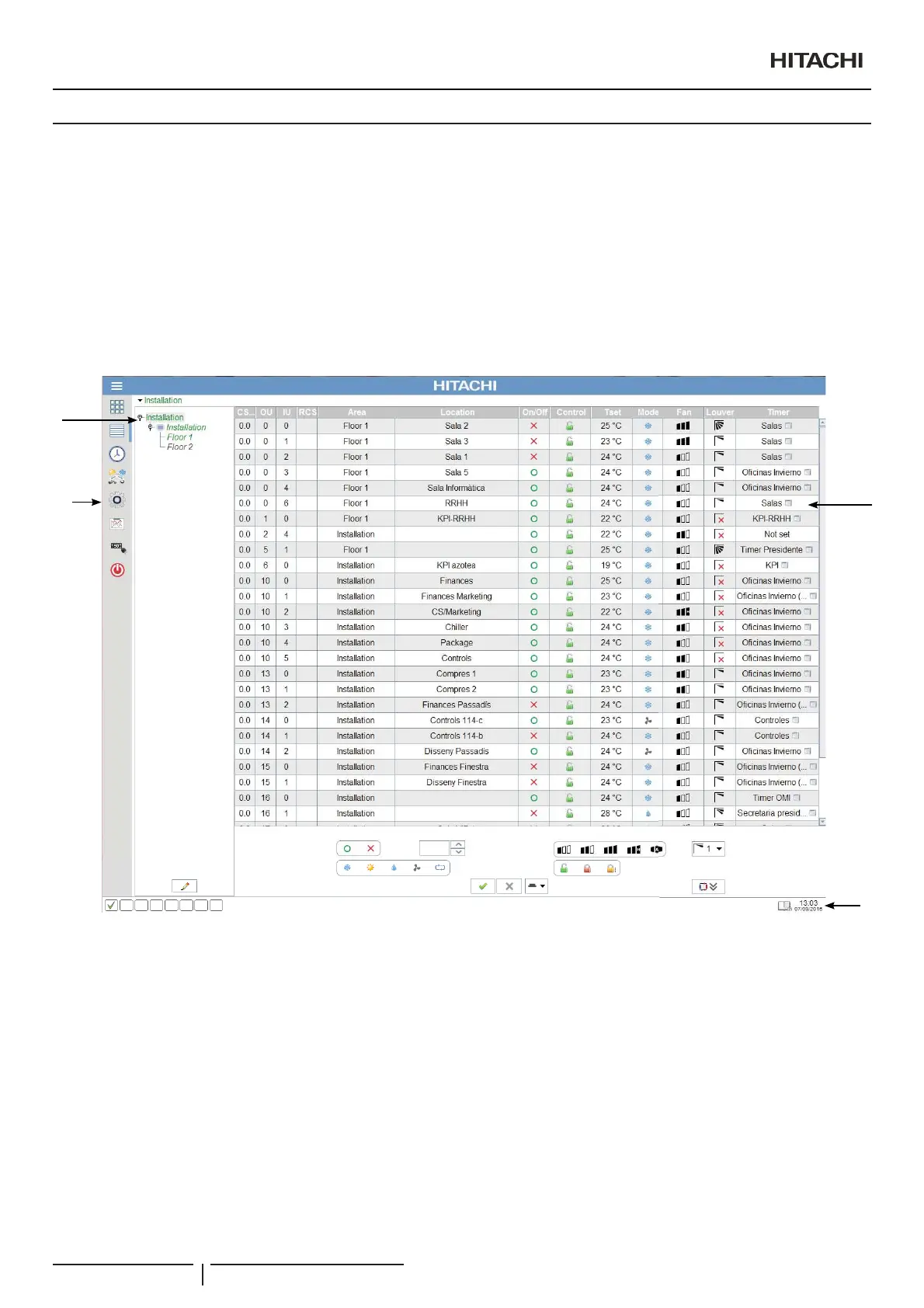
CSNET Manager has two ways of presenting information and the available program options:
- Overall view: A tree scheme is used to organize the installation units and a table to show the units information.
- Building Layout view: A tree scheme is used to organize the installation units and a zone layout to show the units information.
These two interfaces make usage easier and allow access to the system in a clearer, more streamlined way.
1.11.1 Overall view
CSNET Manager has an initial screen that shows a virtual layout with the detected units.
By clicking on the unit icon a virtual remote controller is displayed giving to the user the option of managing the units.
2
1
4
3
1 Area tree:,QVWDOODWLRQWUHHZLWKWKHGLIIHUHQWDUHDVGH¿QHGE\WKHXVHU$UHDWUHHFDQEHKLGGHQE\FOLFNLQJDJDLQRQWKHOLVWYLHZ
button.
Alarm signals: The CSNET Manager software lets you detect which units are in a situation of alarm, as these units will be marked
in red in the main window. At the same time, each of the areas which contains units in a situation of alarm will be marked in red.
2 Units zone: Lists of all the indoor units with a basic state information.
3 Main options:*LYHVDFFHVVWRWKHLQVWDOODWLRQGDWDYLHZWKHFRQ¿JXUDWLRQRI&61(70DQDJHUWKH+LVWRULFDO'DWDDQGWKH
Power Consumption.
4 HARC-WEB Status: Shows the current state of HARCWEB connections, software functions enabled and if there are automatic
updates available.
General characteristics
PMML0409A rev.1 - 10/201610


 To Next Page
 Loading...