ENGLISH
N O T E
$XWRFRQ¿JXUDWLRQLQGLFDWLRQZLOOJURZIROORZLQJWKHSHUFHQWDJHRIDXWRFRQ¿JXUDWLRQWDVNWKDWLVFXUUHQWO\GRQH
Status bar informs about general functions that are currently being executed by the software.
Those icons meaning is explained on the following table.
ICON NOTIFICATION
$XWRSRZHUFRQVXPSWLRQ¿OHVWRUDJHLVFXUUHQWO\
activated.
Web server is running without problems
Web server is running but it has some communication
problems.
)LGHOLRGDWDLVFRQ¿JXUHGDQGZRUNLQJ
)LGHOLRGDWDLVFRQ¿JXUHGEXWLWLVQRWZRUNLQJ
CSNET Manager is accepting Modbus TCP connection
Mail alarm is running.
Mail alarm error sending.
ICON NOTIFICATION
Mail alarm is sending an email.
Mail alarm is waiting to send an email
3RZHUPHWHUVDUHFRQ¿JXUHGDQGHQDEOHG
Problem communicating with Power Meters.
There are updates available for CSNET Manager
software
2SHQWKHRSHUDWLRQGRFXPHQWDWLRQ¿OHIRUKHOSLQJWKH
XVHUWR¿QGH[WHQGHGLQIRUPDWLRQDERXWWKHSURGXFW
(UURUORJQRWL¿FDWLRQLVHQDEOHG
There is no Ethernet cable plugged on LAN1. LAN2 is
disabled for CSNET Manager LT.
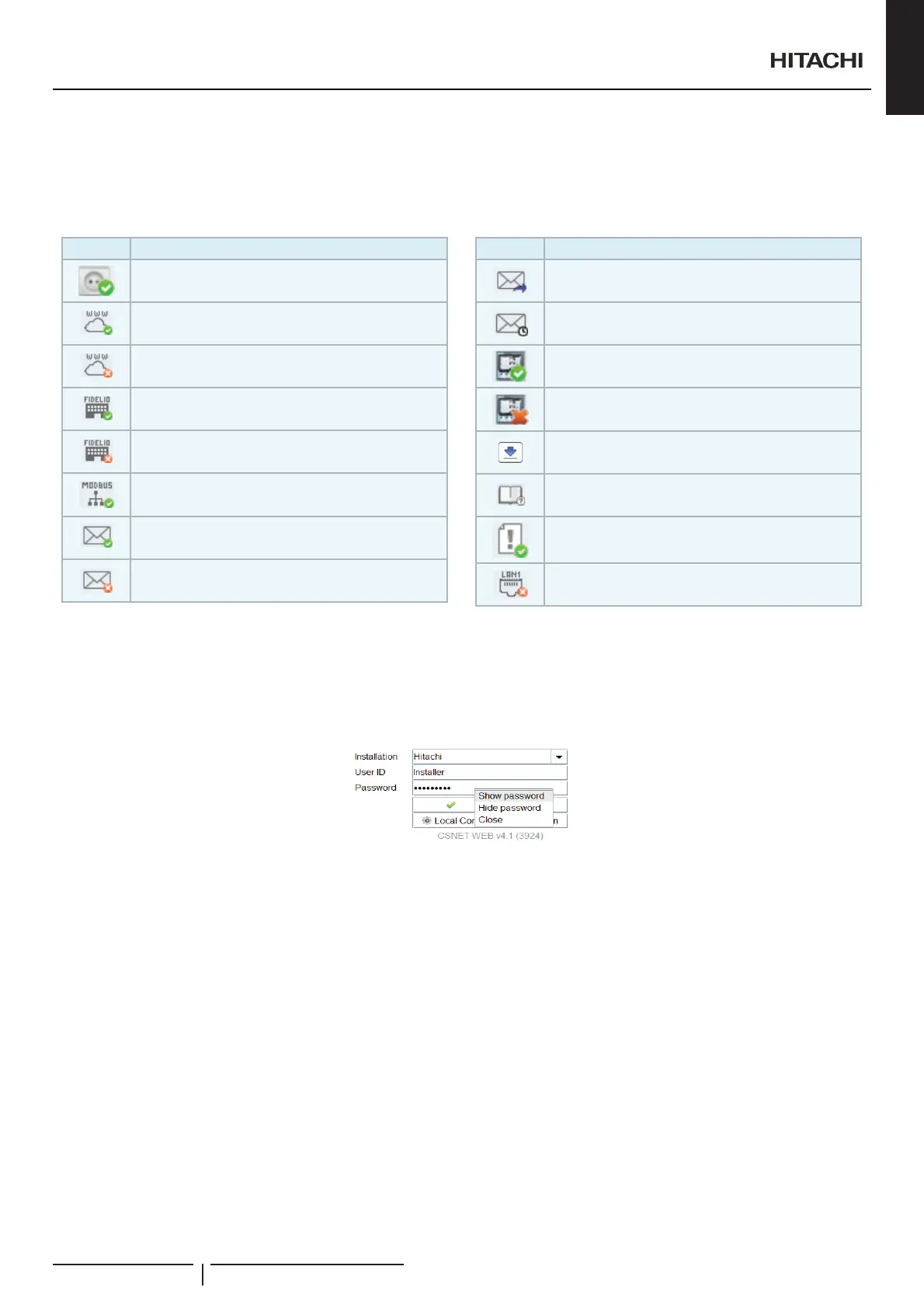
Password visualisation
2QHDFKSDVVZRUG¿HOGLWFRXOGH[LVWWKHRSWLRQWRHQWHUWKLVSDVVZRUGYLHZLQJWKHNH\VW\SHG
By default password will be hide, but if user does not know what is typing wrong, he can click with right button of the mouse and it
will appear a pop-up menu that will give the option to show or hide the password data.
,QFDVHWKDWXVHUSUHVVHV³VKRZSDVVZRUG´RSWLRQWKHFXUUHQWSDVVZRUGZLOOEHGHOHWHGGXHWRNHHSDVWURQJVHFXULW\DQGIURPWKDW
moment password typing will be visible.
Next times that user will enter to these windows, the password will be always hidden to the user.
&RQÀJXUDWLRQRIWKHEDFNXSFRS\
0DLQWHQDQFHRI&61(70DQDJHUKDVLPSURYHGDQGDOORZVDEDFNXSFRS\WREHPDGHRIWKHFXUUHQWFRQ¿JXUDWLRQ,I&61(7
0DQDJHUKDVWREHUHSODFHGWKHEDFNXSFRS\RIWKHFRQ¿JXUDWLRQ¿OHZRXOGUHVWRUHWKHFRQ¿JXUDWLRQRIWKHQHZ&61(70DQDJHU
N O T E
The passwords are not stored in the backup copy. They have to introduced again manually.
Register of alarms
Maintenance of the installation has been improved with the introduction of a register of alarms. The data show a detailed description
of what happened for each alarm which has been produced. The information can be analysed from CSNET Manager or exported to
DWH[W¿OHIRUODWHUDQDO\VLV
General characteristics
PMML0409A rev.1 - 10/201615


 To Next Page
 Loading...