3.1 INITIAL PAGE
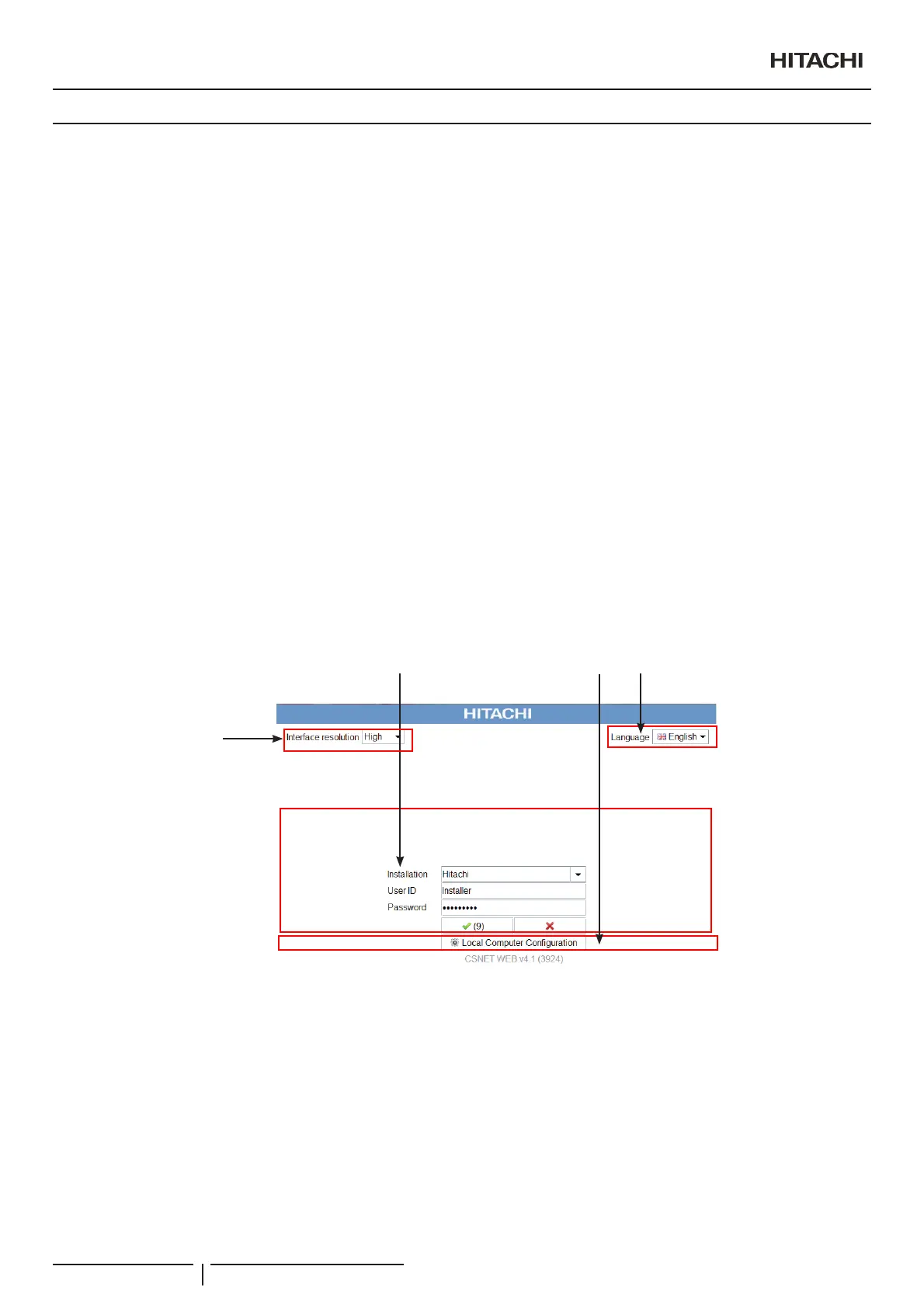
The initial page is divided into the following parts:
1 Access to the installation required
/RFDO6RIWZDUH&RQ¿JXUDWLRQ: The user name and password are case-sensitive.
:KHQ\RXWU\WRDFFHVVWRWKHUHTXLUHGLQVWDOODWLRQWKHLQLWLDOVFUHHQVKRZVWKUHHWH[W¿HOGVZKLFKKDYHWREHFRPSOHWHGWR
access the installation:
- Installation:6HOHFWWKHLQVWDOODWLRQSUHYLRXVO\FUHDWHGRQWKH³ORFDOFRPSXWHUFRQ¿JXUDWLRQ´WRZKLFK\RXZDQWWRFRQQHFW.
- User ID: Enter the name of the type of user who will access the installation.
There are two types of user:
“Installer”: Has access to all the options. We recommend that only authorized people who know the program have
access to this option.
“User”2QO\KDVDFFHVVWRWKH&RQ¿JXUDWLRQRIWKHXQLWVDQGYLVXDOL]DWLRQRIWKH7LPHU
N O T E
The User ID is case-sensitive.
- Password: Write the password of the user you have entered.
7KHGHIDXOWSDVVZRUGIRUWKH³,QVWDOOHU´LVInstaller
7KHGHIDXOWSDVVZRUGIRUWKH³8VHU´LVUser
2 Using a proxy: As can be seen in the
³/RFDOFRPSXWHUFRQ¿JXUDWLRQ´ section, if you select this option, the connection will be
PDGHWKURXJKDSUR[\LIRQHLVFRQ¿JXUHG
3 Language selectioQGH¿QLWLRQRIWKHDSSOLFDWLRQODQJXDJH
4 Interface resolution: change the font size
1
4
2
3
N O T E
7KH¿UVWWLPHDQLQVWDOODWLRQPXVWEHDGGHG
/RFDOVRIWZDUHFRQ¿JXUDWLRQ
PMML0409A rev.1 - 10/201624


 To Next Page
 Loading...