3.2.2 Software settings
7KLVWDEOHWV\RXFRQ¿JXUHIRXUNLQGVRIGDWD
Language settings: You can choose the default language to be used in the main screen. You can set the countdown time (in
seconds) and make the program remembers the changes.
Auto Start: Select desired installation, user name and password that should automatically start when CSNET Manager client
software is started.
Local data storage: The chapter
³3RZHUFRQVXPSWLRQ´ will give more details about these settings.
Local password%\VHWWLQJWKLVSDVVZRUGZKHQDQ\XVHUZDQWVWRRSHQ/RFDOFRPSXWHUFRQ¿JXUDWLRQZLOOEHTXHULHGIRU
password.
Remote connection password5HPRWHFRQQHFWLRQVSDVVZRUGFDQEHFRQ¿JXUHGWRXVHDQVSHFL¿FSDVVZRUGWROHWRWKHU
&61(70DQDJHUVFRQQHFWWRWKLVRQH%\GHIDXOWSDVVZRUGLV³,QVWDOOHU´DQGLWFDQEHPRGL¿HG
Screen lock: 7KLVRSWLRQORFNVWKHVRIWZDUHDIWHUDVSHFL¿HGWLPHSHULRGUHTXLULQJSDVVZRUGWRXQORFN
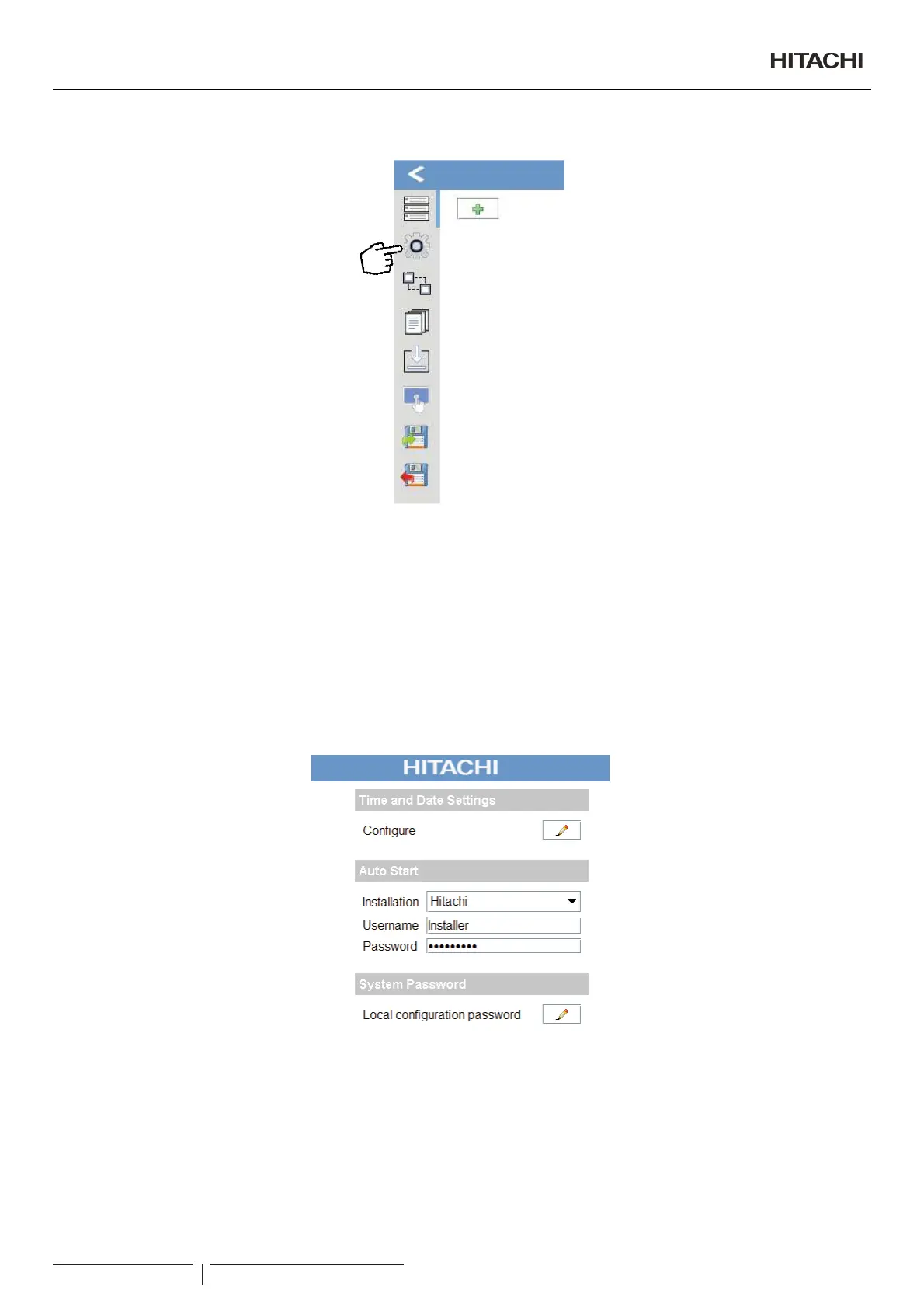
7KLVWDEOHWV\RXFRQ¿JXUHIRXUNLQGVRIGDWD
Time and Date Settings: set time and date of your Touch Screen.
Auto Start: Select desired installation, user name and password that should automatically start when CSNET Manager client
software is started.
System password:%\VHWWLQJWKLVSDVVZRUGZKHQDQ\XVHUZDQWVWRRSHQ/RFDOFRPSXWHUFRQ¿JXUDWLRQZLOOEHTXHULHGIRU
password.
/RFDOVRIWZDUHFRQ¿JXUDWLRQ
PMML0409A rev.1 - 10/201628


 To Next Page
 Loading...