4.1 AREA TREE
Area tree can be shown or hidden by clicking on button
. If area tree is not shown, you can change the installation area clicking
RYHU³LQVWDOODWLRQ´PHQXDOODUHDVZLOOVKRZHGZLWKRXWQHHGWRH[SDQGWKHDUHDWUHH
Enable Area Edition activates an area tree for this installation.
New: Creates a new area.
Edit: Edits the selected area in the area tree.
Delete: Deletes the selected area.
Up: Moves the selected area up, respecting its
level.
Down: Moves the selected area down, respecting
its level.
Update: Saves all the areas created and closes the
Area Edition.
Cancel: Closes the Area Edition without saving
changes made.
Enable Area Edition
Up
Down
New Edit Delete
Update
Cancel
N O T E
The areas created contain indoor units. See the following chapter if you want to select to which area each of the units belongs.
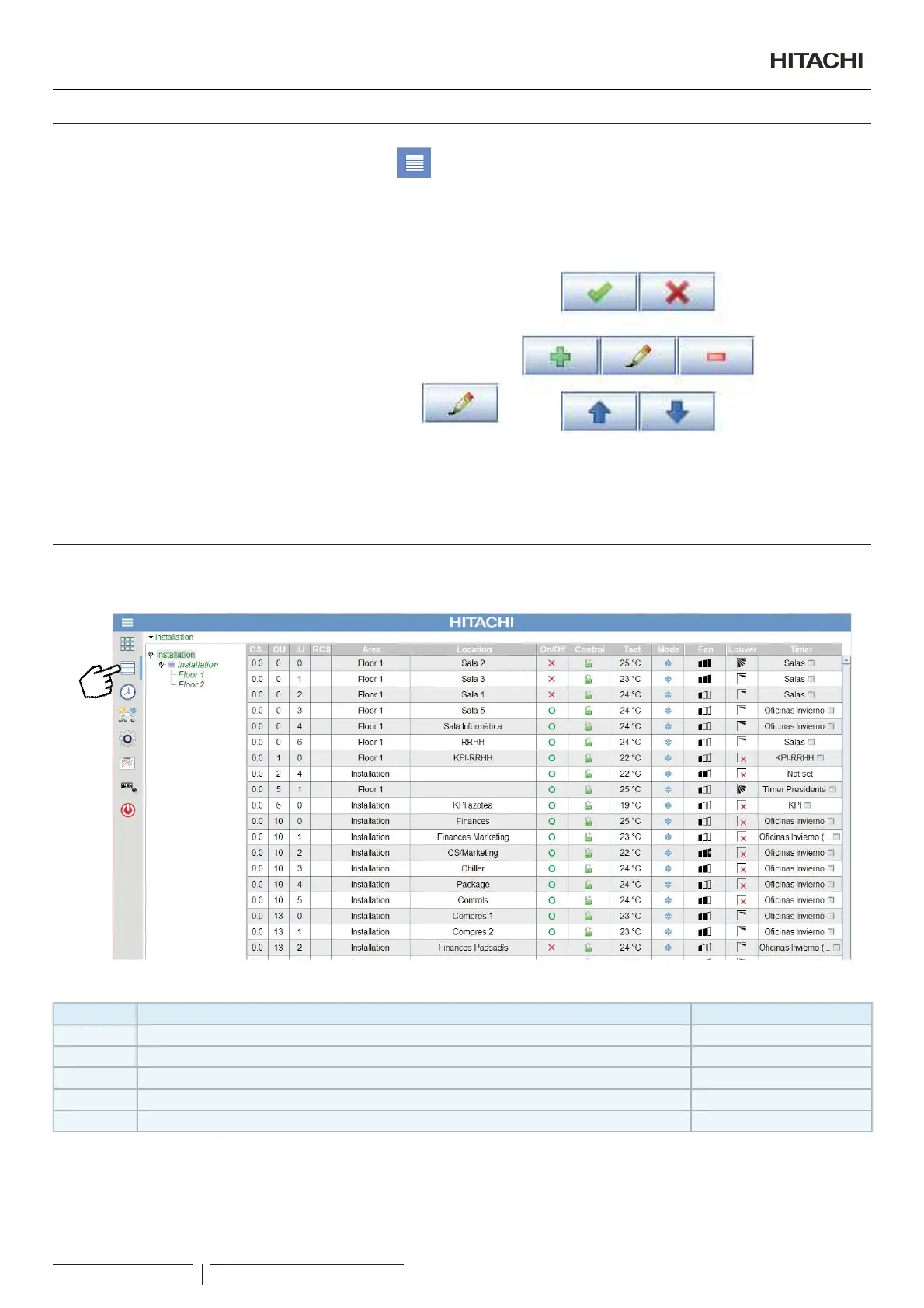
4.2 TABLE OF INDOOR UNITS
The Table of indoor units is composed of a row for each indoor unit.
The meaning of each column is as follows:
Column Location Content / Symbol
OU Address of the outdoor unit or cooling circuit to which the indoor unit belongs QXPEHU!
IU Address of the indoor unit QXPEHU!
RCS Remote control number QXPEHU!
Area Area to which the selected unit belongs GHVFULSWLYHWH[W!
Location Name of the room conditioned by the selected unit GHVFULSWLYHWH[W!
N O T E
%\FOLFNLQJRQWKHFROXPQKHDGHUWKHXQLWVFDQEHVRUWE\WKHVSHFL¿HG¿HOG
2SHUDWLRQDQGFRQ¿JXUDWLRQRISDFNDJHGXQLWV
PMML0409A rev.1 - 10/201634


 To Next Page
 Loading...