4.9.1 3DFNDJHG
To get the data of power consumption for Packaged units, enter the date interval and click the Get Data button.
Select on the table the outdoor units to be included on the calculation
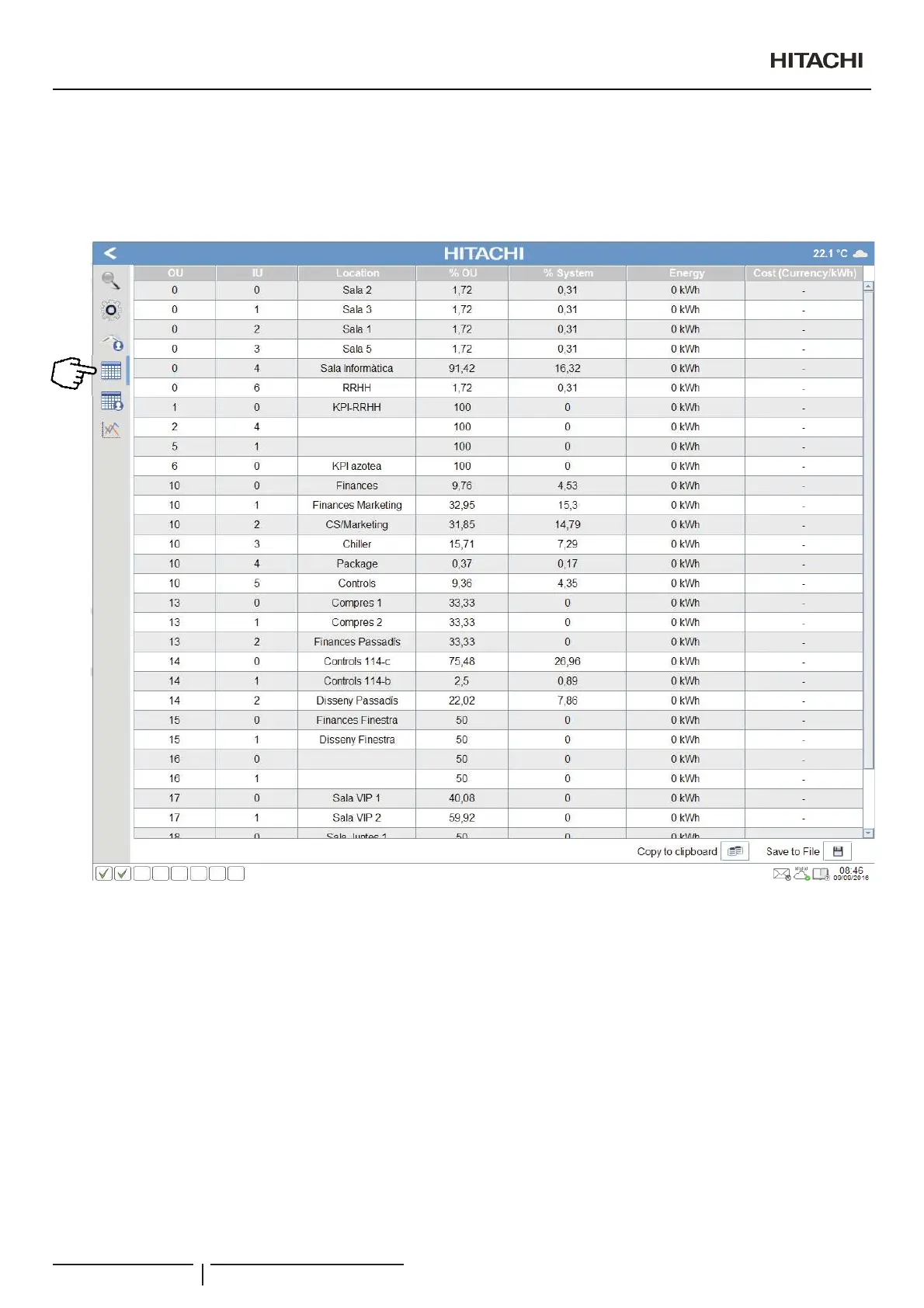
A table will appear with different information.
0HDQLQJRIWKHWDEOH¿HOGV
OU: number of the outdoor unit. Number between parenthesis indicates that booth outdoors are the same and we are using the
virtual address to differentiate it.
IU: number of the indoor unit.
Location:GHVFULSWLRQRIWKHPDFKLQH7KLVYDOXHFRUUHVSRQGVWRWKHGHVFULSWLRQ¿HOGRIWKHFRQ¿JXUDWLRQRILQGRRUXQLW
%OU: indoor unit consumption percentage in relation to its outdoor unit power consumption.
%System: indoor unit consumption percentage in relation to all the installation power consumption.
Energy: When power meter devices are connected, CSNET Manager is able to show the energy consumed by the unit.
Cost:FRVWUHODWHGWRWKHHQHUJ\FRQVXPHGEDVHGRQFRQ¿JXUHGWDULIIVSULFHV
6DYHWR¿OHEXWWRQSHUPLWVWKHGDWDWREHQRUPDOO\VDYHG7KHSDWKIROGHUDQG¿OHQDPHZLOOEHUHTXHVWHG
2SHUDWLRQDQGFRQ¿JXUDWLRQRISDFNDJHGXQLWV
PMML0409A rev.1 - 10/201676


 To Next Page
 Loading...