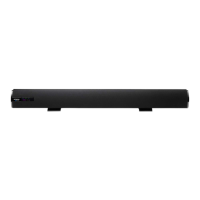
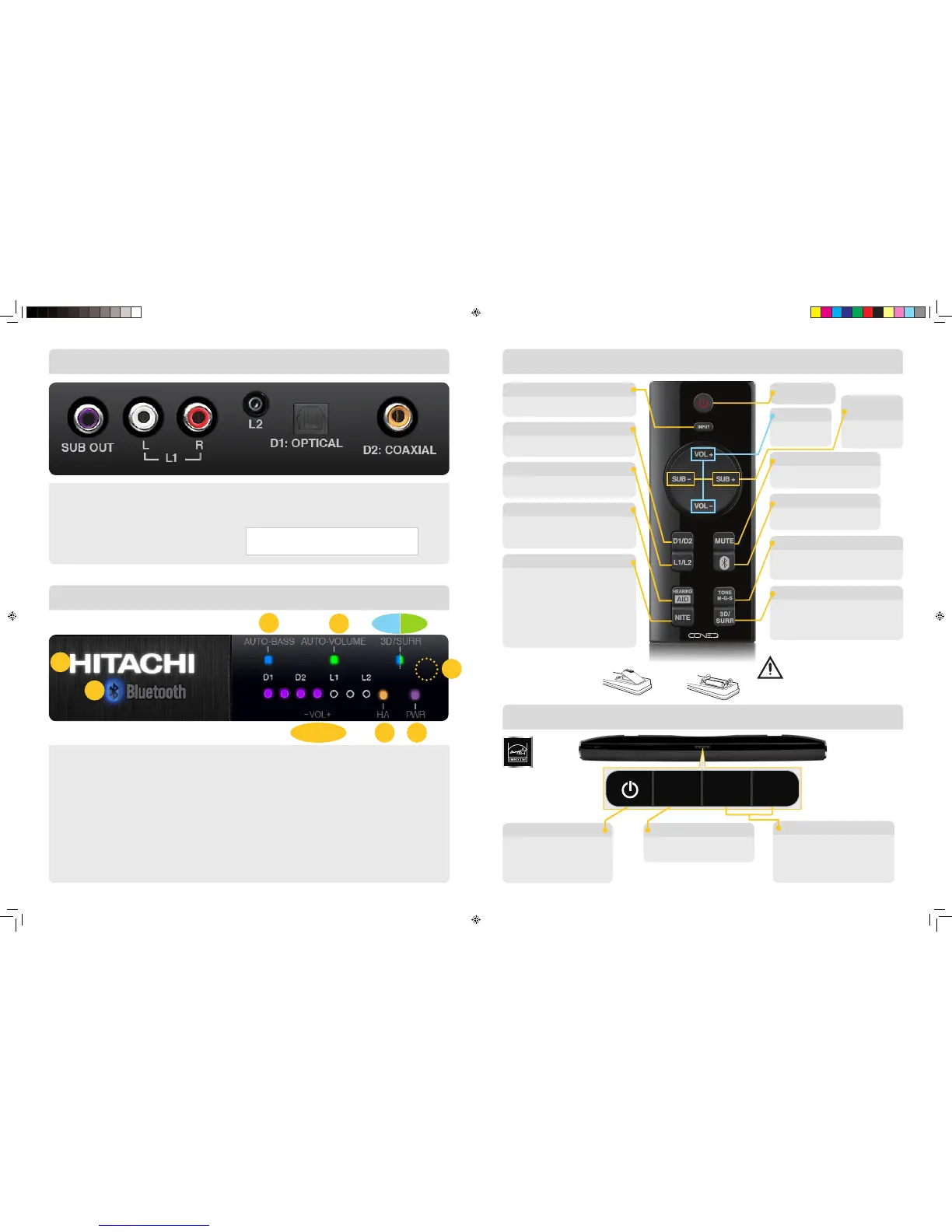
The HITACHI logo will illuminate for about 15 seconds 1.
when power is turned to “On”.
AUTO-BASS enhances the low frequency tones. 2.
The “NITE” Mode button can disable “AUTO-BASS”.
AUTO-VOLUME will control the volume to keep the 3.
commercials and special effects from being too loud
and will raise whispers so they can be heard.
(4A/4B) 4.
3D/SURR: Press the 3D/SURR button on the remote to
switch from 3D Sound to Surround Sound effects and “Off”.
IR Receiver: The Remote Control Sensor is located here. 5.
Blocking this sensor will prevent the remote control
operation of the Sound Bar.
The Bluetooth6.
®
light will illuminate when
the Bluetooth Mode is selected.
There are seven lights to indicate the volume level. 7.
When changing inputs these lights will indicate which 8.
input is active as shown by D1, D2, L1, L2.
The TONE (M-G-S) Mode is indicated to show Music, 9.
Game or Sports Mode.
The HEARING AID Mode is a special mode for 10.
the hearing impaired.
This light illuminates to indicate the power is “On.” 11.
TOP VIEW
SUB OUT: 1. Connect your subwoofer to this variable output.
Adjust the subwoofer output using the remote control.
Inputs: 2.
•L1: Connect your TV or other accessory
device to the line 1 input.
•L2: Connect the headphone output of your TV or
mobile device to the 1/8” (3.5mm) input.
Front Panel Indicators
Rear Panel Inputs/Output
1
6
2
7, 8, 9
3
5
4A 4B
11 10
•D1: OPTICAL: Connect your TV Optical Output to this digital input.
• D2: COAXIAL : Connect your TV Coaxial Output to this digital input.
Note: HSB40B16 Inputs/Output panel is shown.
HSB32B26 Inputs/Output order is different.
Sound Bar Control Buttons
Remote Control
Power On/Off
INPUT
D1/D2
SUBWOOFER
Output
MUTE
Bluetooth
®
HEARING AID Mode
TONE M-G-S
3D/SURR
L1/ L2
NITE Mode
Cycle through the inputs:
Bluetooth, D1, D2, L1, L2.
Press to select input D1,
press again to select input D2.
SUB + (increase)
SUB – (decrease)
Press to turn off the volume,
press again to restore the volume.
Press this button to
select the Bluetooth Input.
This listening mode is designed
to improve the sound for the
listening impaired.
Music is the default mode, press to
set the TONE for Game TONE Mode,
press again for Sports TONE Mode.
Press once to activate the 3D Sound
Mode. Press again to activate the
Surround Sound Mode, press again
to return to normal listening.
Press to select input L1 input,
press again to select the L2 input.
This listening mode activates
AUTO-VOLUME with the first press to
limit program volume peaks and to raise
whispers so they can be heard.
A second press of the NITE button will
turn AUTO-BASS off for the quietest
listening mode possible. A further press
of the NITE Mode button will return to
the normal listening mode.
Caution: Danger of explosion if battery is
incorrectly replaced. Replace only with the
same or equivalent type. Batteries shall not
be exposed to excessive heat such
as sunshine, re or the like.
How to Install Batteries:
Before using Sound Bar remote
control you must install batteries.
1. Use 2 “AAA” batteries. 2. Replace the battery
compartment cover.
VOLUME
VOL + (increase)
VOL – (decrease)
Power On/Off
INPUT
VOLUME
VOL + (increase) VOL – (decrease)
Cycle through the inputs:
Bluetooth, D1, D2, L1, L2
Energy Saving Feature:
If no audio signal is received,
the Sound Bar will automatically
shut off after 30 minutes
to save you energy.
Caution: Reduce the unit’s volume
before connecting headphones or
other devices to avoid hearing or
speaker damage.
ENERGY STAR
®
Qualified.
INPUT VOL– VOL+



 To Next Page
 Loading...