EasyManua.ls Logo

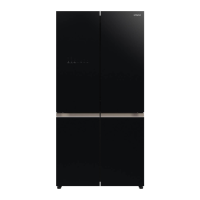
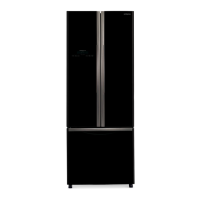
Hitachi R-WB640VT0 - User Manual

Hitachi R-WB640VT0
16 pages
Print Icon
To Next Page IconTo Next Page
Loading...
Instruction Manual
Refrigerator
No frost
Model
Thank you very much for purchasing the Hitachi refrigerator.
Before installation and usage, please read the user’s guide carefully
for the correct usage.
Maintenance work must only be carried out at works
by well-trained maintenance work.
R-WB640VT0
Child Lock.......................................................
Energy saving.................................................
Ice Maker........................................................
Quick Cooling.................................................
Content
Quick Freezing...............................................
Vacuum..........................................................
Swing Partition Suggestion.........................
Preparation for Use
Warning and Caution for Safety..........
Preparations before Use.....................
Installation.......................................................
Beginning........................................................
Food Storage..................................................
Location of Food Storage....................
Operation
How to use the Control panel.............
Name and Function of Display........................
Temperature Control.......................................
Other functions...................................
How to use temperature control 9 steps.....
Door Alarm and ECO Alarm Function..........
Refrigerator / Selectable Zone /
Freezer Compartment.......................
How to use Ice Maker................................
How to use Vacuum Compartment..............
How to remove part....................................
Maintenance
Care and Maintenance..........................
Cleaning..........................................................
Troubleshooting.................................
Dew or Frost is generated....................
For household use only
R600a
Refrigerant
2
4
4
4
4
4
5
5
5
6
6
7
6
6
6
7
7
8
7
8
9
9
13
10
11
11
15
How to use Dry-Vegetable case................
8
Service Center..................................
16
Question and Answer IconNeed help?

Do you have a question about the Hitachi R-WB640VT0 and is the answer not in the manual?

Summary

Warning and Caution for Safety

Preparations before Use

Installation

Details on how to install the refrigerator correctly, including placement and ventilation requirements.

Beginning

Procedures for starting the refrigerator after transportation and initial cleaning.

Food Storage

Guidelines for storing food effectively, including spacing and pre-cooling recommendations.

Location of Food Storage

Explains the designated temperature zones and locations for storing different food types.

How to use the Control Panel

Name and Function of Display

Identifies and explains the functions of the control panel display elements and buttons.

Temperature Control

Instructions on how to set and adjust refrigerator and freezer compartment temperatures.

Other Functions

How to use temperature control 9 step

Detailed steps for using the 9-step temperature control for specific compartments.

Door Alarm and ECO Alarm Function

Explains how to activate and deactivate door alarms and ECO alarm functions.

Quick Cooling

Instructions for using the Quick Cooling feature for rapid chilling of food and drinks.

Quick Freezing

Instructions for using the Quick Freezing feature for rapid freezing of food.

Vacuum

Guide on operating the vacuum compartment for enhanced food preservation.

Energy Saving

Recommendations for using the Energy Saving function for efficiency, especially during low usage.

Ice Maker

Instructions on how to operate and use the automatic ice maker.

Child Lock

How to activate and deactivate the child lock function to prevent accidental operation.

Refrigerator;Selectable Zone;Freezer Compartment

How to use the Ice Maker

Steps for removing the water tank and filling it for the automatic ice maker.

Swing Partition Suggestion

Guidance on the operation and handling of the swing partition for optimal door closure.

How to use Vacuum Compartment

Instructions for operating the vacuum compartment, including opening and closing procedures.

How to remove part

Detailed instructions on how to safely remove various parts for cleaning or maintenance.

Care and Maintenance

Cleaning

Comprehensive guide on cleaning different parts of the refrigerator, including precautions.

Troubleshooting

Refrigerator Not Cooling

Common issues and checks for when the refrigerator is not cooling adequately.

Control Panel Issues

Troubleshooting steps for unresponsive or malfunctioning control panel displays.

Strange Noises and External Conditions

Addresses common operational sounds and external phenomena like a hot surface.

Vacuum Compartment Problems

Solutions for issues related to the vacuum compartment, such as handle locking or sounds.

Dew or Frost is generated

Causes of Dew and Frost

Explains the reasons for dew or frost formation inside and outside the refrigerator.

Service Center

Summary

Warning and Caution for Safety

Preparations before Use

Installation

Details on how to install the refrigerator correctly, including placement and ventilation requirements.

Beginning

Procedures for starting the refrigerator after transportation and initial cleaning.

Food Storage

Guidelines for storing food effectively, including spacing and pre-cooling recommendations.

Location of Food Storage

Explains the designated temperature zones and locations for storing different food types.

How to use the Control Panel

Name and Function of Display

Identifies and explains the functions of the control panel display elements and buttons.

Temperature Control

Instructions on how to set and adjust refrigerator and freezer compartment temperatures.

Other Functions

How to use temperature control 9 step

Detailed steps for using the 9-step temperature control for specific compartments.

Door Alarm and ECO Alarm Function

Explains how to activate and deactivate door alarms and ECO alarm functions.

Quick Cooling

Instructions for using the Quick Cooling feature for rapid chilling of food and drinks.

Quick Freezing

Instructions for using the Quick Freezing feature for rapid freezing of food.

Vacuum

Guide on operating the vacuum compartment for enhanced food preservation.

Energy Saving

Recommendations for using the Energy Saving function for efficiency, especially during low usage.

Ice Maker

Instructions on how to operate and use the automatic ice maker.

Child Lock

How to activate and deactivate the child lock function to prevent accidental operation.

Refrigerator;Selectable Zone;Freezer Compartment

How to use the Ice Maker

Steps for removing the water tank and filling it for the automatic ice maker.

Swing Partition Suggestion

Guidance on the operation and handling of the swing partition for optimal door closure.

How to use Vacuum Compartment

Instructions for operating the vacuum compartment, including opening and closing procedures.

How to remove part

Detailed instructions on how to safely remove various parts for cleaning or maintenance.

Care and Maintenance

Cleaning

Comprehensive guide on cleaning different parts of the refrigerator, including precautions.

Troubleshooting

Refrigerator Not Cooling

Common issues and checks for when the refrigerator is not cooling adequately.

Control Panel Issues

Troubleshooting steps for unresponsive or malfunctioning control panel displays.

Strange Noises and External Conditions

Addresses common operational sounds and external phenomena like a hot surface.

Vacuum Compartment Problems

Solutions for issues related to the vacuum compartment, such as handle locking or sounds.

Dew or Frost is generated

Causes of Dew and Frost

Explains the reasons for dew or frost formation inside and outside the refrigerator.

Service Center

Overview

This document serves as an instruction manual for a Hitachi No Frost Refrigerator, model R-WB640VTO, designed for household use and utilizing R600a refrigerant. It provides comprehensive guidance on installation, operation, maintenance, and troubleshooting.

The refrigerator's primary function is to preserve food through cooling and freezing, offering various compartments with adjustable temperature settings to cater to different food storage needs. It features a No Frost system, eliminating the need for manual defrosting.

Usage Features:

Control Panel:

The refrigerator is equipped with a user-friendly control panel that allows for precise temperature management and activation of various functions.

  • Temperature Control: Users can adjust the temperature for the Refrigerator, Freezer, and Selectable Zone compartments. The display indicates the current temperature setting, with options ranging from "Cold" to "Coldest" for each zone.
    • Refrigerator Compartment: Offers settings for normal use, or for cooling food more quickly.
    • Freezer Compartment: Provides settings for normal use, or for making ice quickly and freezing food rapidly, especially when the ambient temperature is high or the freezer is not cold enough.
    • Selectable Zone Compartment: This versatile compartment can be set to Refrigerator, Chill/Meat, Soft Freeze, or Freezer mode, allowing users to customize storage based on their needs. It's important to note that "Refrigerator" mode in this zone is not suitable for storing vegetables and fruits, as they might dry or freeze; wrapping them in plastic is recommended.
  • Other Functions:
    • Temperature Control (9 steps): The manual details a 9-step temperature control system for both the Refrigerator and Freezer compartments, allowing fine-tuned adjustments.
    • Door Alarm and ECO Alarm Function: An alarm sounds and the ECO Alarm Display flashes if a door is left open for more than one minute, reminding users to close it to conserve energy. This function can be activated or deactivated.
    • Quick Cooling: This feature is designed to quickly cool food or drinks in the refrigerator compartment. It automatically finishes in approximately 90 minutes.
    • Quick Freezing: This function rapidly freezes food or makes ice in the freezer compartment, automatically completing in about 2 hours. Priority cooling is given to the freezer during this operation.
    • Vacuum Compartment: This unique feature helps prevent oxidation, preserving nutrients and tastes longer than conventional methods. It operates by creating a vacuum, indicated by a "-1°C" light on the display. The vacuum pump activates when the compartment handle is locked and the refrigerator door is closed, and a "Whoosh..." sound indicates the vacuum system is engaged.
    • Energy Saving: Recommended for low storage volumes or long vacations, this function helps reduce energy consumption.
    • Ice Maker: The automatic ice maker can be started or stopped via the control panel. Users are advised to fill the water tank if the "empty" lamp is on. The ice preparation time varies between normal and quick freezing modes.
    • Child Lock: This feature prevents accidental changes to settings by locking all buttons on the control panel.

Compartment Features:

The refrigerator is designed with various compartments to optimize food storage.

  • Refrigerator Compartment: Includes shelves for side dishes, desserts, and door pockets for drinks.
  • Utility Drawer: Ideal for cosmetics, medicine, and small packed foods.
  • Vegetable Compartment: Specifically designed for fruits and vegetables, with a "Dry-Vegetable case" that allows for humidity control to store dry food or vegetables.
  • Vacuum Compartment: Located within the selectable zone, it's suitable for meats, processed meats, fish, seafood, and certain vegetables and fruits that benefit from a vacuum environment. Foods not recommended for this compartment include those vulnerable to low temperatures.
  • Freezer Compartment: For frozen food and ice cream, equipped with an automatic ice maker.
  • Adjustable-height Shelves: The height of the shelves can be adjusted to accommodate different food items and container sizes.
  • Swing Partition: A mechanism designed to ensure proper door closure and sealing.

Maintenance Features:

Regular cleaning and maintenance are crucial for the refrigerator's longevity and efficient operation.

  • Power Plug: Should be cleaned once or twice a year with a dry cloth to remove dust and prevent fire hazards.
  • Door Surface: Wipe with a soft cloth dampened with lukewarm water.
  • Door Gaskets: Clean thoroughly once a month to remove smudges.
  • Shelves/Pockets: Wipe with a soft cloth dampened with lukewarm water every three months.
  • Drip Catcher: Any accumulated liquid should be wiped away once a month.
  • Back Panel/Floor: Clean once or twice a year. This involves raising the refrigerator using the leg adjusters, pulling it out, and wiping off smudges and fine dust from the back panel, walls, and floor.
  • Drawers: Wipe with a soft cloth dampened with lukewarm water every three months.
  • Vacuum Compartment:
    • Vacuum Box: To clean, pull out the vacuum box. The vacuum box gasket can be disassembled by twisting a knob, wiped gently with a sponge and plain water (avoiding detergents), dried naturally, and then reassembled. The gasket track should also be cleaned.
    • Vacuum Box Gasket: Avoid using detergents or anything other than warm water for cleaning, as it may cause deformation or loss of vacuum property. Ensure the gasket is properly aligned to maintain the vacuum.
  • Water Tank: Rinse once a week to prevent grime and hard water stains. The lid can be removed by grasping the tank and pulling the lid up. Fill with water up to the "Full" line.
  • Water Filter: Rinse once per week. It can be removed from the lid by pulling a tab and cleaned with a soft sponge. Water filters should be replaced every 3 to 4 years.
  • General Cleaning: Regularly clean surfaces that come into contact with food and accessible drainage systems. If the appliance is left empty for long periods, it should be switched off, defrosted, dried, and the door left open to prevent mold.

Troubleshooting:

The manual provides a detailed troubleshooting guide for common issues such as:

  • Refrigerator not getting cold enough.
  • Food freezing in the refrigerator compartment.
  • Dew or frost generation (inside and outside).
  • Unpleasant odors.
  • Abnormal noises.
  • Control panel unresponsiveness or display issues.
  • Hot surface of the refrigerator.
  • Doors opening when another is shut.
  • Issues with the vacuum compartment (e.g., handle not locking, "Bu Bu" sound, dews/water inside, frozen items).

The manual emphasizes safety precautions, including proper installation, handling of the power cord, and warnings against storing flammable substances or making unauthorized repairs. It also highlights the use of R600a refrigerant and cyclopentane insulation, which are environmentally friendly.

Hitachi R-WB640VT0 Specifications

General IconGeneral
CategoryRefrigerator
Total Capacity640 L
Freezer Net Capacity200 L
Inverter ControlYes
ColorStainless Steel
Energy EfficiencyA++
RefrigerantR-600a
Number of Doors2
Ice MakerYes
Water DispenserYes

Related product manuals