Supplement G
PLC Workstation
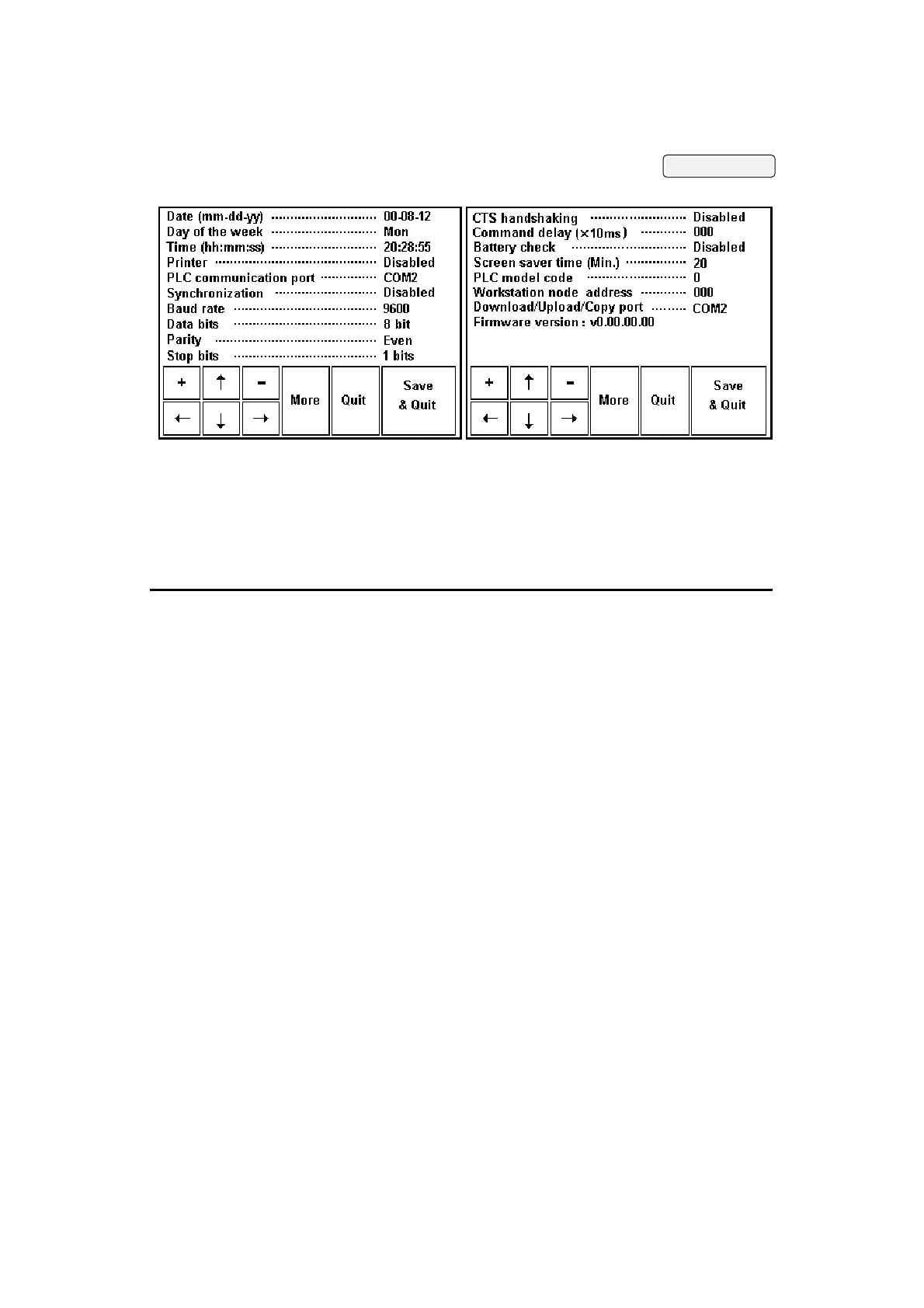
Following are descriptions of each of these parameters. To
move among fields, press arrow buttons; to change a
parameter, press [+] or [-] to adjust the value or selection.
When you are finished, press [Save & Quit] to save all
changes you made or press [Quit] to abandon all changes.
Parameter Description
Date (mm-dd-yy) You can set the date in the Real Time Clock chip.
Day of the week You can set the Day-of-week in the Real Time Clock chip.
Time (hh:mm:ss) You can set the time in the Real Time Clock chip.
Printer Select Enabled if you have printer. The default setting is
Disabled.
PLC
communication
port
Select either COM1 or COM2 to specify the port that is
connected to the PLC. Select Disabled if you want to disable the
PLC communications. When you disable PLC Communications,
the Workstation doesn't communicate with the PLC but still can
display screens. The default setting is COM2.
Synchronization Select Enabled if you want the synchronization function to be
enabled. The default setting is Disabled.
Baud rate Select 4800, 9600, or 19200 baud to specify the baud rate for
communications between the Workstation and the PLC. The
default setting is 9600.
G-18


 To Next Page
 Loading...