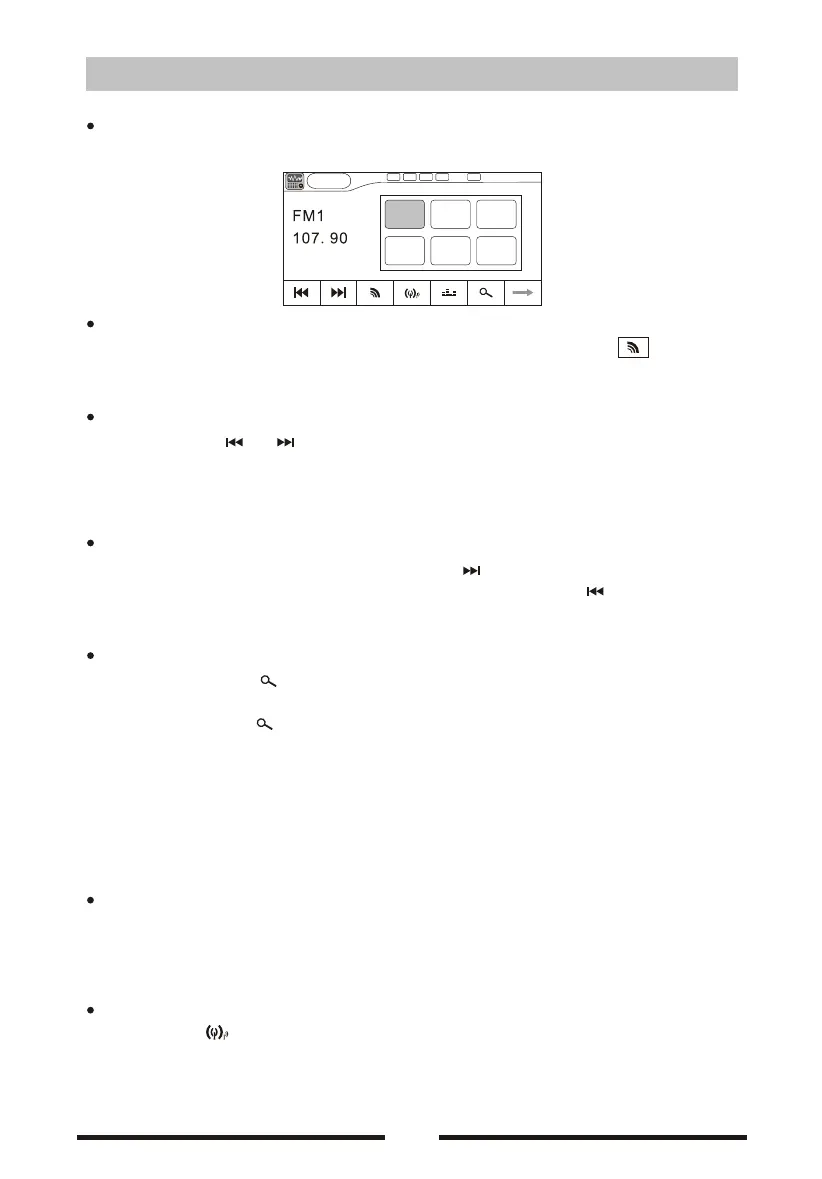
Select Radio mode
Enter Main Menu and choose RADIO mode.
Select band
Press [BAND]in the remote control, [FM/AM] in the front panel or in the user
interface, to choose a band among FM1, FM2, FM3, AM1 and Am2.
Auto tuning
Long-press icon in the front panel, searching for a station along the
increasing frequencies.
Notice: When a station is received, searching stops and the station is played.
Manual tuning
During manual tuning,repeat-press the [ ]on the user interface and the
frequency to tune in a higher station. repeat-press the [ ]on the user
interface and the frequency to tune in a lower station.
Auto save
Short- press the icon and auto scan among station when a station
is received and the played for 5 seconds
Long-press the[ ]icon, only stations with sufficient signal strength will be
detected and stored in the memory. When you want to listen to the station,
don't need to search again, and only need to press the number button.
Notice:
After auto saving,the previous saved stations will be overwritten.
The unit has 5 bands, such as FM1、FM2、FM3、AM1、AM2,and each band can store
6 stations;hence the unit can store 30 stations in all.
Manual save
When one expected radio station has been detected,long- press the anyone
icon P1- P6 on the user inferface and store the corresponding location.
Notice:When the manual saving, will cover with the lasted station.
Local seeking
Press the[ ]icon and choose the[LOCAL] /[DISTANCE] .
When the local radio station searching is [ DISTANCE],only stations with
sufficient signal strength will be detected.
[ ]
[ ]/[ ]
[ ] P1-P6 ,
.
05
P1
87.50
P2 P3
90.10 98.10
P6
87.50
P4
106.10
P5
107.90
Radio
00:12AM
P1
Radio mode


 To Next Page
 Loading...