Getting started:
1
Add your sensor
You can do this using your Hive app
or the online dashboard.
Using the Hive app:
• Open the Hive app on your smartphone
or tablet. You may be asked to log-in.
• Tap the Menu button and then
Install devices, then follow the
on-screen instructions.
Using the online dashboard:
• Log in to your Hive account at
hivehome.com
• Under Settings select Install devices,
then follow the on-screen instructions.
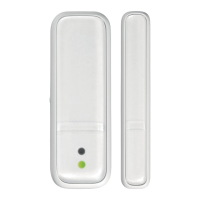
When prompted, pull the tab from the sensor
case to start the pairing process. The LED light
on the front will begin to flash amber while it
searches to find your Hub.
Once your sensor appears on the screen, you can
name it and press Save to complete setup.


 To Next Page