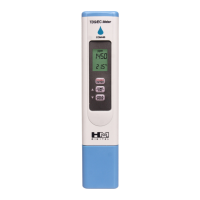
Your COM-80 is ready for immediate use, but please familiarize yourself with
the modes and parameters. This will help you get the most of this instrument.
Scales/Units of Measure for EC (Electrical Conductivity):
PS = micro-Siemens
mS - milli-Siemens (1 mS - 1000 PS)
Scales/Units of Measure for TDS (Total Dissolved Solids):
ppm= parts per million / 0.5 ppm (NaCl) 0.7 ppm (442TM)
NOTE: For example, an "EC of 2.3" can either be 2.3 PS or 2.3 mS.
For more information, visit HMDigital.com
Taking EC or TDS Measurements
Remove the cap. (Do not use the cap for testing.)
Click the POWER button. The reading will always be zero in the air.
Dip the meter's sensor into the water, liquid or solution to be tested.
Lightly swirl the meter to ensure the removal of air bubbles or electric charges
The meter will display a reading instantly. Keep the meter in the water until the reading stabilizes (between 5 - 30
seconds, depending on the situation).
To view the reading out of the liquid, click the HOLD button. This will freeze the reading on the screen. Clicking
HOLD again will release it.
Click the POWER button to turn the meter off.
Shake any excess water off the meter and rinse with low TDS water (such as distilled, RO or Dl), or use com-
pressed air to clean it. Put the cap back on.
Switching Modes
With the meter on, press and hold the MODE button
The scales will cycle through on the display screen in this order:
0.5 ppm - 0.7 ppm - mS —PS
Release the MODE button when the desired scale is shown.
Care & Maintanence
If using the COM-80 for nutrients or high TDS solutions, ALWAYS RINSE THE SENSOR AFTER EACH USE.
Rinse in distilled or RO water, but tap water can also be used. Improper care will negatively affect readings and
void the warranty.
Your meter has been factory calibrated, which is sufficient for most applications.
The COM-80 will retain its calibration for a long period of time, but recalibration may be necessary based on
frequency of use, care and application of use. Ideally, store the sensor dry (it should never be stored in water or a
solution).
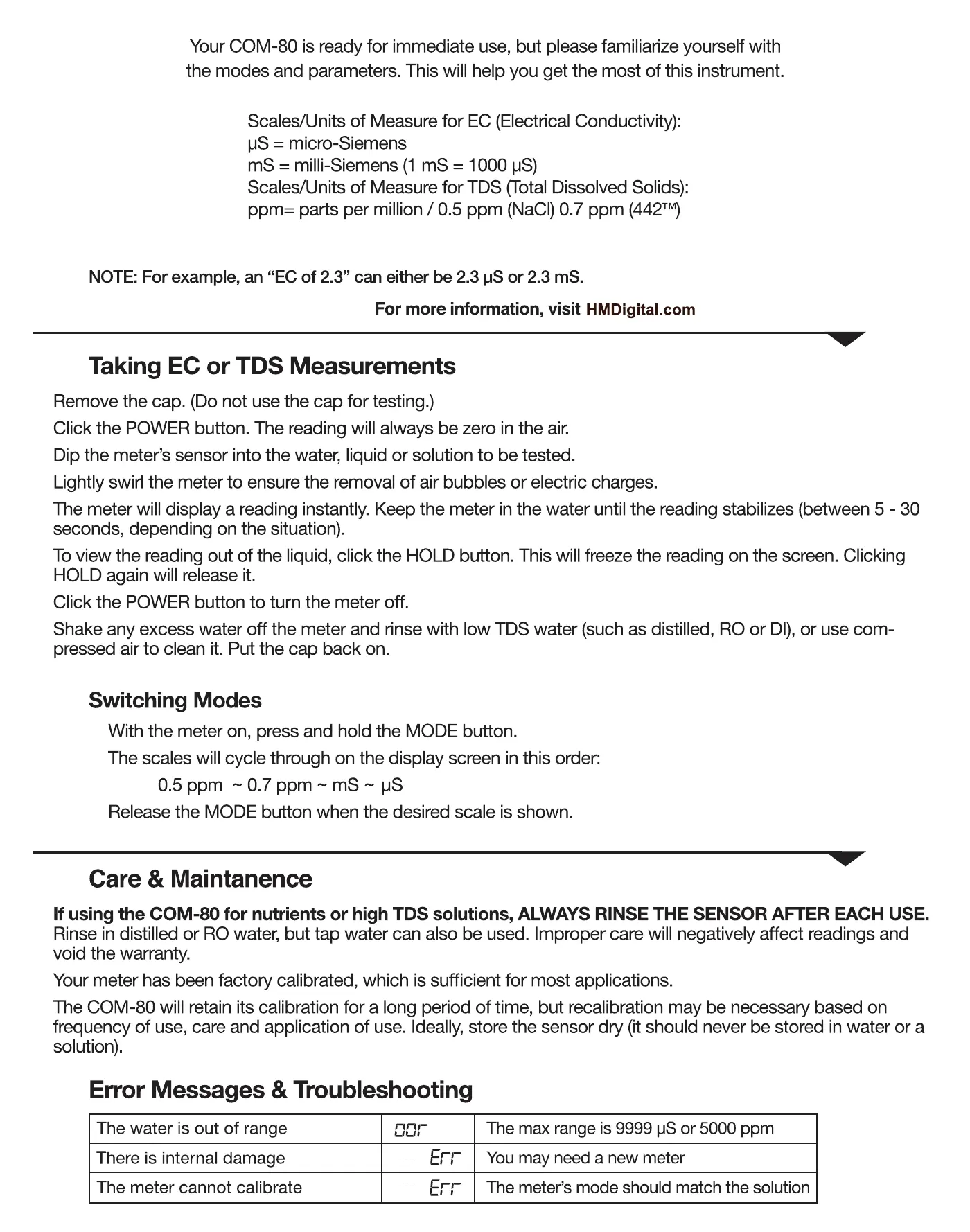
Error Messages & Troubleshooting
The water is out of range
There is internal damage
The meter cannot calibrate
car
Err
The max range is 9999 WSor 5000 ppm
You may need a new meter
The meter's mode should match the solution
To convert between scales, simply change the mode on the meter. There is no
math required. The meter uses the following conversion factors (all automatic):
PS > PPM : 0.5 factor avg. (NaCl), or 0.7 factor average (442TM)
mS > PPM: 500 factor avg. (Naci), or 700 factor average (442M)
Calibration
Calibrating a scientific instrument is similar to tuning a musical instrument. Your COM-80 has been factory calibrated
to 1413 PS (Approx. 700 ppm), which is suitable for most applications, and is ready for immediate use. The meter
will retain its calibration for many years, depending upon care, frequency of use and application of use. If you need
to recalibrate:
Obtain a certified EC/TDS calibration solution. Always calibrate close to the range you will be testing (or in the
middle of a range).
Turn the meter on and insert into the solution. (Make sure the meter's mode matches the composition of the
solution). If your meter shows the correct reading, stop here. If not, press and hold the CAL button for 5 seconds.
The display will flash and the temperature reading will change to a flashing 'CAL' image.
Adjust the reading to match the solution value with the UP or DOWN buttons (Indicated by the arrows). When the
number matches the solution, click ENTER.
'CAL' will flash briefly, indicating progress. Allow a few seconds, do not press any buttons, and if possible, do not
move the meter.
When the meter is calibrated, 'End' will flash and the measurement will reappear.
Temperature Calibration
If you need to calibrate the COM-80's thermometer, only calibrate it to a different, correct thermometer.
With the meter on and in the air, press and hold the POWER and TEMP buttons at the same time for 5 seconds.
'CAL' and the temperature will flash on the screen.
Using the UP or DOWN buttons (arrows), adjust to the correct temperature.
Once you have corrected the temperature, click ENTER. 'C CA CAL' will flash on the screen and then 'End'
will briefly appear. The thermometer is now calibrated.
Changing the Batteries
When the meter displays a flashing battery' symbol, your batteries are getting weak and should be replaced soon. To
change the batteries:
Pull out the blue battery compartment using your thumb nail.
Remove the three batteries.
Insert new batteries in the direction as depicted inside the compartment. The flat side of the battery is the posi-
tive(+) side. The meter uses LR44 batteries.
Close the battery compartment. Make sure it is tightly closed.
Your PH-80 is covered by a one-year factory warranty against manufacturing defects. If you find that the
meter has a manufacturing defect, and you have already attempted to troubleshoot (including calibration),
please contact 800.383.2777(within the United States) or email Warranty@HMDigital.com to receive further
instructions. Before sending the product back to us, please include the following below,
• Your name
• Phone number/ Address
• Description of Problem
• Proof of purchase, must include Date
Ver 2. OE


 To Next Page
 Loading...