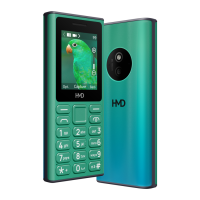
HMD Crest Max Battery
Replacement
Introduction
Follow this guide to replace baery on your HMD Crest Max smartphone.
For your safety, turn on your phone and allow the baery to discharge below 25% before
starting this procedure. This reduces the risk of re if the baery is accidentally damaged
during the repair. If your baery looks swollen, take extra precautions.
Do not reuse the baery after it has been removed. Replace it with a new baery
Tools needed
1 × SIM Card Eject Tool
1 × Opening Pick
1 × Tweezer
1 × Crosshead Screwdriver
1 × Spudger
To reassemble your device, follow these instructions in reverse order.
Disassembly Steps

 Need help?
 General

 To Next Page