EasyManua.ls Logo

Hobby Biotherm eco - User Manual

Hobby Biotherm eco
16 pages
Print Icon
To Next Page IconTo Next Page
Loading...
A trademake of Dohse Aquaristik
Instructions for use
Biotherm eco
Item nr. 10893 /10894
Dohse Aquaristik GmbH & Co. KG · www.dohse-aquaristik.com
A trademake of Dohse Aquaristik
Question and Answer IconNeed help?

Do you have a question about the Hobby Biotherm eco and is the answer not in the manual?

Summary

Introduction

Display Overview

Explains the meaning of symbols and digits shown on the device's screen.

Safety Instructions

Crucial safety guidelines for using the HOBBY Biotherm eco, emphasizing electrical shock prevention.

Sensor Placement Advice

Guidance on positioning the temperature sensor correctly for accurate readings.

Basic Functions

External Device Monitoring

How the LED indicates active control of the connected external device.

Programming Safety Shutdown

Deactivation of the device slot when entering programming mode for safety.

Safeguard Function Delay

Details a 60-second delay between switching states to protect components.

Automatic Return to Operation

Explains the automatic return to operating mode after 90 seconds of inactivity.

Malfunction Error Display

Covers error indication (EDI) for sensor faults and safety deactivation.

Programmable Functions

Clock Programming

Information on setting the device's internal clock, with factory preset at 12:00.

HEAT;COOL Mode Selection

Explains switching between heating and cooling modes for connected devices.

Temperature Programming

Details temperature regulation precision and the settable range from 10°C to 60°C.

Nocturnal Temperature Programming

Describes programming two turn-on/turn-off times for day/night temperature differences.

Temperature Alarm Setting

Explains setting temperature alarm windows for exceeding or dropping below desired values.

Quick Start Guide to Programming

Display Modes: Single and Toggle

Explains display options for showing temperature or time, continuously or alternately.

Entering Programming Mode

Instructions on how to enter the main programming menu using the MENU button.

Modifying Programming Values

Steps for changing programmed values, including navigation and confirmation.

Exiting Programming Mode

Details how to exit programming mode, either automatically or by holding the MENU button.

Cancelling Programming

Method to exit programming without saving changes by pressing specific buttons.

Manual Device Activation;Deactivation

Describes manually turning the connected device on or off using specific button presses.

Programming Instructions

Clock Programming

Step-by-step guide to setting the device's clock, including hours and minutes.

HEAT;COOL Mode Selection

Instructions on selecting between heating or cooling operation modes for the device.

Temperature Programming

Detailed steps for setting the desired temperature value using the device's controls.

Nocturnal Temperature Programming

Guide to setting specific start and end times for a lower night-time temperature.

Temperature Alarm Setting

Instructions on configuring the temperature alarm thresholds for the device.

Reset

Performing a Device Reset

Steps to reset the HOBBY Biotherm eco to factory settings, including unplugging and holding MENU.

Factory Presetting

Default Settings After Power Failure

Lists the default configurations that the device reverts to after a power interruption.

Source of Fault

Error Code EDI Explanation

Explains the 'EDI' error message on the display and suggests repair as a solution.

Technical Specifications

Device Operating Parameters

Lists technical details like operating voltage, load capacity, and temperature ranges.

Accuracy and Sensor Specifications

Details accuracy, sensor tolerance, and cable length for the device.

EC Declaration of Conformity

Compliance with EMC and LVD Standards

States the device's conformity with relevant European directives for EMC and low voltage.

Summary

Introduction

Display Overview

Explains the meaning of symbols and digits shown on the device's screen.

Safety Instructions

Crucial safety guidelines for using the HOBBY Biotherm eco, emphasizing electrical shock prevention.

Sensor Placement Advice

Guidance on positioning the temperature sensor correctly for accurate readings.

Basic Functions

External Device Monitoring

How the LED indicates active control of the connected external device.

Programming Safety Shutdown

Deactivation of the device slot when entering programming mode for safety.

Safeguard Function Delay

Details a 60-second delay between switching states to protect components.

Automatic Return to Operation

Explains the automatic return to operating mode after 90 seconds of inactivity.

Malfunction Error Display

Covers error indication (EDI) for sensor faults and safety deactivation.

Programmable Functions

Clock Programming

Information on setting the device's internal clock, with factory preset at 12:00.

HEAT;COOL Mode Selection

Explains switching between heating and cooling modes for connected devices.

Temperature Programming

Details temperature regulation precision and the settable range from 10°C to 60°C.

Nocturnal Temperature Programming

Describes programming two turn-on/turn-off times for day/night temperature differences.

Temperature Alarm Setting

Explains setting temperature alarm windows for exceeding or dropping below desired values.

Quick Start Guide to Programming

Display Modes: Single and Toggle

Explains display options for showing temperature or time, continuously or alternately.

Entering Programming Mode

Instructions on how to enter the main programming menu using the MENU button.

Modifying Programming Values

Steps for changing programmed values, including navigation and confirmation.

Exiting Programming Mode

Details how to exit programming mode, either automatically or by holding the MENU button.

Cancelling Programming

Method to exit programming without saving changes by pressing specific buttons.

Manual Device Activation;Deactivation

Describes manually turning the connected device on or off using specific button presses.

Programming Instructions

Clock Programming

Step-by-step guide to setting the device's clock, including hours and minutes.

HEAT;COOL Mode Selection

Instructions on selecting between heating or cooling operation modes for the device.

Temperature Programming

Detailed steps for setting the desired temperature value using the device's controls.

Nocturnal Temperature Programming

Guide to setting specific start and end times for a lower night-time temperature.

Temperature Alarm Setting

Instructions on configuring the temperature alarm thresholds for the device.

Reset

Performing a Device Reset

Steps to reset the HOBBY Biotherm eco to factory settings, including unplugging and holding MENU.

Factory Presetting

Default Settings After Power Failure

Lists the default configurations that the device reverts to after a power interruption.

Source of Fault

Error Code EDI Explanation

Explains the 'EDI' error message on the display and suggests repair as a solution.

Technical Specifications

Device Operating Parameters

Lists technical details like operating voltage, load capacity, and temperature ranges.

Accuracy and Sensor Specifications

Details accuracy, sensor tolerance, and cable length for the device.

EC Declaration of Conformity

Compliance with EMC and LVD Standards

States the device's conformity with relevant European directives for EMC and low voltage.

Overview

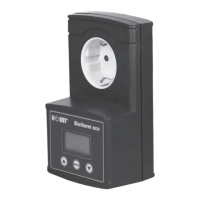
The HOBBY Biotherm eco is a programmable temperature controller designed for use in enclosed rooms, specifically for aquariums and terrariums. It allows for precise temperature regulation and offers various programmable functions to create optimal environmental conditions for aquatic and reptilian life.

Function Description:

The core function of the Biotherm eco is to monitor and control the temperature of an external heating or cooling device connected to its integrated slot. It operates with a high degree of precision, regulating temperature within a range of 10 °C to 60 °C with an accuracy of 0.1 °C.

Key features include:

  • Function Monitoring of External Devices: An LED on the housing indicates when the external device (heater or cooler) is actively being controlled.
  • Safety Shutdown during Programming: For safety reasons, the output slot is deactivated when the device enters programming mode.
  • Safeguard Function: To protect electronic components, a 60-second delay is implemented between switching states before the slot becomes active again.
  • Return Function: If no button is pressed for 90 seconds while in programming mode, the device automatically reverts to operating mode.
  • Malfunction Displaying: In case of a sensor fault or short circuit, "E01" is displayed, and the heater is deactivated to prevent overheating. The manual recommends using submersion tube heaters with integrated thermostats and safety cut-out functions for added safety.
  • Clock Programming: The device allows for setting the current time (hours and minutes). The factory preset is 12:00, and this setting is retained even after a reset.
  • Choice of HEAT/COOL Mode: A convenient inversion function allows switching between "HEAT" and "COOL" modes. This enables the connection of either a heating device to increase temperature or a cooling device to counteract temperature increases.
  • Temperature Programming: Users can set a desired temperature between 10 °C and 60 °C with 0.1 °C precision.
  • Nocturnal Temperature Programming: This feature allows for programming two turn-on/turn-off times to simulate a natural temperature drop at night. Users can set the start and end times for the night period and specify a different desired temperature for this period. If no night time is programmed, the set temperature is maintained for 24 hours.
  • Temperature Alarm Setting: A visual alarm is triggered if the temperature deviates from the programmed desired value by a user-defined margin. An alarm window can be set between +/- 0.1 °C and 10 °C. The factory setting for the alarm is "00," meaning no alarm is set. For example, if the temperature is set to 25 °C and the alarm window is +/- 3 °C, an alarm will activate if the temperature drops below 22 °C or rises above 28 °C.

Important Technical Specifications:

  • Operating Voltage: 230 V, 50 Hz
  • Load Capacity: Max. 2,000 W (ohmic load)
  • Temperature Display Range: -9.9 °C to 99.9 °C
  • Temperature Control Range: 10 °C to 60 °C
  • Temperature Alarm Range: +/- 0.1 °C to 10 °C (00 means 'no alarm')
  • Temperature Display Accuracy: 0.1 °C
  • Temperature Control Accuracy: +/- 0.1 °C
  • Sensor Tolerance: +/- 0.5 °C
  • Sensor Cable Length: 3 m

Usage Features:

The Biotherm eco offers both "Single mode" and "Toggle mode" for display. In Single mode (factory preset), either the temperature or the current time is displayed continuously. In Toggle mode, temperature and time are displayed alternately every 2 seconds. Users can switch between these modes by pressing the "down" button.

Programming is initiated by pressing the "MENU" button. Navigation through menu items is done using the "up" and "down" buttons. To modify a value, the "MENU" button is pressed, causing the value to flash. The "up" and "down" buttons are then used to adjust the value, and "MENU" is pressed again to acknowledge.

Exiting programming mode happens automatically after 90 seconds of inactivity or by holding the "MENU" button for 3 seconds, saving all changes. Programming can be canceled at any time without saving by simultaneously pressing the "up" and "down" buttons.

Manual activation/deactivation of the slot is possible by holding the "up" button and then pressing "MENU." Pressing these buttons a second time deactivates the slot, and a third press reactivates program mode.

Maintenance Features:

In case of malfunction, a reset function is available. This involves unplugging the device, plugging it back in while holding the "MENU" button, and then releasing "MENU." It's important to note that a reset will erase all programmed settings except for the clock, reverting the device to factory presets.

The manual also provides a "Source of Fault" table, indicating that an "E01" display signifies a sensor fault or short circuit, requiring repair. For warranty or repair issues, the device should be returned to the place of purchase.

The device is designed for indoor use only, and contact with water should be avoided. It should not be modified, and covers or housings should not be opened. If damage is detected, the product should not be used and should be immediately disconnected from the mains. The temperature sensor should be positioned away from heat sources to ensure accurate readings.

Hobby Biotherm eco Specifications

General IconGeneral
BrandHobby
ModelBiotherm eco
CategoryThermostat
LanguageEnglish