90 Infotainment system
9. Rotate MENU TUNE (14) to nd
a track.
10. Press MENU TUNE (14) to play
the selected track.
Auxiliary devices
AUX input
Main buttons and controls:
CD/AUX buttons
1. Press CD/AUX (9) repeatedly
when an AUX device is
connected to select AUX
input mode.
Power/volume/mute button
• Rotate • VOL (2) to adjust the
volume.
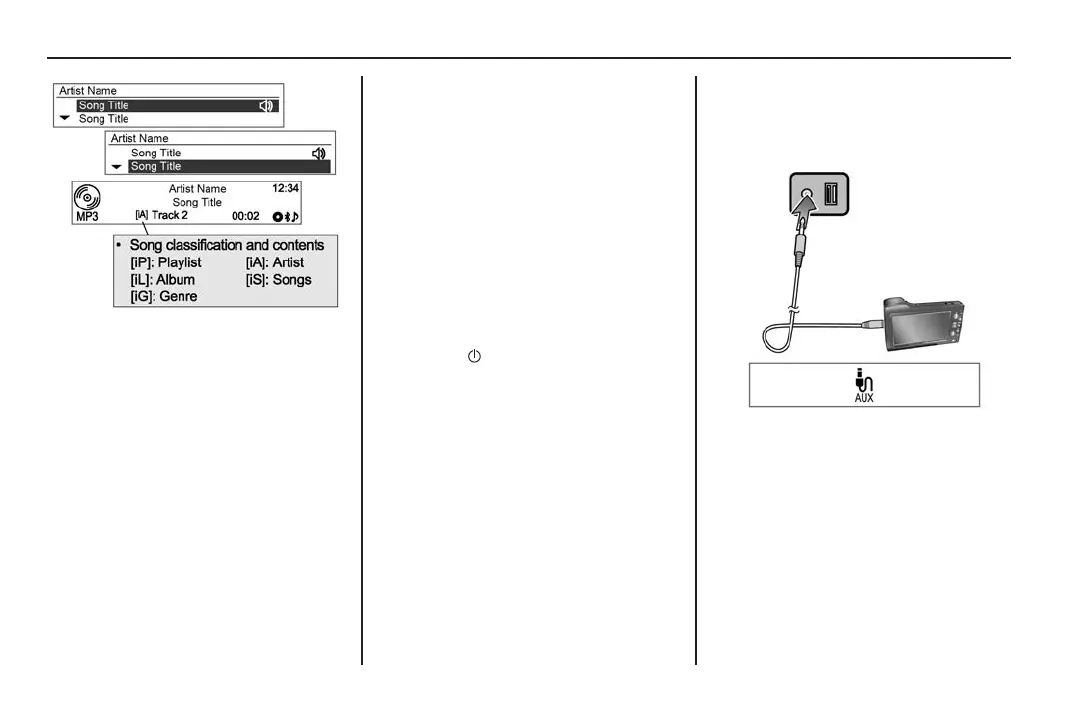
Connecting an audio device
Connect the audio output of the
audio device to the AUX input
terminal.
The audio system will automatically
switch to AUX mode when the
device is connected.
MY15_BARINA SPARK_BOOK.indb 90 14/07/2014 12:00:39 PM



 To Next Page
 Loading...






