Infotainment system 97
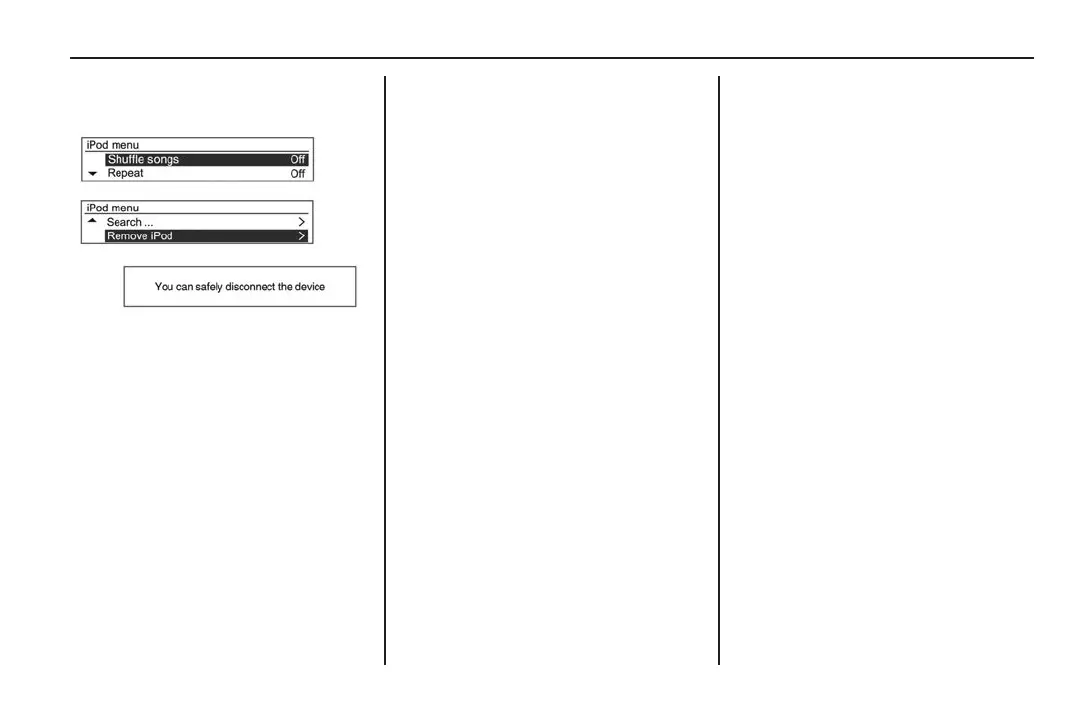
Disconnecting an iPod
®
device
1. Press MENU TUNE (14) to
display the iPod
®
menu.
2. Rotate MENU TUNE (14) to
scroll to Remove iPod.
3. Press MENU TUNE (14).
You can safely disconnect the
device is displayed.
4. Remove the iPod
®
device.
The audio system will switch to
the previously used mode or
FM radio.
Bluetooth
®
music
General information
• A mobile phone or Bluetooth
®
device that supports A2DP
(Advanced Audio Distribution
Prole) versions over 1.2 may
be paired and connected to the
infotainment system. See Pairing
a Bluetooth
®
device on page 102.
• From the mobile phone or
Bluetooth
®
device, nd the
Bluetooth
®
device type to set/
connect the item as a stereo
headset if required.
• ♪ is displayed at the bottom right
of the infotainment screen, if
the Bluetooth
®
audio device is
successfully connected.
• The audio sound is delivered
through the infotainment system.
• For Bluetooth
®
audio to play,
the music must be played at
least once from the phone or
Bluetooth
®
device.
When entering play mode a
second time, play will begin
automatically and will stop when
the audio ends.
Some devices may not
automatically play in Bluetooth
®
audio play mode.
• Audio only operates with
Bluetooth
®
devices that support
AVRCP (Audio Video Remote
Control Prole) version 1.0 or
above.
Depending on the Bluetooth
®
device options, some devices
may display AVRCP connecting
for the initial connection.
MY15_BARINA SPARK_BOOK.indb 97 14/07/2014 12:00:40 PM



 To Next Page
 Loading...






